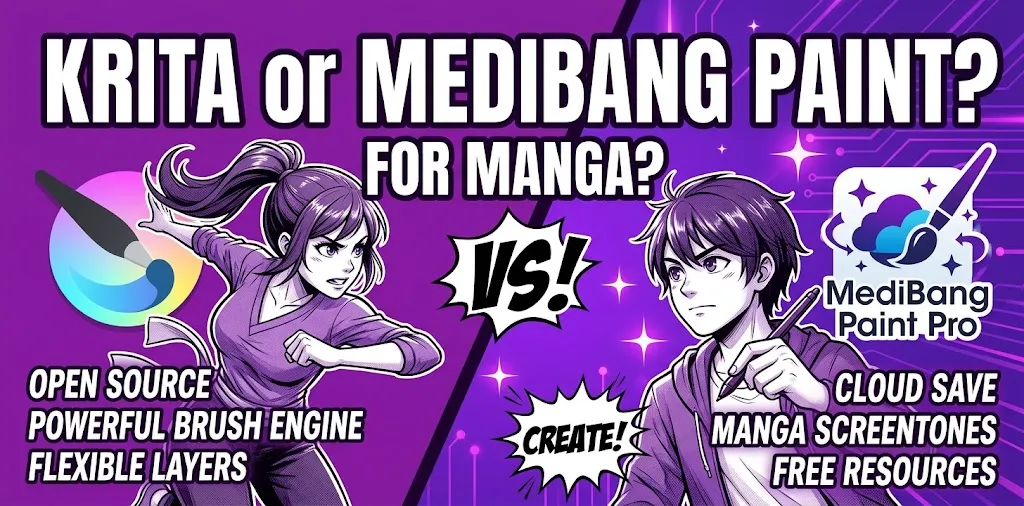
If you are choosing between Krita and MediBang Paint for manga, both are strong free options, but they suit different workflows. MediBang Paint is especially convenient for manga because it focuses on comic panels, tones, fonts, page management, and cloud features. Krita is better for artists who want deeper brush control, advanced painting tools, perspective assistants, and more freedom for illustration-heavy manga.
The right choice depends less on which program has more features and more on how you plan to make your manga.
Krita vs. MediBang Paint at a Glance
| Feature | Krita | MediBang Paint |
|---|---|---|
| Best for | Manga, illustration, painting, detailed artwork | Manga, comics, webcomics, beginner workflows |
| Price | Free and open source | Free, with optional premium features |
| Manga panel tools | Yes | Yes |
| Custom brushes | Excellent | Good |
| Comic tones | Available through tools and materials | Strong selection of built-in tones and materials |
| Fonts | Uses installed fonts and available resources | Large selection of cloud fonts and comic-oriented fonts |
| Multi-page comic workflow | Good | Very convenient |
| Cloud synchronization | Not a core workflow | Strong cloud integration |
| Collaboration | Not its main focus | Group project features |
| Perspective tools | Excellent | Good |
| Painting and illustration | Excellent | Good |
| Learning curve | Moderate | Generally easier for manga beginners |
| Best choice for beginners | If you want room to grow | If manga is your main goal |
Both programs can produce finished manga. The biggest difference is their overall design philosophy: Krita is a broad digital art program with powerful comic tools, while MediBang Paint is more directly focused on comics and manga production.
Why MediBang Paint Is So Good for Manga
MediBang Paint was built with comic and manga creation in mind. Its desktop version includes tools for creating comic panels, managing multiple pages in one project, adding tones and backgrounds, using fonts, and moving projects between devices through its cloud system.
That focus can make a big difference when you are starting your first manga.
Manga panel creation is straightforward
Creating panels is one of the areas where MediBang feels particularly focused. Its desktop version lets you create comic panels by slicing across page borders, and a comic project can contain multiple pages in one file.
For someone who wants to spend less time figuring out a general-purpose art application and more time drawing manga, this is useful.
Tones and backgrounds are built into the workflow
Traditional manga often relies on screentones, patterns, backgrounds, and visual effects. MediBang provides many premade tones and backgrounds, giving beginners materials they can use without creating every texture from scratch.
This is especially helpful for scenes that need:
- Speed lines
- Repeated patterns
- Shading tones
- Background textures
- Comic effects
- Decorative elements
Instead of manually building every effect, you can use existing materials and concentrate on the story and artwork.
Fonts are a major advantage
Dialogue and sound effects are an important part of manga. MediBang offers comic-oriented fonts and text resources, which can be useful when adding dialogue, narration, titles, and stylized sound effects.
This makes MediBang appealing if your manga contains a lot of dialogue and text.
Cloud features make device switching easier
MediBang’s cloud system can store artwork online so you can access projects across supported computers, tablets, and smartphones. It can also synchronize certain brushes, color palettes, and settings.
For example, a student might sketch a character on a tablet and continue working on the same project on a computer later. That type of workflow is one of MediBang’s practical strengths.
Why Krita Is a Strong Choice for Manga
Krita takes a different approach. It is a full digital painting application rather than a manga-only program, but it includes several tools that work extremely well for comics.
Krita is free and open source, and its feature set is useful for both comic artists and digital illustrators.
Krita gives you more control over brushes
If your manga style depends heavily on drawing and painting, Krita has a major advantage.
Its brush system includes multiple brush engines with extensive customization options. You can adjust brushes to create different types of line art, shading, textures, and painting effects.
That matters when your artwork goes beyond simple black-and-white line work.
For example, imagine you are creating a fantasy manga with detailed environments, painted backgrounds, glowing effects, and highly rendered characters. Krita gives you more room to build that visual style inside one application.
Perspective and drawing assistants are excellent
Manga artists frequently need accurate perspective for buildings, streets, rooms, vehicles, and other environments.
Krita includes drawing assistants designed to help with straight lines, vanishing points, ellipses, and different perspective situations.
This can be especially valuable if you struggle with backgrounds.
A beginner may still need to learn perspective, but the software can reduce some of the mechanical work involved in producing clean perspective-based artwork.
Krita has strong comic and text tools
Krita is not limited to painting. Its vector and text features can be used for comic panels and speech bubbles.
This makes Krita much more capable for manga production than its reputation as simply a painting program might suggest.
Krita is better suited to mixed art styles
If you want your manga to include more than traditional manga line art, Krita becomes particularly attractive.
It can handle workflows involving:
- Detailed digital painting
- Concept art
- Character illustration
- Background painting
- Textures
- Comic panels
- Black-and-white line art
- Color manga
- Experimental visual effects
That flexibility can be valuable if your project changes as your skills develop.
Which Is Easier for a Beginner?
For a beginner whose main goal is making manga, MediBang Paint is usually the easier starting point.
Its interface and feature set are strongly connected to comic creation. You can quickly find tools for panels, tones, fonts, and other manga-related tasks.
Krita can also be used by beginners, but it offers a much larger collection of tools. That flexibility can initially feel overwhelming.
Think of it this way:
MediBang Paint: “I want to make manga.”
Krita: “I want to learn digital art and also make manga.”
Neither approach is wrong. The better choice depends on what you want to learn.
Which Is Better for Drawing Manga Characters?
For character line art, both are capable.
The difference becomes more noticeable when you start customizing brushes and developing your own drawing style.
Krita has particularly strong brush customization, so artists who care about precise control over line behavior may prefer it.
MediBang, however, can be easier when you want to combine character drawings with manga-specific materials, panels, tones, and text.
If your priority is drawing characters, lean toward Krita.
If your priority is turning those drawings into complete manga pages, MediBang deserves serious consideration.
Which Is Better for Manga Panels?
MediBang Paint has an edge for a straightforward manga workflow.
Its comic tools and page management make it convenient for creating and organizing manga pages.
Krita also has strong comic tools. Its vector features can be used for panels and speech bubbles, while its broader drawing environment gives artists more flexibility.
The difference is mostly workflow.
If you want dedicated comic-oriented tools with less setup, MediBang Paint is the easier pick.
If you want comic tools alongside a powerful illustration and painting environment, Krita is more flexible.
Which Has Better Tones, Fonts, and Manga Materials?
MediBang Paint has the stronger out-of-the-box manga-material experience.
Its collection of premade tones, backgrounds, patterns, and fonts can save time when creating comic pages.
Krita can certainly handle tones, textures, brushes, patterns, and other manga effects, but its broader design means you may spend more time building or customizing your own workflow.
For a beginner who wants ready-to-use manga resources, MediBang Paint has the advantage.
Which Is Better for Webcomics?
Both can work well for webcomics, but the better choice depends on your production style.
MediBang is attractive if you want a simple comic workflow and frequently move between devices. Its cloud features can make it convenient to access artwork on different supported devices.
Krita is a strong choice if your webcomic relies heavily on custom illustration, painting, detailed backgrounds, or unusual visual effects.
For a simple black-and-white webcomic, MediBang may feel faster.
For a heavily illustrated fantasy or science-fiction webcomic, Krita may offer more creative control.
Which Is Better for Black-and-White Manga?
For traditional black-and-white manga, MediBang Paint is often the more convenient choice for beginners.
Its combination of panel creation, tones, backgrounds, fonts, and comic-focused features makes it easy to assemble a complete page.
Krita is still an excellent option, especially if you want detailed line art or highly customized brushes.
The choice becomes less about whether either program can make black-and-white manga—they both can—and more about how much customization you want.
Which Is Better for Color Manga?
For color manga, Krita gets the advantage.
Krita is designed as a digital painting application and supports extensive brush customization, layers, color workflows, and advanced painting features.
MediBang can absolutely handle color artwork, but Krita gives artists more depth when painting becomes a major part of the process.
If you are planning a colorful manga with painted lighting, atmospheric backgrounds, complex textures, or illustration-style rendering, Krita is the stronger long-term choice.
What About File Compatibility?
MediBang Paint supports common image formats such as PNG, JPG, BMP, GIF, PSD, TIFF, and WebP, along with its native project format.
Krita also supports common image formats and has its own layered document format, making it suitable for maintaining editable artwork.
For manga production, keeping your original layered project files is important. Do not rely only on exported JPG or PNG files if you expect to make substantial edits later.
A good workflow is to keep the original project file and export separate copies for publishing or sharing.
Which Program Has the Better Learning Curve?
Choose MediBang Paint if you want a faster manga-focused start
MediBang makes sense if you are new to digital manga and want to learn the basics of:
- Panels
- Speech bubbles
- Tones
- Fonts
- Page layouts
- Line art
- Comic effects
You can start with the features directly related to manga instead of learning a large painting application first.
Choose Krita if you want broader digital art skills
Krita makes more sense if you want to learn:
- Digital painting
- Advanced brush control
- Perspective
- Illustration
- Character art
- Background painting
- Comic creation
- Custom workflows
The learning curve may be steeper, but the software gives you more room to explore different forms of digital art.
Krita vs. MediBang Paint: Which One Should You Choose?
The simplest decision is to match the software to your project.
| If your main goal is… | Better choice |
|---|---|
| Make your first manga | MediBang Paint |
| Create comic panels quickly | MediBang Paint |
| Use lots of manga tones and materials | MediBang Paint |
| Use cloud-based artwork across devices | MediBang Paint |
| Work with other MediBang users | MediBang Paint |
| Develop highly customized brushes | Krita |
| Paint detailed illustrations | Krita |
| Create complex backgrounds | Krita |
| Work heavily with perspective | Krita |
| Make color-heavy manga | Krita |
| Learn broader digital art skills | Krita |
| Want a free open-source art program | Krita |
Two Real-World Ways to Decide
Suppose you are a beginner making a 20-page black-and-white manga. Your priorities are panel layouts, clean line art, screentones, dialogue, sound effects, and page management. In that situation, MediBang Paint is likely to feel more natural because its tools are closely tied to comic production.
Now imagine you are making a fantasy manga with painted environments, dramatic lighting, detailed characters, and occasional full-color illustrations. You may prefer Krita because its painting tools and brush customization give you more freedom.
Neither example means one program is universally better. They show why the same artist can reasonably choose different software for different projects.
Is Krita or MediBang Paint Better Overall for Manga?
For manga specifically, MediBang Paint has the advantage in convenience and dedicated comic features.
For digital art that includes manga, Krita is the stronger all-around choice.
MediBang’s strengths are its manga-focused workflow, comic materials, page management, cloud features, fonts, and collaboration options.
Krita’s strengths are its brush engines, drawing assistants, vector tools, layers, painting capabilities, and broader creative flexibility.
So if you are asking, “Which should I download to start making manga?” MediBang Paint is probably the easier recommendation.
If you are asking, “Which program will give me more room to grow as a digital artist while also making manga?” Krita is the better fit.
Frequently Asked Questions
Is MediBang Paint easier than Krita for manga?
Yes, MediBang Paint can be easier for beginners because many of its features are directly aimed at comic and manga production. Its panel tools, tones, fonts, page management, and cloud features make the basic manga workflow straightforward.
Can Krita make professional-looking manga?
Yes. Krita includes comic panel, speech-bubble, text, perspective, layer, and brush tools that can support a complete manga workflow. Its broader digital painting features also make it useful when manga artwork requires detailed illustration or painting.
Is Krita completely free for commercial manga?
Yes. Krita is free and open source, and its licensing allows commercial use. You can use Krita to create commercial artwork, including manga, without paying for the application itself.
The Bottom Line
If your main goal is to make manga quickly and easily, start with MediBang Paint. Its comic-focused tools, tones, fonts, page management, and cloud features make it a practical choice for beginners and manga-first workflows.
If you want more control over drawing, painting, brushes, perspective, and illustration, choose Krita. It may take longer to learn, but it gives you a broader creative toolkit.
A useful tip: try making the same one-page manga scene in both programs before committing to a long project. You will quickly discover which interface, brushes, panel tools, and page workflow feel more natural to you.