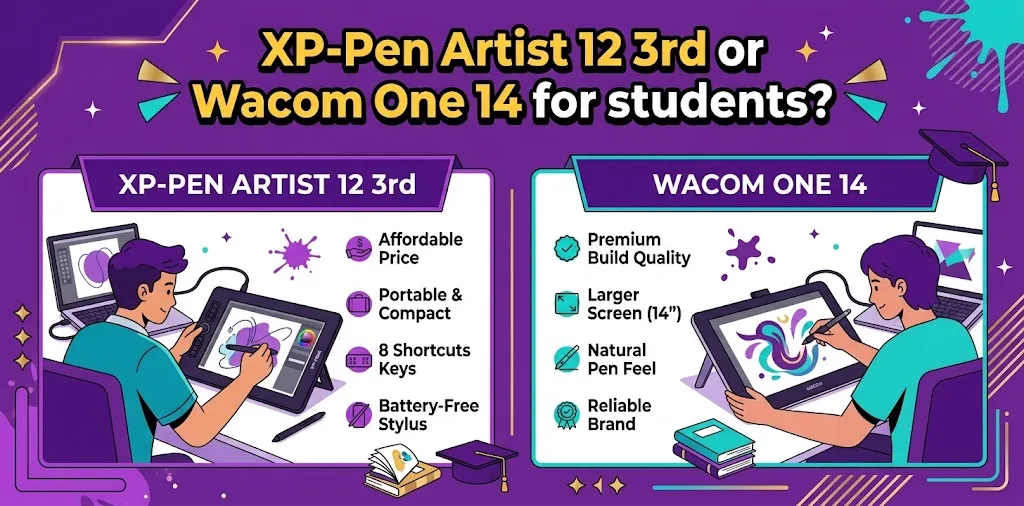
For most students, the XP-Pen Artist 12 3rd is the better value, while the Wacom One 14 is the better choice if you prefer a larger screen and a simple, beginner-focused setup. XP-Pen offers strong pen specifications, shortcut controls, and a lower price, while Wacom gives you 14 inches of drawing space and a straightforward experience.
If you are a student choosing your first drawing display, these two tablets make sense for different reasons. Both require a compatible computer, both have 1080p displays, and both are designed for beginners. The bigger question is whether you value price and features or screen size and simplicity.
XP-Pen Artist 12 3rd vs Wacom One 14 at a glance
| Feature | XP-Pen Artist 12 3rd | Wacom One 14 |
|---|---|---|
| Display size | 11.9 inches | 14 inches |
| Resolution | 1920 × 1080 | 1920 × 1080 |
| Display type | IPS | IPS |
| Color gamut | 99% sRGB | 98% sRGB |
| Brightness | 260 nits | 285 nits |
| Pen pressure | 16,384 levels | 4,096 levels |
| Tilt support | 60° | 60° |
| Shortcut controls | X-Dial and shortcut keys | 2 pen buttons |
| Surface | Full-laminated, anti-glare | Anti-glare, anti-fingerprint, direct bonding |
| Weight | 719 g | 750 g |
| Compatibility | Windows, macOS, Android, ChromeOS, Linux, Windows ARM | Windows, macOS, ChromeOS |
| Price | Around $200 | Around $300 |
Prices can change with sales and promotions, so check the current price before buying.
Which one is better for students?
The XP-Pen Artist 12 3rd is the better overall student value for most people.
It costs less while giving you a pressure-sensitive pen, customizable dial controls, a high-sRGB display, and a compact design. It is especially attractive if you are a college student, beginner illustrator, animation student, or hobby artist working with a limited budget.
The Wacom One 14 becomes more appealing if screen size matters more to you than extra features. Its 14-inch display gives you a larger working area, and Wacom keeps the product simple with a battery-free pen and straightforward connection.
So the choice is fairly simple:
- Best value: XP-Pen Artist 12 3rd
- Best for a larger drawing area: Wacom One 14
- Best for shortcut controls: XP-Pen Artist 12 3rd
- Best for simple beginner use: Wacom One 14
- Best for students on a tight budget: XP-Pen Artist 12 3rd
- Best if you strongly prefer a 14-inch screen: Wacom One 14
What makes the XP-Pen Artist 12 3rd a good student tablet?
The lower price leaves more money for school
The price difference is one of the biggest reasons to consider the Artist 12 3rd.
At around $200, it can leave more room in a student’s budget for software, storage, accessories, or other school supplies.
The actual price can change with promotions, so treat the price as a general comparison rather than a permanent figure.
Its pen has more pressure levels
The Artist 12 3rd uses an X4 Smart Chip Stylus with 16,384 pressure levels and supports 60-degree tilt.
The Wacom One 14 uses a battery-free pen with 4,096 pressure levels and 60-degree tilt.
That does not mean the XP-Pen automatically produces artwork four times better. Pressure-level numbers alone do not determine drawing quality. Pen feel, driver behavior, calibration, surface texture, software, and the artist’s technique all matter.
Still, the XP-Pen offers a strong specification package for its price.
The X-Dial can be useful for school projects
The Artist 12 3rd includes an X-Dial and customizable shortcut controls. These can be assigned to actions such as zooming, changing brush size, or other workflow commands.
For a student spending hours in Photoshop, Clip Studio Paint, Krita, or another supported application, physical controls can reduce the need to repeatedly reach for keyboard shortcuts.
That is particularly useful when working on illustration or animation assignments.
It is easy to carry around
The Artist 12 3rd is relatively compact and weighs about 719 grams.
That makes it a practical option for students who move between a dorm, classroom, library, and home.
The smaller screen is the trade-off. A compact drawing display is convenient to carry, but you have less physical workspace than you get on the Wacom One 14.
What makes the Wacom One 14 a good student tablet?
The 14-inch screen is more comfortable for some students
The biggest advantage of the Wacom One 14 is obvious: you get a larger display.
It has a 14-inch Full HD IPS screen with a larger active drawing area than the Artist 12 3rd.
Both displays use 1920 × 1080 resolution, so the Wacom gives you more physical drawing space without increasing the number of pixels.
This can make a difference when you are working on detailed illustrations, character designs, photo editing, or layouts with lots of panels and tools.
Wacom keeps the setup straightforward
The Wacom One 14 is built as an entry-level pen display. It has a battery-free pen, two side buttons, anti-glare and anti-fingerprint glass, and a USB-C connection.
For students who do not want a lot of extra controls, this simplicity can be a benefit.
You can concentrate on learning your art software instead of spending time configuring numerous hardware buttons.
The display is slightly brighter
Wacom rates the One 14 at about 285 cd/m² typical brightness, compared with about 260 nits for the Artist 12 3rd. Both provide wide sRGB coverage.
These differences are relatively small for a student buying an entry-level drawing display.
The more meaningful difference is still the physical screen size.
Screen size: 12 inches vs 14 inches
This is probably the most important decision after price.
The Artist 12 3rd’s 11.9-inch screen is not tiny, but its smaller working area can feel crowded if you keep your drawing application, layers, brushes, and other panels visible.
The Wacom One 14 gives you more physical room. However, because both displays use 1920 × 1080 resolution, the Wacom does not give you more pixels. It gives you a larger physical canvas.
For example, imagine a student working on a character illustration while keeping the layers panel open. The larger Wacom screen can make the workspace feel less cramped.
On the other hand, if that same student frequently carries the tablet to class, the smaller Artist 12 3rd may be easier to pack and use.
Pen feel and drawing performance
Both tablets use battery-free, pressure-sensitive pens with 60-degree tilt support.
The Artist 12 3rd has a newer X4 Smart Chip Stylus with 16K pressure sensitivity and low initial activation force.
Wacom uses its established pen technology in the One 14. The standard pen has 4,096 pressure levels and two side switches.
For a beginner, both are capable of handling common tasks such as:
- Digital sketching
- Line art
- Coloring
- Character design
- Photo annotation
- Note-taking
- Basic animation
- Graphic design
- Illustration practice
The XP-Pen’s specifications are stronger on paper, but students should not assume that pressure-level numbers alone determine which pen will feel better.
Software compatibility matters more than many students expect
A drawing display does not work like an iPad. It acts as an input display connected to a computer.
The Artist 12 3rd supports Windows, macOS, Android, ChromeOS, Linux, and Windows ARM, with specific hardware requirements for some connections.
The Wacom One 14 supports Windows, macOS, and ChromeOS.
Before purchasing either tablet, check the operating system on the computer you plan to use.
A student with a Windows laptop should have plenty of flexibility with either model. A student using Linux has a clear compatibility advantage with the XP-Pen because it supports Linux.
Do you need a powerful laptop?
Yes, because neither of these is a standalone computer.
Both are designed to connect to a computer or laptop that runs your drawing software.
This is an important student buying consideration.
If you only have an older laptop with limited performance or unsuitable ports, buying the drawing display may not solve your problem. Check the computer’s USB-C specifications and available display connections before ordering.
XP-Pen Artist 12 3rd vs Wacom One 14 for different students
| Student type | Better choice | Why |
|---|---|---|
| Beginner on a tight budget | XP-Pen Artist 12 3rd | Lower price and strong feature set |
| College illustration student | XP-Pen Artist 12 3rd | Shortcut controls and portable size |
| Student who wants more drawing space | Wacom One 14 | Larger 14-inch active display |
| Student using Linux | XP-Pen Artist 12 3rd | Supports Linux |
| Student who prefers simple controls | Wacom One 14 | Minimal, straightforward setup |
| Student traveling between classes | XP-Pen Artist 12 3rd | Compact and relatively light |
| Beginner who wants Wacom | Wacom One 14 | Simple entry-level Wacom experience |
| Student focused on value | XP-Pen Artist 12 3rd | More features for the money |
What are the biggest drawbacks of each?
XP-Pen Artist 12 3rd drawbacks
The biggest limitation is its smaller screen.
An 11.9-inch Full HD display can become cramped during complex projects. If you regularly work with large illustrations, multiple panels, or detailed line art, the 14-inch Wacom may be more comfortable.
The Artist 12 3rd also requires a computer, so it is not a portable standalone tablet.
Wacom One 14 drawbacks
The biggest issue for budget-conscious students is the price.
At around $300, it costs significantly more than the Artist 12 3rd in many current price comparisons.
It also has fewer hardware controls. The pen provides two side buttons, but there is no equivalent built-in dial system like the Artist 12 3rd’s X-Dial.
Its 4,096 pressure levels are also lower on paper than XP-Pen’s 16,384 levels, although that specification should not be treated as a direct measure of real-world drawing quality.
Two practical student scenarios
Scenario 1: A college student has $250 to spend
Suppose a student already owns a compatible Windows laptop and wants a first pen display for illustration classes.
The Artist 12 3rd makes more sense because it fits comfortably within that budget and leaves some money for accessories or software.
Its shortcut controls and strong pen specifications are useful bonuses rather than features the student has to pay much more for.
Scenario 2: A student draws for several hours every day
Now imagine a student who already knows they prefer drawing directly on a screen and spends several hours working on large illustrations.
The Wacom One 14’s larger active area may be worth the additional cost. The larger screen provides more physical room for the artwork while maintaining Full HD resolution.
For this type of student, comfort and workspace can matter more than having additional pen pressure levels.
Which one should you buy?
Choose the XP-Pen Artist 12 3rd if you want the strongest value, a compact drawing display, physical shortcut controls, and a more advanced pen specification for less money. It is especially attractive for students who are just starting digital art or need to keep the total cost down.
Choose the Wacom One 14 if you would rather have a larger 14-inch drawing area and a simple, beginner-focused setup. The larger screen is the main reason to spend more.
For most students, I would pick the XP-Pen Artist 12 3rd when budget is important. If you know that a larger screen will make long drawing sessions more comfortable, the Wacom One 14 is the better fit.
FAQ
Is the XP-Pen Artist 12 3rd good for college students?
Yes. Its compact size, shortcut controls, strong pen specifications, and lower price make it a practical option for students studying illustration, animation, graphic design, or related subjects. It does require a compatible computer.
Is the Wacom One 14 better than the XP-Pen Artist 12 3rd?
Not for every student. The Wacom gives you a larger 14-inch drawing area, while the XP-Pen offers more shortcut controls, higher stated pen pressure sensitivity, broader operating-system compatibility, and a lower price.
Which is better for a beginner on a budget?
The XP-Pen Artist 12 3rd is the stronger budget choice. If your budget allows the Wacom and you strongly prefer its larger screen, however, the One 14 is still a capable beginner pen display.
Final recommendation
For students, the decision comes down to value versus screen size. The XP-Pen Artist 12 3rd gives you more features for the money and is the better choice for most budget-conscious beginners. The Wacom One 14 is worth considering when a larger drawing surface and simple setup are more important than saving money.
Before buying, check your laptop’s USB-C and display-output support first. A good drawing display is only as useful as the computer you connect it to.