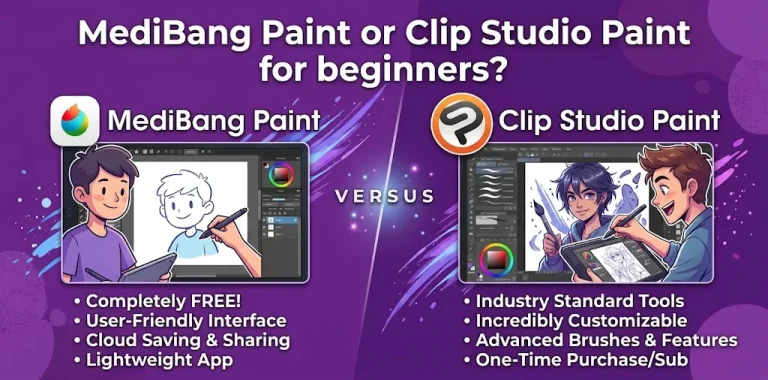
If you are choosing between MediBang Paint and Clip Studio Paint for manga, Clip Studio Paint is the stronger choice for serious, long-term manga production, while MediBang Paint is a better starting point if you want a free, simpler workflow. Both support manga essentials such as brushes, layers, panels, tones, and page creation, but Clip Studio Paint offers much deeper tools for professional comic production.
The right choice depends less on which app can draw manga and more on how much control you need over your pages, your budget, your project size, and how quickly you want to learn.
MediBang Paint vs. Clip Studio Paint at a Glance
| Feature | MediBang Paint | Clip Studio Paint |
|---|---|---|
| Manga drawing | Excellent for beginners | Excellent for beginners and professionals |
| Price | Free core app; optional Premium | Paid plans and licenses |
| Learning curve | Easier | Steeper |
| Brushes | Good selection with customization | Extensive customization and advanced brush tools |
| Comic panels | Yes | Advanced paneling tools |
| Screentones | Yes | Yes, with advanced comic tools |
| Page management | Yes | Excellent, especially with EX |
| Multi-page manga | Yes | Excellent |
| Speech balloons | Basic comic workflow | Advanced |
| Perspective tools | Yes | Advanced rulers and perspective tools |
| 3D references | More limited | Extensive 3D tools |
| Vector linework | More limited | Strong vector tools |
| Webtoons | Possible | Excellent |
| Professional manga workflow | Good | Excellent |
| Best for | Beginners and budget-conscious artists | Serious manga and comic creators |
Which Is Better for Manga?
Clip Studio Paint is better overall for manga, especially if you plan to create complete chapters, graphic novels, serialized comics, or professional-looking pages.
MediBang Paint can absolutely handle manga. It includes tools for panels, screentones, backgrounds, layers, page organization, and manga-oriented brushes. For someone learning digital manga or making short projects, that can be more than enough.
Clip Studio Paint is designed much more heavily around comic production. Its manga workflow includes panel creation, speech balloons, screentones, effect lines, rulers, 3D references, specialized brushes, and export tools. Clip Studio Paint EX also adds stronger multi-page project management and additional comic features.
So the simplest answer is:
- Choose MediBang Paint if cost and simplicity matter most.
- Choose Clip Studio Paint if manga is a serious long-term goal.
- Choose Clip Studio Paint EX if you expect to manage larger multi-page manga projects and want its advanced comic features.
Why MediBang Paint Is Good for Manga Beginners
MediBang Paint has a major advantage: you can start without paying for the core drawing software.
Its desktop version includes a wide range of brushes, layers, snap guides, comic panel creation, page management, cloud features, premade tones and backgrounds, fonts, and collaboration features.
That makes it appealing if you are learning fundamentals rather than trying to build a professional production pipeline immediately.
The manga tools are already there
A beginner does not necessarily need dozens of advanced features. You mainly need to be able to:
- Set up a page.
- Sketch characters.
- Ink clean lines.
- Add tones or shading.
- Create panels.
- Add text.
- Organize pages.
- Export the finished artwork.
MediBang can handle many of these basic manga tasks without overwhelming you with a huge interface.
It works across common devices
MediBang Paint is available on Windows, Mac, iPad, iPhone, and Android. Its mobile versions include layers, comic panels, page management, cloud functionality, and customizable brushes.
That can be especially useful for artists who sketch on a tablet but finish pages on a computer.
MediBang is easier to justify when you’re experimenting
Suppose you are a high school student who has never made digital manga before. Spending money on professional software before knowing whether you enjoy digital drawing may not make sense.
MediBang lets you learn:
- Digital inking
- Layer organization
- Manga panel layouts
- Screentones
- Basic coloring
- Digital page preparation
without making software cost the first barrier.
Where Clip Studio Paint Pulls Ahead
Clip Studio Paint’s biggest advantage is depth.
It is not simply a drawing app with a few comic features added. Its current comic workflow is built around manga, comics, and webtoons, with dedicated tools for panels, balloons, effects, tones, rulers, 3D references, layers, coloring, and exporting.
Panel creation is more advanced
Panel construction becomes increasingly important as a manga project gets larger.
Clip Studio Paint lets artists create and divide panels, adjust shapes and gutter widths, and reuse layouts. That can save considerable time when working through many pages.
For a single-page comic, this may not matter much.
For a 40-page chapter, it matters a lot more.
3D references can save time
Clip Studio Paint has customizable 3D figures, head models, hand models, props, and scene references. Artists can adjust poses and camera angles to help establish difficult perspectives.
This is useful when you need to draw something such as:
- A character viewed from a low angle
- Two characters interacting
- A complicated hand position
- A room with difficult perspective
- A group scene
You still need drawing skills, but a good reference can reduce the amount of guesswork.
Vector linework is another major advantage
Clip Studio Paint supports vector lines that can be edited after drawing. You can adjust line thickness, transform lines, and use tools such as the vector eraser without treating the artwork exactly like ordinary raster pixels.
That can be valuable for manga artists who spend a lot of time cleaning and refining ink work.
Which Has Better Brushes?
For basic manga drawing, both are capable.
MediBang offers a useful selection of brushes, including tools suited to manga linework, and allows brush customization.
Clip Studio Paint provides a much broader brush and customization ecosystem, along with tools designed around precise linework and different artistic workflows. Its comic tools also integrate brushes with rulers, vector features, effects, and other production tools.
If you are just learning to draw manga faces, hair, clothing, and basic backgrounds, MediBang’s brush selection should be enough.
If you are trying to develop a highly customized professional inking workflow, Clip Studio Paint has more room to grow.
Which Is Better for Screentones?
Both programs can work with manga tones, but Clip Studio Paint offers a deeper overall comic-production environment.
MediBang includes premade tones and backgrounds and supports screentone-style manga workflows.
Clip Studio Paint includes dedicated effects and tone tools alongside paneling, rulers, balloons, and other comic features. It also provides specialized tools for action lines and speed lines.
For a beginner creating black-and-white manga, MediBang may be perfectly adequate.
For a creator who wants detailed control over tone, effects, perspective, and page production, Clip Studio Paint is the better fit.
Which Is Easier to Learn?
MediBang Paint is generally easier for a beginner to approach.
That does not mean Clip Studio Paint is impossible to learn. It simply offers many more tools, which means there are more controls to understand.
A new artist opening Clip Studio Paint may see tools for:
- 3D models
- Vector layers
- Comic frames
- Rulers
- Subtools
- Balloons
- Materials
- Layer management
- Perspective
- Advanced selections
- Effects
That power is useful, but it can feel like a lot at first.
MediBang keeps the basic drawing experience more straightforward.
If your goal is “I want to start drawing manga this weekend,” MediBang can be a comfortable place to begin.
If your goal is “I want to learn the software I may use for years,” learning Clip Studio Paint early can make more sense.
Which Is Better for Long Manga Projects?
This is where the difference becomes much clearer.
MediBang supports multiple pages in a project and allows pages to be edited and reordered.
Clip Studio Paint EX is built for more advanced multi-page comic workflows. Its page management feature lets creators view pages together to check the flow of a story, which becomes valuable when working on manga chapters, books, or zines.
For example, imagine you are creating a 100-page manga.
With a small project, manually organizing files may be manageable. As the number of pages, characters, backgrounds, and revisions grows, dedicated project-management tools become increasingly useful.
For long-form manga, Clip Studio Paint has the stronger workflow.
What About Webtoons?
If you want to create vertical webcomics as well as traditional manga, Clip Studio Paint has a clear advantage.
Clip Studio Paint provides webtoon-oriented tools, including paneling options suited to scrolling formats.
MediBang can still be used for webcomic artwork, but Clip Studio Paint is better suited to creators who want one application capable of handling traditional manga pages and modern webtoon workflows.
Pricing: MediBang Paint vs. Clip Studio Paint
Cost is one of the biggest reasons someone might choose MediBang.
MediBang Paint’s core app is free, while MediBang Premium is an optional subscription that adds features such as additional cloud storage and other premium functionality. Premium plans vary depending on the platform and storage level.
Clip Studio Paint uses several licensing options, including perpetual licenses for Windows and macOS as well as subscription plans. Prices and promotions can change, so check the current plan before purchasing.
| Cost consideration | MediBang Paint | Clip Studio Paint |
|---|---|---|
| Free starting option | Yes | Free trial/options available |
| Paid subscription | Optional Premium | Available |
| One-time desktop license | Not the main model | Available |
| Advanced manga features | More limited | Strong |
| Best budget choice | MediBang | Clip Studio Paint PRO if you need more tools |
For someone who simply wants to practice, MediBang has the stronger budget argument.
For someone building a serious manga workflow, the additional cost of Clip Studio Paint can be worthwhile because of the specialized tools it provides.
Clip Studio Paint PRO or EX for Manga?
There is an important distinction here.
Clip Studio Paint PRO is aimed heavily at illustration and character art but also includes single-page comic tools. EX adds more advanced comic and animation capabilities, including multi-page projects and additional manga-related features.
For a beginner making occasional manga pages, PRO may be enough.
For someone producing a full manga series or managing larger multi-page projects, EX is the more appropriate version.
You do not necessarily need EX just because you draw manga.
MediBang Paint or Clip Studio Paint for a Beginner?
For a complete beginner, I would choose based on your commitment level.
Choose MediBang Paint if:
- You are new to digital art.
- You want to spend little or nothing on software.
- You mainly make simple manga pages.
- You prefer a simpler interface.
- You are still learning digital drawing.
- You want to test whether manga creation is right for you.
Choose Clip Studio Paint if:
- Manga is your main artistic goal.
- You want advanced comic tools.
- You plan to create many pages.
- You want 3D references.
- You care about advanced linework.
- You want webtoon tools.
- You expect your skills and projects to grow.
Two Practical Scenarios
Scenario 1: You are learning manga for fun
Imagine you want to make a short 10-page black-and-white manga with two characters.
You need sketching, inking, layers, panels, tones, text, and export tools. You do not need an enormous collection of professional production features.
MediBang Paint is a sensible choice.
It gives you the core tools without requiring a large software investment.
Scenario 2: You want to publish a full manga series
Now imagine you are planning multiple chapters with dozens or hundreds of pages.
You will probably care much more about page organization, consistent panel layouts, perspective, reusable assets, advanced rulers, 3D references, vector linework, tones, effects, and efficient revisions.
Clip Studio Paint becomes the better choice.
The more complex your production becomes, the more its specialized tools can save time.
The Biggest Trade-Off: Simplicity vs. Control
The choice can be reduced to one central trade-off.
MediBang Paint gives you enough tools to start making manga without a large learning or financial barrier. Clip Studio Paint gives you more control when your manga workflow becomes demanding.
Neither program will automatically make your drawings better.
Your fundamentals still matter more than the application:
- Anatomy
- Perspective
- Composition
- Panel pacing
- Storytelling
- Inking
- Lighting
- Character design
A skilled artist can create good manga in either program.
The software mainly changes how efficiently you can turn those skills into finished pages.
Which One Should You Choose?
| If your priority is… | Better choice |
|---|---|
| Spending as little as possible | MediBang Paint |
| Learning manga basics | MediBang Paint |
| A simple starting workflow | MediBang Paint |
| Professional manga production | Clip Studio Paint |
| Advanced paneling | Clip Studio Paint |
| 3D drawing references | Clip Studio Paint |
| Vector inking | Clip Studio Paint |
| Long multi-page projects | Clip Studio Paint EX |
| Webtoon production | Clip Studio Paint |
| Advanced comic effects | Clip Studio Paint |
| One application to grow into | Clip Studio Paint |
Frequently Asked Questions
Is MediBang Paint good enough to make professional manga?
Yes. MediBang Paint has many of the core tools needed for manga, including brushes, layers, panels, tones, page management, and backgrounds. However, artists working on complex or long-form projects may prefer Clip Studio Paint because it provides a deeper set of specialized comic-production tools.
Is Clip Studio Paint worth it for manga beginners?
It can be, especially if manga is something you plan to pursue seriously. The software has a larger learning curve, but learning its comic tools early can prevent you from needing to switch programs later as your projects become more complex.
Do professional manga artists use MediBang Paint or Clip Studio Paint?
Both programs can be used to create manga, but Clip Studio Paint is particularly well suited to professional comic workflows because of its dedicated paneling, tones, effects, rulers, 3D, vector, and multi-page features.
Final Verdict
If you are asking “MediBang Paint or Clip Studio Paint for manga?”, my pick is Clip Studio Paint for serious manga and MediBang Paint for beginners on a budget.
Start with MediBang if you want a free and approachable way to learn. Choose Clip Studio Paint if you begin working on longer stories, more complicated pages, webtoons, or professional-quality production.
A practical tip: don’t choose software based only on how many features it has. Choose the program that matches the kind of manga you actually plan to create. If you’re making your first few pages, simplicity can be more valuable than advanced tools. If you’re planning a full series, investing time in Clip Studio Paint early can pay off later.