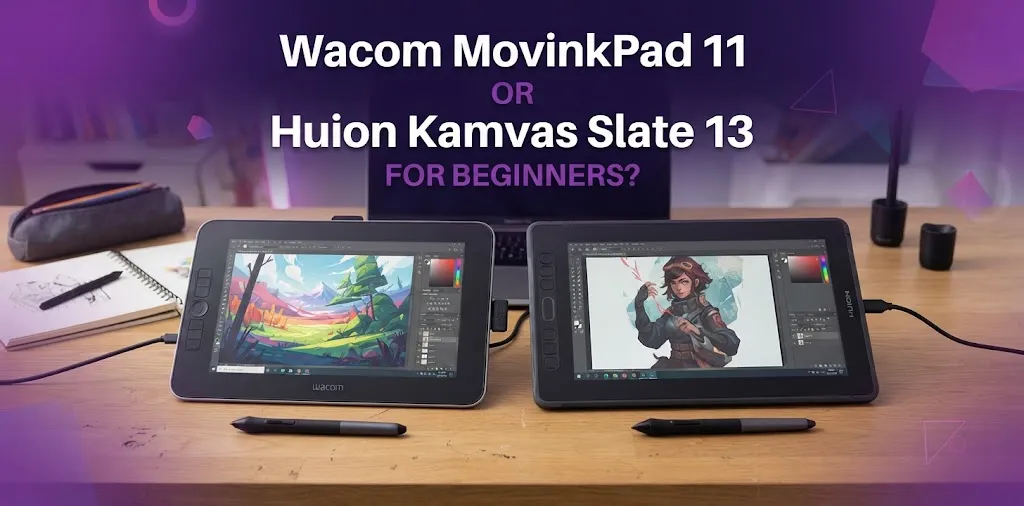
For most beginners, the Wacom MovinkPad 11 is the better choice because it offers a more reliable drawing experience, a stronger pen, better portability, and a brighter, sharper-feeling display. The Huion Kamvas Slate 13 gives you a much larger canvas, but its pen performance and screen consistency make it a less dependable choice for beginners who want to build solid drawing skills.
Both are standalone Android drawing tablets. That means you can draw directly on the screen without connecting the tablet to a Windows PC or Mac. They are designed to make digital art easier to start, but they take different approaches.
The biggest decision is simple: Do you want the better drawing experience or the larger drawing area?
For most new artists, the better drawing experience matters more.
Wacom MovinkPad 11 vs Huion Kamvas Slate 13 at a Glance
| Feature | Wacom MovinkPad 11 | Huion Kamvas Slate 13 |
|---|---|---|
| Best for | Beginners who prioritize drawing quality | Beginners who want a larger screen |
| Screen size | 11.45 inches | 12.7 inches |
| Resolution | 2200 × 1440 | 2560 × 1600 |
| Aspect ratio | 3:2 | 4:3 |
| Operating system | Android 14 | Android 14 |
| Pen | Wacom Pro Pen 3 | Huion H-Pencil |
| Pen technology | Battery-free EMR | Active stylus system |
| Pressure levels | 8,192 | Manufacturer specifications vary by market |
| Tilt support | Up to 60 degrees | Supported |
| RAM | 8GB | 8GB |
| Storage | 128GB | 256GB |
| Portability | Excellent | Less convenient due to larger size |
| Drawing focus | Strong | Better suited to casual sketching and general tablet use |
The Wacom uses the company’s well-established pen technology, while the Huion focuses more heavily on giving buyers a larger standalone Android tablet.
That difference becomes noticeable once you start drawing.
Why the Wacom MovinkPad 11 Is Better for Most Beginners
A beginner does not need the most expensive tablet or the biggest screen. What matters most is whether the tablet makes learning digital art feel natural rather than frustrating.
The Wacom MovinkPad 11 does that better.
The pen experience is more important than the screen size
The Wacom MovinkPad 11 includes the Wacom Pro Pen 3. It uses battery-free electromagnetic resonance technology and supports pressure sensitivity and tilt.
For a new artist, this matters because your first months of digital drawing involve learning basic control:
- Drawing clean lines
- Controlling brush pressure
- Making smooth curves
- Sketching lightly
- Adding darker lines without changing tools
- Learning how digital brushes respond
A pen that feels predictable makes these skills easier to develop.
Independent testing of the Huion Kamvas Slate series has raised concerns about issues such as line wobble, inconsistent palm rejection, and less precise pen behavior. Those problems may not stop you from making art, but they can become frustrating when you are trying to improve your line work.
The smaller size is actually easier for many new artists
The MovinkPad 11 has an 11.45-inch screen and weighs about 1.3 pounds.
The Huion has a larger 12.7-inch display, which sounds like an automatic advantage. More drawing space is useful, but a larger tablet is also less convenient to hold, carry, and use away from a desk.
A beginner who wants to sketch on the couch, take the tablet to school, or draw while traveling may find the Wacom easier to use regularly.
And regular practice matters more than having the biggest screen.
Wacom gives beginners a more polished starting point
The MovinkPad 11 is designed around drawing from the beginning. It combines a standalone Android tablet with Wacom’s established pen experience.
Its 11.45-inch IPS display has a 2200 × 1440 resolution, 99% sRGB coverage, a 400-nit typical brightness rating, and a 90Hz refresh option. It also has 8GB of memory and 128GB of storage.
Those specifications do not automatically make someone a better artist. However, they help create a smoother and more dependable experience while learning.
When the Huion Kamvas Slate 13 Makes More Sense
The Huion Kamvas Slate 13 should not be dismissed just because the Wacom is the better overall choice for most beginners.
Its larger screen can be a real advantage for certain people.
You want as much drawing space as possible
The 12.7-inch display gives you more room for your canvas and app interface.
This can be helpful when:
- You use split-screen mode
- You keep photo references open while drawing
- You use apps with many menus and panels
- You prefer a larger sketchbook-like workspace
- You find smaller screens cramped
The 4:3 screen shape can also feel comfortable for illustration because it provides more vertical space than a wide display.
You want more storage for files and media
The Kamvas Slate 13 offers more built-in storage than the MovinkPad 11.
That can be useful if you plan to store many reference photos, videos, downloaded brushes, and artwork on the device.
Still, storage should not be the main reason to choose a drawing tablet. For most beginners, the feel and accuracy of the pen will have a bigger effect on daily use.
You mainly want a general-purpose Android tablet that can also draw
This is probably the strongest reason to choose the Huion.
If your priority is a large Android tablet for watching videos, browsing, reading, taking notes, and casual drawing, the Slate 13 can make sense.
But if you are buying the device mainly to learn digital art, the Wacom’s drawing experience is the safer choice.
The Larger Screen Does Not Always Make the Huion Better
This is an easy mistake for beginners to make.
You may see:
13 inches vs. 11 inches
and assume the Huion must be better for art.
But a drawing tablet is not judged only by its screen size.
Imagine two beginners.
The first beginner uses a large screen but struggles with slightly shaky diagonal lines and inconsistent palm rejection. The second uses a smaller screen but gets more predictable pen response.
The second beginner will probably have an easier time practicing line art and building confidence.
A larger workspace is useful, but it cannot fully compensate for a less satisfying pen experience.
Display Quality and Color
The Wacom has the advantage here for most beginner artists.
The MovinkPad 11 offers 99% sRGB coverage and a typical brightness of 400 nits. Its display is also fully laminated and designed to reduce the visual distance between the pen tip and the image underneath.
The Huion Kamvas Slate 13 has a high-resolution display and a larger canvas, but independent reviewers have reported concerns about its display consistency and drawing performance. The larger Slate 13 may also show viewing-angle and color consistency issues in some situations.
For a beginner learning to draw, neither tablet needs to replace a professional color-calibrated display.
However, the Wacom is the safer choice if you care about getting a more consistent visual experience while drawing and editing your work.
Portability: Wacom Wins Easily
The Wacom MovinkPad 11 is better for artists who want to draw anywhere.
It is smaller and easier to carry in a bag. Its size also makes it more comfortable for casual sketching without setting up a dedicated workspace.
The Huion Kamvas Slate 13 is better suited to a desk, table, or stand.
Consider these two situations:
Situation 1: A student who sketches between classes and at home.
The Wacom is easier to take out, use for a short drawing session, and put away again.
Situation 2: A beginner who always draws at a desk and wants a large canvas.
The Huion’s bigger screen becomes more useful because portability is less important.
If you are unsure how you will use the tablet, the more portable option is usually safer.
Apps and Standalone Use
Both tablets run Android and can be used without a computer.
That is a major advantage for beginners because you do not need to buy a powerful desktop or laptop before you start learning digital art.
You can install supported drawing apps and begin creating directly on the tablet.
The Wacom MovinkPad 11 runs Android 14 and includes 8GB of RAM and 128GB of storage. The Huion Kamvas Slate 13 also runs Android 14 and is designed as a standalone tablet with access to Android apps.
Before choosing either model, check whether your preferred drawing app is available and performs well on Android.
This is especially important if you are coming from iPad or desktop software.
Which One Is Easier for a Complete Beginner?
The Wacom MovinkPad 11 is easier for a complete beginner.
That does not mean the Huion is difficult to turn on or use. Both are standalone Android tablets and are simpler to start with than a traditional pen display that requires a computer and cables.
The difference is in the drawing experience after you begin.
A beginner benefits from:
- Predictable pen response
- Good pressure control
- Reliable line accuracy
- Comfortable portability
- A screen that is easy to use for long practice sessions
The Wacom does a better job of putting those priorities first.
Which Tablet Is Better for Casual Sketching?
This is a closer decision.
If you mainly want to doodle, sketch, take notes, and occasionally make digital art, the Huion Kamvas Slate 13 can be a reasonable option, especially if you strongly prefer a larger screen.
For serious practice, the Wacom still has the advantage.
The difference is similar to choosing between a larger notebook with an average pen and a slightly smaller notebook with a pen that feels better every time you write.
For casual use, the larger notebook may be more appealing.
For practicing technique every day, the better pen often matters more.
Who Should Buy the Wacom MovinkPad 11?
Choose the Wacom if you:
- Are completely new to digital art
- Care most about the drawing experience
- Want a reliable pen
- Practice line art or sketching
- Want a portable tablet
- Prefer an established Wacom pen system
- Want better display brightness and color consistency
- Plan to draw frequently away from a desk
It is the safer choice for someone who wants a dedicated beginner drawing tablet without needing a computer.
Who Should Buy the Huion Kamvas Slate 13?
Choose the Huion if you:
- Strongly prefer a larger screen
- Want more room for your canvas and reference images
- Mainly use the tablet at a desk
- Want more storage
- Also want a large Android tablet for entertainment and general use
- Do mostly casual drawing and are less concerned about pen precision
The Slate 13 makes the most sense for someone who values screen size and general tablet features more than getting the strongest drawing experience in this comparison.
A Common Beginner Mistake: Buying Based on Specifications Alone
New artists often compare only numbers.
They look at:
- Screen size
- Resolution
- Storage
- RAM
- Pressure levels
These numbers are useful, but they do not tell the whole story.
For example, a larger display does not guarantee better drawing. More storage does not make a pen more accurate. A long list of features cannot fully make up for a drawing experience that feels inconsistent.
If digital art is your main goal, rank your priorities like this:
- Pen accuracy and control
- Overall drawing feel
- Screen comfort and quality
- Drawing app compatibility
- Size and portability
- Storage and general tablet features
That order will help many beginners avoid buying the wrong device.
Is the Wacom MovinkPad 11 Worth Paying More For?
For a beginner who is serious about learning digital art, paying more for the Wacom can be worth it if the price difference fits your budget.
The main reason is not the brand name. It is the drawing experience.
You are likely to use the pen every time you create art. A larger screen or extra storage is helpful, but the pen is the main tool you interact with.
Think about the tablet as a sketchbook and the stylus as your pencil.
If the pencil feels unreliable, the larger sketchbook does not solve the problem.
That is why the Wacom can provide better long-term value for a beginner who expects to practice regularly.
FAQ
Is the Wacom MovinkPad 11 good for someone who has never used a drawing tablet?
Yes. It is a strong option for complete beginners because it is a standalone Android tablet and includes a capable Wacom pen. You do not need to connect it to a computer before you start drawing.
Is the Huion Kamvas Slate 13 too large for beginners?
No, but its larger size is best for people who mainly draw at a desk. It gives you more canvas space, although it is less portable than the Wacom MovinkPad 11.
Which tablet is better for learning digital art long term?
The Wacom MovinkPad 11 is the better long-term choice for most beginners because a consistent and accurate pen experience helps you develop drawing skills. The Huion is more appealing if a larger standalone screen is your top priority.
The Final Verdict
For most beginners, buy the Wacom MovinkPad 11.
It has the better balance of pen quality, display performance, portability, and beginner-friendly drawing features. The Huion Kamvas Slate 13 wins on screen size and gives you a roomier workspace, but that advantage is not enough to overcome the concerns around its drawing experience for artists who want to improve.
If you are still deciding, use one simple rule: choose the Huion only if you know you need the larger screen; otherwise, choose the Wacom for the stronger overall drawing experience.
One practical tip before buying: make sure your preferred Android drawing app supports the brushes, workflow, and file types you plan to use. The best hardware still needs to fit the way you actually want to create.