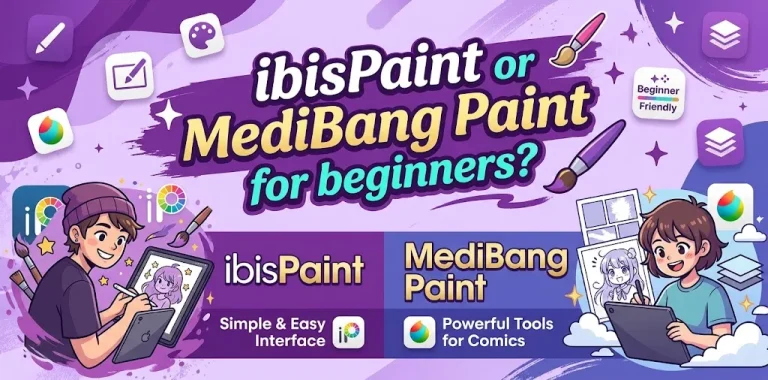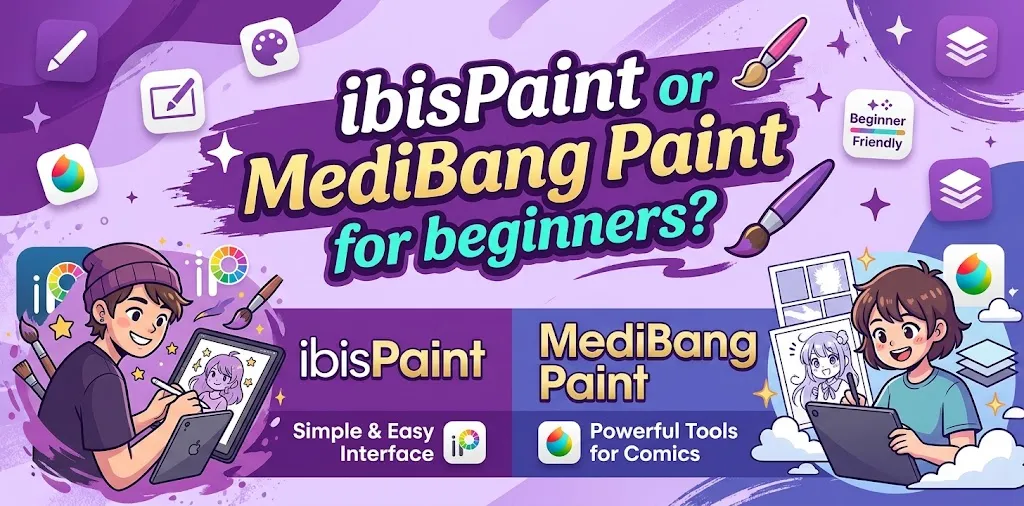
If you are new to digital art, both ibisPaint and MediBang Paint are strong options, but they suit different beginners. ibisPaint is usually easier for quick illustration, sketching, and mobile or tablet drawing, while MediBang Paint is especially useful for beginners interested in manga, comics, panels, and working across multiple devices. Your device and the type of art you want to make should guide the choice.
ibisPaint vs. MediBang Paint at a Glance
Both apps provide the basic tools a beginner needs, including brushes, layers, erasers, selection tools, color controls, and image export. The bigger difference is how each app approaches digital art.
| Feature | ibisPaint | MediBang Paint |
|---|---|---|
| Best for | Illustration, sketching, anime-style art | Manga, comics, illustration |
| Beginner friendliness | Excellent | Very good |
| Mobile drawing | Excellent | Excellent |
| Android | Yes | Yes |
| iPhone/iPad | Yes | Yes |
| Windows | Yes | Yes |
| Mac | Yes | Yes |
| Brush selection | Extremely large | Large |
| Manga tools | Strong | Excellent |
| Comic panel tools | Available | Strong focus |
| Cloud workflow | Yes | Yes |
| Collaboration | More limited focus | Strong collaboration features |
| Free option | Yes | Yes |
| Paid option | Premium/pro options | Premium option |
Features and pricing can change over time and may vary by platform.
Which Is Easier for a Complete Beginner?
For someone opening a drawing app for the first time, ibisPaint has a slight advantage in ease of getting started.
Its interface is built around drawing on phones and tablets, and many common tools are easy to find. It offers a large selection of brushes, materials, filters, and drawing functions.
That does not mean MediBang Paint is difficult. MediBang also provides beginner-friendly tools for basic drawing, layers, brushes, erasers, selection tools, rulers, gradients, and other essential functions.
The difference is that MediBang’s interface and tools are more closely tied to its manga and comic workflow. A beginner who only wants to sketch characters may find some of those extra options unnecessary at first.
Best for the simplest start: ibisPaint.
Why Beginners May Prefer ibisPaint
ibisPaint is a particularly good starting point if your goal is to learn digital illustration rather than create full comic pages.
It is built around drawing
The app puts a lot of emphasis on brushes, line control, layers, coloring, filters, and other illustration tools. Its stabilizer can help smooth shaky lines, which is useful when you are still learning how to control a stylus.
For a new artist, you can start with a simple workflow:
- Create a canvas.
- Sketch on one layer.
- Add clean line art on another layer.
- Add colors underneath or above your line art.
- Use shading and blending tools.
- Export the finished image.
You do not need to learn every feature before making your first drawing.
It has a huge selection of brushes and materials
Having lots of brushes can be useful for beginners because you can experiment with different drawing styles without buying additional brush packs.
You can try pencil-like brushes for sketching, ink brushes for line art, watercolor-style brushes for painting, airbrushes for soft shading, and many other options.
The downside is that having thousands of choices can also overwhelm a beginner.
You do not need thousands of brushes. Start with two or three that feel comfortable and learn how pressure, opacity, size, and stabilization affect your lines.
Why Beginners May Prefer MediBang Paint
MediBang Paint becomes more attractive if you already know that you want to make comics or manga.
It has dedicated comic and manga tools
MediBang Paint includes tools for comic panels, screen tones, page management, text, rulers, and other manga-related tasks.
That makes it different from simply choosing a general drawing app.
If your goal is to draw one character, ibisPaint may feel more direct. If your goal is to create a comic with multiple panels and pages, MediBang’s specialized workflow can save time.
It works well across devices
MediBang Paint is available for Windows, Mac, iPad, iPhone, and Android. Its cloud features allow users to move artwork between devices and synchronize certain settings.
This can matter if you use more than one device.
For example, imagine a beginner who sketches on an Android tablet but later wants to continue the same comic on a Windows laptop. A cross-device cloud workflow can make that setup more convenient.
ibisPaint vs. MediBang Paint for Drawing Anime
Both applications can handle anime-style illustration, so neither is a bad choice.
For character sketches, line art, coloring, and experimenting with different brush styles, ibisPaint is a strong choice.
For anime-style comics or manga pages, MediBang Paint may have the edge because its workflow includes dedicated comic creation tools, screen tones, panel creation, text, and page management.
So the better choice depends on what “anime art” means to you.
- Anime character illustrations → ibisPaint
- Anime comic pages → MediBang Paint
- Casual anime sketches → ibisPaint
- Multi-page manga project → MediBang Paint
ibisPaint vs. MediBang Paint for Manga and Comics
If manga is your main goal, MediBang Paint is the easier recommendation.
MediBang’s tools are designed around comic panel creation, page management, snap guides, screen tones, fonts, and cloud functions. It also supports collaborative project workflows.
ibisPaint also supports manga-related work, including screen tones, rulers, layers, filters, and other illustration functions.
However, MediBang’s tools are organized more clearly around the process of creating comics.
If you are learning manga because you want to make your first short comic, starting with MediBang can reduce the need to piece together your workflow yourself.
Which App Has Better Brushes?
ibisPaint has the advantage if brush variety and customization are your top priorities.
It offers a very large collection of brushes covering pencil, watercolor, oil paint, airbrush, crayon, digital pen, dip pen, and many other styles.
MediBang also offers a substantial brush collection, including customizable brush settings and tools designed for manga and illustration.
But brush count should not be your only deciding factor.
A beginner can make excellent digital art with a small number of well-chosen brushes. The brush that feels natural in your hand matters more than the size of the library.
Which App Is Better for Phones and Tablets?
Both are good choices for mobile artists.
ibisPaint works across iPhone, iPad, Android phones and tablets, Windows PCs, and Mac computers.
MediBang Paint is also available on Windows, Mac, iPad, iPhone, and Android.
For a beginner using only a phone or tablet, ibisPaint is a particularly straightforward choice.
For someone who expects to switch between a tablet and computer, MediBang Paint is worth serious consideration, especially for comic work.
Which One Is Better for a Drawing Tablet?
If you are using an iPad with Apple Pencil, an Android tablet with a compatible stylus, or a Windows drawing tablet, both apps can work well.
MediBang supports Apple Pencil on compatible iPads and works with many drawing tablets and styluses on computers.
ibisPaint also supports stylus and touch-based workflows.
For a beginner, the tablet itself may have a bigger impact on your experience than the difference between these two apps. A responsive stylus, comfortable screen size, and good palm rejection can make learning digital art much easier.
What About Price?
Both applications offer ways to start without committing to an expensive professional art program.
ibisPaint offers free and paid options, with additional features available through upgrades or premium plans depending on the platform.
MediBang Paint is available as a free drawing application, with additional features available through its premium option.
Because pricing and included features can change, compare the price shown for your specific device before subscribing or purchasing.
For a beginner, though, you do not need to pay immediately. Start with the free version and see whether the workflow feels comfortable.
Which App Has Better Cloud Features?
MediBang Paint can be appealing for beginners who regularly move between devices.
Its cloud system helps users transfer and open files across computers, tablets, and smartphones. It can also synchronize certain brushes and settings.
ibisPaint also provides cloud storage and options for moving artwork between supported devices.
So if cloud storage is important, MediBang Paint may be especially attractive for users who frequently work across several devices, while both apps provide cross-device options.
Which One Should a Beginner Choose?
The simplest way to decide is to start with the type of art you want to make.
| Your main goal | Better starting choice |
|---|---|
| Learn digital drawing | ibisPaint |
| Draw anime characters | ibisPaint |
| Sketch on a phone | ibisPaint |
| Learn digital coloring | ibisPaint |
| Make manga | MediBang Paint |
| Create comic panels | MediBang Paint |
| Work on multi-page comics | MediBang Paint |
| Collaborate on art projects | MediBang Paint |
| Move between several devices | MediBang Paint |
| Experiment with many brushes | ibisPaint |
These are practical starting points rather than hard rules. Either app can handle more than the category shown in the table.
What Should You Learn First in ibisPaint?
Do not try to learn the entire application at once.
Start with these tools:
- Brush and eraser — Learn how size and opacity affect your strokes.
- Layers — Keep your sketch, line art, and colors separate.
- Undo and redo — Digital art gives you room to experiment.
- Selection tools — Use them to control where colors and edits are applied.
- Stabilizer — Adjust it until your line control feels comfortable.
- Color picker — Learn to sample colors instead of manually guessing them.
- Transform tools — Resize or reposition parts of your drawing.
- Export — Learn how to save your finished artwork in a useful format.
Once those feel natural, start learning masks, blending modes, filters, and more advanced functions.
What Should You Learn First in MediBang Paint?
A beginner using MediBang should focus on the same core drawing skills, but add its comic-specific features if manga is the goal.
Start with:
- Creating a canvas
- Choosing and adjusting a brush
- Using layers and layer groups
- Learning selection and fill tools
- Understanding rulers and guides
- Creating comic panels if needed
- Adding text
- Using tones and materials
- Saving and exporting your work
- Learning cloud synchronization if you use multiple devices
Two Beginner Scenarios
If you want to draw your first digital character
Suppose you have an Android tablet and want to learn how to draw anime characters for fun.
You probably do not need comic page management, collaborative projects, or a large set of publishing tools. A straightforward illustration workflow is more useful.
ibisPaint would be my starting choice.
Begin with a pencil-style brush, create a sketch layer, add a separate line-art layer, and then learn basic coloring. You can explore more brushes as your skills improve.
If you want to make your first manga
Now suppose your goal is to create a 10-page manga for yourself or share it online.
You will need more than character drawing. You may need panels, page organization, tones, text, rulers, and a way to move the project between devices.
MediBang Paint makes more sense in this situation.
Its comic-focused features are built around that type of workflow rather than requiring you to assemble everything from general illustration tools.
Common Beginner Mistakes When Choosing a Drawing App
Choosing based only on the number of brushes
A giant brush library sounds impressive, but beginners rarely need hundreds of brushes.
Spend more time learning line control, layers, color, anatomy, perspective, and composition. Those skills transfer to almost any drawing program.
Switching apps every few days
It is easy to download both apps, try each for 20 minutes, and then keep searching for another “better” application.
That usually slows your progress.
Pick one and use it for a few weeks. Once you understand the basic workflow, you will have a much better idea of what features you actually need.
Paying before testing the workflow
Both apps provide ways to start without immediately making a major purchase.
Try your normal drawing process first. Create a sketch, line art, colored illustration, and export the result. If you are making manga, also test the comic workflow before paying for additional features.
Assuming the app will teach you how to draw
A drawing app provides tools, but it does not automatically build artistic skills.
If your lines look shaky, practice line control. If your characters look flat, study basic forms and lighting. If your proportions are off, practice anatomy and construction.
The software is only part of the learning process.
FAQ
Is ibisPaint or MediBang Paint easier for absolute beginners?
ibisPaint is generally the easier starting point for beginners who mainly want to sketch, draw characters, and learn digital illustration. MediBang Paint can be just as approachable, but its additional comic-focused tools may be more useful once you know you want to make manga or comics.
Can I make professional-looking art with ibisPaint or MediBang Paint?
Yes. Both applications provide layers, brushes, selection tools, color controls, and other features capable of producing polished artwork. Your drawing skills, workflow, device, and time spent practicing will usually matter more than choosing between these two apps.
Should I learn ibisPaint before MediBang Paint?
No. You do not need to learn one before the other. Choose ibisPaint if illustration is your main goal, or start with MediBang Paint if manga, comics, multi-page projects, or cross-device collaboration are your main interests.
The Bottom Line
For most beginners who simply want to learn digital drawing, sketch characters, make anime-style illustrations, or draw on a phone or tablet, ibisPaint is the easier first choice. Its illustration-focused workflow, large brush library, materials, and beginner-friendly tools give new artists plenty of room to grow.
Choose MediBang Paint instead if manga, comics, multi-page projects, or cross-device work are central to what you want to create. Its comic-focused workflow and project tools make it a strong fit for that path.
The practical tip is simple: choose the app that matches your first project and use it consistently for a few weeks. Learning the fundamentals will do more for your art than switching between apps looking for the perfect one.