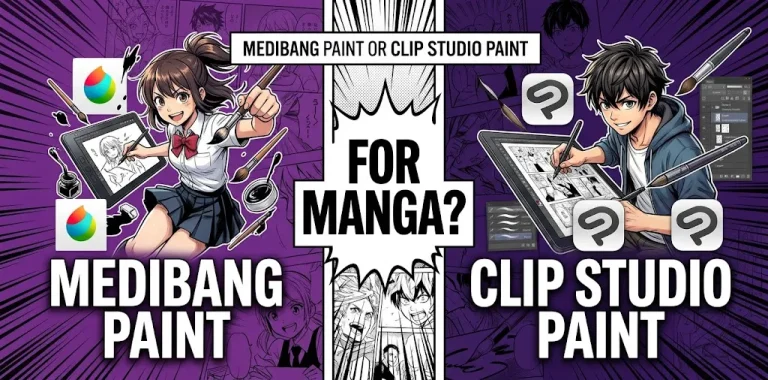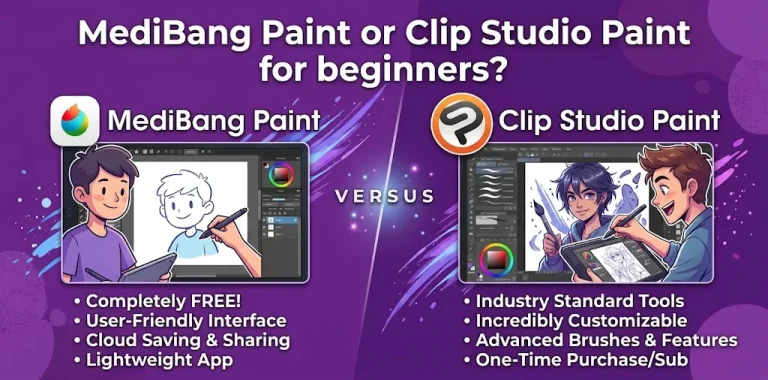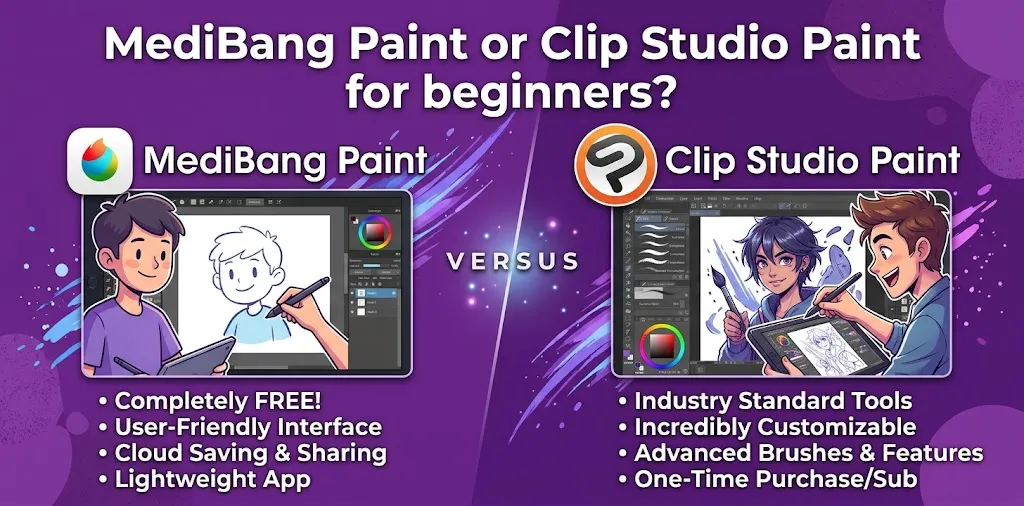
Choosing your first digital art program can be harder than learning your first drawing tools. MediBang Paint and Clip Studio Paint are both popular choices, but they are designed around different priorities. MediBang Paint is free and relatively lightweight, making it attractive for beginners who want to start drawing without spending money. Clip Studio Paint offers a much deeper toolset for illustration, manga, comics, webtoons, and animation, but its larger feature set can take more time to learn.
MediBang Paint vs. Clip Studio Paint: Which Is Better for Beginners?
For most complete beginners, MediBang Paint is the easier place to start if you want a free, simple drawing program. It provides brushes, layers, comic tools, screentones, cloud features, and support for several devices without requiring an upfront purchase for its basic software.
Clip Studio Paint is the better choice if you already know that you want to take digital art seriously, especially character illustration, manga, comics, webtoons, or animation. It has more advanced brushes, vector layers, 3D references, perspective tools, transformation tools, and production features.
| If you are… | Better choice |
|---|---|
| Completely new to digital art | MediBang Paint |
| Looking for a free starting point | MediBang Paint |
| Mainly drawing simple illustrations | MediBang Paint |
| Learning manga or comics on a budget | MediBang Paint |
| Serious about character illustration | Clip Studio Paint |
| Planning to create webtoons | Clip Studio Paint |
| Interested in advanced 3D references | Clip Studio Paint |
| Interested in animation | Clip Studio Paint |
| Want professional-level room to grow | Clip Studio Paint |
What Makes MediBang Paint Beginner-Friendly?
MediBang Paint focuses on giving artists a useful collection of drawing and comic-making tools without making the software as feature-heavy as a professional production application.
Its desktop version is available for Windows and Mac, while MediBang also offers versions for iPad, iPhone, and Android. The basic desktop software is free.
The interface is easier to approach
When you are learning digital art, you do not need hundreds of advanced controls on your first day. You mainly need to understand a few basics:
- Brushes
- Eraser
- Layers
- Color selection
- Selection tools
- Transform
- Canvas controls
- Undo and redo
MediBang gives beginners these core tools without requiring them to learn a large professional workflow immediately.
That can make the first few drawing sessions less intimidating.
You get a useful selection of brushes
MediBang Paint includes brushes for sketching, inking, watercolor-style work, and other drawing tasks.
For a beginner, that is plenty.
You do not need an enormous brush library to learn how to draw. In fact, using a small number of brushes can help you focus on drawing fundamentals instead of constantly changing tools.
It is especially useful for manga and comics
MediBang Paint is not simply a basic painting application. It includes comic-oriented features such as panel creation, screentones, page management, snap guides, and pre-made materials.
That makes it a particularly sensible starting point for someone who says:
“I want to learn how to draw manga, but I have never used digital art software before.”
You can learn layers, line art, coloring, panels, and screentones without immediately paying for a more advanced application.
Where Clip Studio Paint Has the Advantage
Clip Studio Paint takes a different approach. It is designed to support everything from character illustration and concept art to comics, manga, webtoons, and animation.
That extra capability is useful, but it also means there is more to learn.
It has stronger tools for serious illustration
Clip Studio Paint includes features such as vector layers, customizable brushes, perspective rulers, 3D references, transformation tools, filters, and advanced layer controls.
For example, vector layers can help artists adjust linework after it has been drawn. Its 3D tools can also provide pose and proportion references when drawing characters.
These tools may not matter much during your first week of digital drawing.
They can matter a lot six months or two years later.
It is built for more than basic drawing
Clip Studio Paint supports dedicated workflows for comics, manga, webtoons, animation, character art, concept art, and design.
That makes it a stronger long-term choice for artists who already know what direction they want to take.
It has a large set of advanced features
Clip Studio Paint includes tools for 3D references, perspective, transformation, vector linework, comic creation, animation, webtoon production, and detailed illustration.
You do not need to learn all of these features as a beginner.
The advantage is that you can gradually add them to your workflow as your skills improve.
MediBang Paint vs. Clip Studio Paint for Learning Digital Art
The biggest difference is not simply the number of tools. It is how quickly you can get comfortable with the software.
MediBang Paint gives you a relatively straightforward starting point. Clip Studio Paint gives you a larger professional toolkit that you can grow into.
| Beginner concern | MediBang Paint | Clip Studio Paint |
|---|---|---|
| Easy to start | Excellent | Good |
| Free basic option | Yes | No, but a trial is available |
| Basic drawing | Excellent | Excellent |
| Layers | Yes | Yes |
| Brush customization | Good | Excellent |
| Manga tools | Good | Excellent |
| Comic production | Good | Excellent |
| 3D references | More limited | Excellent |
| Vector workflow | More limited | Strong |
| Animation | More limited | Strong |
| Advanced illustration | Good | Excellent |
| Learning curve | Lower | Higher |
| Long-term professional workflow | Good | Excellent |
Which One Is Easier to Learn?
MediBang Paint is generally easier for a complete beginner.
That does not mean Clip Studio Paint is difficult in every area. Its interface can also be learned gradually, and beginners do not need to use its advanced features immediately.
The difference is that Clip Studio Paint gives you many more things to learn.
Imagine two beginners.
The first person wants to draw an anime character, color it, and post it online.
The second wants to eventually create a 100-page manga with detailed backgrounds, recurring characters, speech bubbles, perspective references, and professional page management.
The first person can start comfortably with MediBang Paint.
The second may benefit from learning Clip Studio Paint from the beginning.
Which Is Better for Manga and Comics?
Both programs can work well for manga and comics, but Clip Studio Paint has the stronger overall production workflow.
MediBang Paint includes comic panels, screentones, page management, snap guides, and other useful manga features.
Clip Studio Paint goes further with tools for paneling, speech balloons, perspective, multi-page projects, webtoons, 3D references, and other comic-production functions.
For a beginner making a few manga pages as a hobby, MediBang may be enough.
For someone planning to develop a serious comic or webtoon workflow, Clip Studio Paint is the stronger investment.
Which Is Better for Anime-Style Art?
Both can handle anime-style illustrations.
MediBang Paint gives you brushes, layers, stabilizing and inking-oriented tools, comic materials, and other features that work well for anime and manga artwork.
Clip Studio Paint has a larger collection of tools that can become useful as your illustrations become more complicated. Its 3D figures and head models can help with poses, proportions, and difficult angles.
If you are learning anime art from scratch, start with the software that feels comfortable enough for you to practice consistently.
The drawing fundamentals matter more than the application.
Which Is Better for Character Drawing?
For simple character drawings, either application can do the job.
For more advanced character work, Clip Studio Paint has the advantage because of its 3D reference tools, customizable brushes, vector tools, transformation features, and other illustration-focused functions.
Its 3D tools can be especially helpful when you are struggling with:
- Hands
- Body proportions
- Unusual poses
- Difficult camera angles
- Perspective
- Character positioning
These tools do not replace drawing practice. They simply give you additional references when you need them.
Which One Is Better for Digital Painting?
If your main goal is painting rather than manga or comics, the choice becomes closer.
MediBang Paint can handle digital painting with customizable brushes and basic layer-based workflows.
Clip Studio Paint offers a broader painting system, including different realistic-style brushes, color mixing, blending, filters, and more advanced brush controls.
For someone who only wants to experiment with digital painting, MediBang is a sensible free starting point.
For someone who wants to develop a detailed illustration or painting workflow, Clip Studio Paint gives you more room to grow.
What About Price?
Price is one of the clearest differences.
MediBang Paint’s basic desktop software is free. Additional optional features and services may require payment.
Clip Studio Paint is a paid application, although free trials are available. Its plans vary by edition and device, with different options for illustration, comics, manga, and animation.
For a beginner in the United States, this creates a simple choice:
If spending $0 is important, try MediBang Paint first.
If you are comfortable paying for a more advanced art application, try Clip Studio Paint’s trial before deciding.
Because pricing and promotions can change, check the current plan information before purchasing.
Should You Start With MediBang and Switch Later?
Yes. There is nothing wrong with doing this.
A beginner might start with MediBang Paint because it is free and easy to explore. After several months, that artist may discover that they want better 3D references, more advanced comic tools, vector linework, or a deeper illustration workflow.
At that point, moving to Clip Studio Paint makes sense.
You also do not need to master every feature before switching. The basic concepts you learn in MediBang—layers, opacity, blending, selections, brushes, line art, coloring, and canvas management—transfer conceptually to other digital art programs.
Should You Start With Clip Studio Paint Instead?
If you already know you want to become a serious digital illustrator, starting with Clip Studio Paint can save you from learning two different programs later.
This is especially true if your goals include:
- Character illustration
- Manga
- Webtoons
- Concept art
- Professional comic work
- Animation
- Detailed digital painting
You may find the interface overwhelming at first, but you can ignore most advanced features while learning the basics.
Two Beginner Scenarios
Scenario 1: You have never used a drawing program
Suppose you just bought a basic drawing tablet and want to learn digital art after school or work.
You mainly want to sketch characters, practice line art, color drawings, and make occasional manga-style illustrations.
MediBang Paint is probably the better first choice.
You can spend your time learning to draw instead of worrying about the cost of software.
Scenario 2: You want to make a webtoon
Now imagine you already have a clear goal: you want to spend the next few years developing your own webtoon.
In that situation, learning Clip Studio Paint early may be more useful. Its comic and webtoon tools, page-management capabilities, 3D references, and broader production features are designed for more involved projects.
You will have a steeper learning curve, but the extra capability becomes more valuable as your projects grow.
Common Beginner Mistakes When Choosing Art Software
Choosing software instead of practicing
A better application will not automatically make you a better artist.
A beginner can create impressive work in MediBang Paint, while an experienced artist can create excellent work with relatively simple tools.
Your drawing practice, observation skills, anatomy knowledge, composition, color choices, and consistency matter far more than having the largest feature list.
Trying to learn every tool immediately
This is particularly easy to do with Clip Studio Paint.
You may see 3D models, vector layers, rulers, filters, animation, materials, and dozens of other options and assume you need to understand everything.
You don’t.
Start with:
- Brush
- Eraser
- Layers
- Selection
- Transform
- Color
- Undo
- Export
Add more tools only when you actually need them.
Choosing a program because another artist uses it
An artist’s software choice does not necessarily make it the right choice for you.
If a favorite YouTube artist uses Clip Studio Paint, that does not mean you need Clip Studio Paint to learn the same fundamentals.
Choose based on your device, budget, art goals, and willingness to learn.
MediBang Paint or Clip Studio Paint: Final Verdict
MediBang Paint is the better beginner choice when affordability and simplicity are your priorities. Clip Studio Paint is the better choice when you want a more powerful program that can support serious illustration, manga, comics, webtoons, and animation as your skills develop.
For someone who is completely new to digital art and is unsure whether they will stick with it, starting with MediBang Paint is a sensible choice.
For someone who already knows digital art is going to be a long-term hobby or career goal, Clip Studio Paint is worth learning early.
The best practical approach is to think about where you want to be after a year—not just what feels easiest on your first day.
Frequently Asked Questions
Is MediBang Paint good enough for a beginner?
Yes. MediBang Paint includes the core tools beginners need for drawing, coloring, layers, and comic creation, while its basic desktop version is free. It is a particularly good starting point if you want to learn digital art without committing money to software first.
Is Clip Studio Paint too difficult for beginners?
No, but it has a larger learning curve because it offers many more tools and workflows. A beginner can use its basic drawing features first and gradually learn advanced tools such as 3D references, vector layers, perspective tools, and comic-production features.
Should I learn MediBang Paint or Clip Studio Paint for manga?
If you are making manga casually or want a free starting point, MediBang Paint is a good option. If manga is your long-term goal and you expect to work on larger, more complex projects, Clip Studio Paint is the stronger choice because of its deeper comic, page-management, perspective, 3D, and production tools.
The Bottom Line
There is no need to pick the most powerful software just because you are starting digital art.
Pick MediBang Paint if you want free, approachable software that lets you start drawing right away. Pick Clip Studio Paint if you want a deeper toolset and already have long-term plans for illustration, manga, webtoons, or animation.
If you are still undecided, start with the option that removes the biggest barrier for you: MediBang Paint for cost and simplicity, Clip Studio Paint for long-term capability. The most important next step is not buying more software—it is opening a blank canvas and practicing regularly.