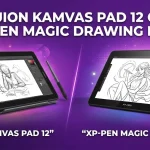
For most beginners, the Wacom MovinkPad 11 is the better choice if your main goal is to learn digital drawing and painting. The XP-Pen Magic Drawing Pad is a stronger value if you want a larger screen, more storage, expandable memory, and a more complete accessory package.
Both are standalone Android drawing tablets, so you can draw without connecting them to a computer. Both also use battery-free EMR styluses, making them easy for beginners who want a more natural drawing experience.
The real question is not which tablet has the bigger specification list. It is which one will make it easier for you to start drawing and continue practicing.
The Biggest Difference: A Drawing-Focused Device vs. a Better All-Around Package
The Wacom MovinkPad 11 is built around a simple idea: pick it up and start creating.
The XP-Pen Magic Drawing Pad takes a broader approach. It gives you a larger display, more storage, expandable memory, and more accessories in the box. It can also feel more like a general-purpose Android tablet that happens to be very capable for digital art.
That creates a clear split for beginners.
Choose the Wacom MovinkPad 11 if you mainly want to become a better digital artist.
Choose the XP-Pen Magic Drawing Pad if you want more hardware for your money and expect to use the device for more than drawing.
Wacom MovinkPad 11 vs. XP-Pen Magic Drawing Pad at a Glance
| Feature | Wacom MovinkPad 11 | XP-Pen Magic Drawing Pad |
|---|---|---|
| Screen size | 11.45 inches | 12.2 inches |
| Resolution | 2200 × 1440 | 2160 × 1440 |
| RAM | 8GB | 8GB |
| Internal storage | 128GB | 256GB |
| Expandable storage | Not listed | Up to 1TB microSD |
| Operating system | Android 14 | Android 14 |
| Battery | 7,700mAh | 8,000mAh |
| Pen pressure levels | 8,192 | 16,384 |
| Tilt support | Yes | Up to 60 degrees |
| Stylus | Wacom Pro Pen 3 | X3 Pro Slim |
| Weight | About 580g | About 590g |
| Included accessories | Pen, replacement felt nibs, USB-C cable | Pen, case, charger in applicable packages, cable, glove, replacement nibs |
The raw numbers make the XP-Pen look stronger in several areas, especially storage and included accessories. But digital art is not only about specifications. The quality of the drawing experience and the software workflow matter just as much.
Why the Wacom MovinkPad 11 Is Easier for Many First-Time Artists
The biggest advantage of the MovinkPad 11 is that it is more focused on the act of drawing.
For a beginner, this matters more than it may seem. Learning digital art already involves understanding brushes, layers, color, canvas sizes, shortcuts, and file formats. A device that feels straightforward can remove some of that friction.
The Wacom Pro Pen 3 is also a major reason to consider the MovinkPad 11. Wacom has a long history with digital pen technology, and the pen experience is one of the company’s strongest selling points.
The Pen Feel Can Matter More Than Pressure-Level Numbers
A common beginner mistake is assuming that 16,384 pressure levels must be dramatically better than 8,192.
In real drawing, that is not necessarily true.
Pressure sensitivity is only one part of the experience. Pen control, calibration, line response, surface feel, software behavior, and personal preference can all affect how natural a tablet feels.
The XP-Pen has the larger pressure-level number, but that alone does not automatically make it easier to draw with. A beginner will usually benefit more from a pen that feels predictable and comfortable than from a specification that sounds more impressive.
The MovinkPad Is Better for Someone Who Wants Fewer Distractions
Imagine a beginner who buys a drawing tablet mainly to practice character art every evening.
They open the device, launch their art app, and start sketching. They do not care much about watching movies, taking photos, or storing hundreds of large files.
That person is likely to appreciate the more drawing-centered identity of the MovinkPad 11.
The device has an 11.45-inch display, 8GB of memory, 128GB of storage, a 7,700mAh battery, and Android 14. Its display also supports a high refresh rate for a smoother visual experience.
Why the XP-Pen Magic Drawing Pad May Be the Better Value
The Magic Drawing Pad gives beginners more hardware flexibility.
Its 12.2-inch display provides a little more room for your canvas and tool panels. It also includes 256GB of internal storage and supports microSD expansion up to 1TB.
That can be important if you save many illustrations, reference images, videos, or large art files.
The XP-Pen also includes useful accessories, such as a protective case and replacement nibs, depending on the package and region. That can reduce the number of extra items you need to buy after getting started.
The Larger Screen Is Helpful for Beginners
The difference between roughly 11.5 inches and 12.2 inches may not sound huge, but the larger workspace can be noticeable when drawing.
You have more room to keep the canvas visible while also showing layers, brushes, color tools, and other controls.
For example, imagine a beginner working on a detailed portrait. On a larger display, they may need to zoom and move panels around slightly less often.
That does not make them a better artist, but it can make the learning process more comfortable.
Storage Is a Clear XP-Pen Advantage
This is one area where the difference is simple.
The XP-Pen Magic Drawing Pad has 256GB of internal storage compared with 128GB on the MovinkPad 11. It also supports microSD expansion up to 1TB.
That makes the XP-Pen more appealing for someone who:
- Saves lots of layered artwork
- Keeps large reference-image collections
- Downloads videos and media
- Uses the tablet for school or everyday entertainment
- Wants more room without regularly moving files elsewhere
For someone using the tablet mainly for sketches and illustrations, however, 128GB can still be enough.
Which One Has the Better Screen for Drawing?
Both displays are suitable for digital art, but they have different strengths.
The MovinkPad 11 has a slightly smaller but high-resolution display. The Magic Drawing Pad has a 12.2-inch, 2160 × 1440 display with an anti-glare and anti-fingerprint surface.
For beginners, screen size and surface feel may matter more than small differences in color specifications.
Choose the Wacom Screen if You Want a More Drawing-Centered Feel
A smaller tablet can actually be easier to handle. The MovinkPad is slightly more compact while remaining large enough for serious illustration work.
It may also be the better choice for someone who wants to carry the tablet between home, school, and a coffee shop.
Choose the XP-Pen Screen if You Want More Canvas Space
The 12.2-inch screen gives you more physical room.
This is especially useful if you:
- Draw detailed illustrations
- Use reference images beside your canvas
- Work with multiple panels open
- Prefer a larger viewing area
The XP-Pen’s anti-glare and anti-fingerprint surface may also appeal to artists who dislike reflections and visible fingerprints while working.
What About Drawing Performance?
Both tablets are capable of beginner and intermediate digital art, but neither should be treated like a high-end desktop workstation.
Both run Android 14 and have 8GB of RAM. For sketching, painting, illustration practice, and typical Android art workflows, both provide enough hardware for the type of user considering a first standalone drawing tablet.
The more important point is to keep your expectations realistic.
If you plan to create extremely large files with dozens or hundreds of layers, heavy 3D work, or advanced desktop-only creative workflows, you may eventually want a more powerful computer-based setup.
For learning digital art, that should not be a major concern.
Accessories Can Change the Real Cost
This is one of the most important things beginners should consider.
The XP-Pen Magic Drawing Pad comes with a more complete accessory package, including a protective case and additional drawing accessories. Package contents can vary by region.
The Wacom MovinkPad 11 includes the tablet, Wacom Pro Pen 3, replacement nibs, and a USB-C cable, while a protective case may need to be purchased separately.
This matters because the lower starting price is not always the same as the lower total cost.
Before buying, calculate what you actually need:
- Tablet
- Protective case
- Screen protection, if desired
- Replacement nibs
- Charger, if one is not included
- Paid art software or subscriptions
A beginner who needs to buy several accessories separately may find the XP-Pen package more attractive.
Software Is More Important Than Many Beginners Realize
Do not buy either tablet based only on the pen or screen.
The drawing app you use will shape your daily experience.
Before buying, make sure your preferred Android art software is available and works the way you expect. If you already use a specific app, check its device compatibility, file handling, brush performance, and whether your preferred workflow transfers easily from another device.
This is especially important for artists moving from a computer.
A beginner who plans to learn with a simple Android drawing app may be happy with either tablet. Someone who depends on a specific desktop workflow should check compatibility before spending several hundred dollars.
The best tablet for drawing is not always the best tablet for your existing software habits.
The XP-Pen Has One Extra Advantage for Some Buyers
Some versions of the Magic Drawing Pad support additional display input features that may allow the tablet to work with compatible computers.
This feature is useful for someone who wants one device that can work as a standalone Android drawing tablet now and potentially serve another role with a compatible computer later.
However, beginners should not choose the XP-Pen solely because of this feature. If your main goal is simply learning to draw without a computer, its standalone drawing experience should remain the main deciding factor.
Which One Should a Complete Beginner Buy?
Buy the Wacom MovinkPad 11 if This Sounds Like You
Choose the MovinkPad 11 if:
- Your main priority is drawing
- You value Wacom’s pen experience
- You want a simpler, more focused creative device
- You prefer a slightly smaller and more portable tablet
- You do not need huge internal storage
- You are willing to buy a case separately if needed
For a person buying their first serious digital drawing device, this is the option I would generally choose when the drawing experience itself is the top priority.
Buy the XP-Pen Magic Drawing Pad if This Sounds Like You
Choose the Magic Drawing Pad if:
- You want a larger screen
- You want 256GB of internal storage
- Expandable storage is important to you
- You want more accessories included
- You use the tablet for entertainment as well as art
- You want the strongest overall hardware package for the money
The XP-Pen is especially appealing to a beginner who wants one device for drawing, media, casual use, and large file storage.
My Recommendation for Different Types of Beginners
| Type of beginner | Better choice | Why |
|---|---|---|
| First-time digital artist | Wacom MovinkPad 11 | More drawing-focused experience |
| Traditional artist moving to digital | Wacom MovinkPad 11 | Strong emphasis on pen feel |
| Student on a value-focused budget | XP-Pen Magic Drawing Pad | More storage and accessories |
| Artist who saves many files | XP-Pen Magic Drawing Pad | 256GB plus microSD expansion |
| Traveler | Wacom MovinkPad 11 | Slightly more compact and lighter |
| Beginner who wants a larger workspace | XP-Pen Magic Drawing Pad | Larger 12.2-inch display |
| Person wanting one device for art and media | XP-Pen Magic Drawing Pad | More versatile overall package |
Do Not Make This Beginner Mistake
Do not choose between these tablets based only on pressure sensitivity.
The XP-Pen’s 16,384 pressure levels sound much higher than the Wacom’s 8,192, but pressure-level numbers do not tell you everything about how a pen feels.
Likewise, do not assume the larger screen is automatically better.
A smaller tablet that feels comfortable and encourages you to practice every day may help you improve more than a larger device that feels less convenient to carry and use.
The best choice is the one that fits your actual drawing habits.
If possible, think about where you will use the tablet most often:
- At a desk
- On a couch
- In school
- While traveling
- As a dedicated art device
- As a general-purpose Android tablet
Your answer may make the decision much easier.
Frequently Asked Questions
Is the Wacom MovinkPad 11 worth it for a complete beginner?
Yes, especially if your main goal is learning digital drawing and painting. Its biggest appeal for beginners is its drawing-focused design and Wacom Pro Pen 3 experience rather than a long list of general-purpose tablet features.
Is the XP-Pen Magic Drawing Pad better value than the MovinkPad 11?
For buyers who care about hardware and included accessories, it can be. The larger screen, 256GB of storage, microSD expansion, and more complete package make it attractive, although the better value depends on current US pricing and the accessories you would otherwise need to buy.
Can either tablet replace a computer for digital art?
For many beginner and intermediate artists, yes. Both can run as standalone Android devices, so you can create artwork without connecting to a PC, although advanced desktop-only workflows may still require a computer.
Final Verdict
If you are a beginner asking, “Which one will give me the better start as a digital artist?”, I would choose the Wacom MovinkPad 11.
If you are asking, “Which one gives me more screen, storage, and accessories for my money?”, I would choose the XP-Pen Magic Drawing Pad.
My practical advice is simple: do not spend your whole budget on the tablet alone. Set aside enough money for a protective case, any software you need, and perhaps extra nibs. Then choose the device that makes you want to sit down and draw regularly, because consistent practice will matter far more to your progress than the difference between 8,192 and 16,384 pressure levels.