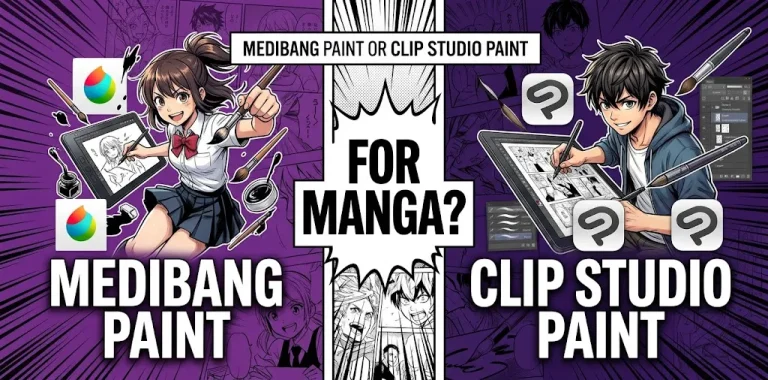
If you want to make manga digitally, both ibisPaint and MediBang Paint are strong choices, but they are built around slightly different workflows. ibisPaint is especially appealing for artists who prioritize drawing, inking, brushes, and mobile-friendly controls, while MediBang Paint puts more emphasis on comic production, panels, materials, multipage projects, and cross-device workflows. For a beginner focused mainly on manga, MediBang has a workflow advantage; for an artist who also wants illustration and painting tools, ibisPaint may be the better fit.
ibisPaint vs. MediBang Paint at a Glance
Both apps can handle manga basics such as layers, inking, screen tones, text, and comic panels. The biggest difference is how those features fit into the overall drawing process.
| Feature | ibisPaint | MediBang Paint |
|---|---|---|
| Manga drawing | Excellent | Excellent |
| Comic panels | Excellent | Excellent |
| Screen tones | Yes | Yes |
| Text and dialogue | Yes | Yes |
| Brushes | Large selection and strong customization | Large selection with manga-focused options |
| Manga manuscript tools | Strong | Strong |
| Multipage comic workflow | More limited | Strong |
| Cloud workflow | Available for supported features | Strong cross-device focus |
| Desktop support | Available depending on version/platform | Windows and macOS |
| Mobile drawing | Excellent | Excellent |
| Collaboration | More limited | Group Project features |
| Best for | Drawing and illustration | Manga and comic production |
The right choice depends less on which app has more features and more on how you plan to make your manga.
What Makes ibisPaint Good for Manga?
ibisPaint started as a drawing-focused app, but its feature set includes a substantial collection of manga tools. These include screen tones, frame division, text, speech bubbles, rulers, speed-line tools, and manga background functions.
That makes it much more than a general painting app.
Strong Drawing and Inking Tools
If your manga workflow starts with rough sketches and moves into detailed line art, ibisPaint is particularly comfortable for that process.
You can use layers to separate:
- Rough sketches
- Clean line art
- Flat colors
- Shadows
- Screen tones
- Backgrounds
- Text and finishing effects
Its large brush library and brush customization also make it useful when you want different line styles rather than a single manga pen.
For artists who draw both manga and standalone illustrations, this flexibility is a major advantage.
Manga Panels and Screen Tones
ibisPaint has dedicated manga functions rather than forcing you to build every comic element manually.
Its Frame Divider tool lets you create manga panels, while its Screen Tone feature can be applied through layers. The app also provides tools for speed lines, radial lines, text, perspective, and manga-style backgrounds.
This matters because traditional manga production involves much more than drawing characters. Panel composition, backgrounds, tones, dialogue, and visual effects all affect the final page.
Manga Manuscript and Print-Oriented Features
One area where ibisPaint is particularly useful for serious manga work is manuscript preparation.
The app supports manga manuscript settings, including inner and trimming frames. It also provides A4 and B4 canvas options at 600 dpi for manga drafts. Its Black & White color mode is designed to help artists working with screen tones and printed manga.
That does not mean every manga creator needs 600 dpi or professional print settings. If you’re simply posting pages online, you may never use them.
But if you eventually want to prepare pages for print, having these tools available can be useful.
What Makes MediBang Paint Good for Manga?
MediBang Paint takes a more comic-oriented approach. Its tools include comic guides, panel creation, screen tones, backgrounds, text, page management, and cloud features.
For someone specifically asking, “Which app should I use to make a manga?” that focus is important.
Manga Production Is Built Into the Workflow
MediBang Paint lets you create a comic canvas rather than treating every page simply as a normal illustration.
Its comic workflow includes:
- Comic manuscript guides
- Panel creation
- Panel division
- Screen tones
- Background materials
- Speech and text tools
- Page management
- Cloud storage
- Cross-device access
You can divide panels directly and place materials inside individual panels.
That can save time when you’re producing an actual sequence of comic pages.
Multipage Manga Projects
This is one of the most meaningful differences between the two apps.
MediBang Paint supports comic projects where multiple pages can be managed together. You can create a comic project, edit pages, and change their order.
That’s useful if you’re making:
- A short manga
- A one-shot
- A webcomic
- A multi-page chapter
- A longer comic project
Instead of thinking only about one finished illustration, you can organize your work around the comic itself.
Lots of Manga Materials
MediBang Paint offers premade tones and backgrounds designed for comic creation. Its large collection of brushes, screen tones, and comic materials can save time when you’re creating manga pages.
For example, rather than drawing every background texture yourself, you can use a suitable material and spend more time on the characters and composition.
ibisPaint vs. MediBang Paint for Panels
If panel creation is your biggest concern, both apps are capable.
ibisPaint has a dedicated Frame Divider tool that lets you create and adjust manga frames.
MediBang Paint uses panel materials and a Panel Divide tool. You can create a panel border and then divide it into smaller panels as needed.
The difference is less about whether either app can make panels and more about the surrounding workflow.
Choose ibisPaint if: you want to draw individual pages with a highly flexible illustration workflow.
Choose MediBang if: you want your project to feel more like a structured comic from the beginning.
Which Has Better Screen Tones?
Both are well suited to manga screentones.
ibisPaint provides Screen Tone tools and different approaches to using tones in black-and-white manga. It also provides controls that can help artists manage tone patterns and avoid unwanted visual effects.
MediBang Paint also has extensive manga materials and screentones.
For a beginner, the practical difference is small.
If your main goal is traditional-looking black-and-white manga, both are capable enough that your understanding of tone density, placement, resolution, and print preparation will matter more than the app itself.
Which Has Better Brushes?
This category leans toward ibisPaint for artists who want a broad drawing and illustration experience.
ibisPaint provides a large range of brushes and extensive customization. That makes it attractive if you want to experiment with:
- G-pen-style lines
- Pencil sketches
- Rough brushes
- Painting
- Texture brushes
- Effects
- Custom brush settings
MediBang also has a strong brush selection.
So the decision is simple:
For brush experimentation and illustration flexibility, lean toward ibisPaint.
For straightforward manga inking and comic production, MediBang is more than capable.
Which Is Better for Beginners?
For a beginner, both are good, but they teach slightly different workflows.
ibisPaint can feel natural if you have already used drawing apps on a phone or tablet. Its interface is strongly focused on drawing, and you can begin sketching without learning a complicated comic-production system.
MediBang can be slightly more appealing if your first goal is specifically to make comic pages. Its comic guides, panel tools, materials, and page-management features make the purpose of each tool easier to understand.
A beginner making a single manga page may prefer ibisPaint.
A beginner planning a 20-page one-shot may appreciate MediBang’s comic-focused workflow more.
Which Is Better for iPad Manga?
Both work on iPad, so this is not a situation where one app automatically wins.
MediBang Paint’s iPad version supports Apple Pencil-compatible iPads and includes features such as palm rejection, layers, comic panels, page management, snap guides, and cloud functionality.
ibisPaint is also designed around mobile and tablet drawing, making it particularly comfortable for artists who prefer touch and stylus controls.
If your iPad is your primary drawing device and you mostly create illustrations with occasional manga pages, ibisPaint is a strong choice.
If your iPad is being used primarily as a manga-production workstation, MediBang Paint deserves a closer look.
Which Is Better for PC and Cross-Device Work?
MediBang has a clear advantage if you regularly move between a computer, tablet, and phone.
MediBang Paint supports Windows and macOS as well as iPad, iPhone, and Android. Its cloud system is designed to let users access work across devices, and it can also synchronize certain settings.
For example, you might:
- Sketch a character on an iPad.
- Continue the page on a Windows computer.
- Make final edits on another supported device.
That kind of workflow is one of MediBang’s biggest strengths.
ibisPaint is still a strong mobile and tablet drawing option, but if cross-platform comic production is central to your workflow, MediBang deserves the edge.
What About Collaboration?
MediBang has another feature that matters for some manga creators: Group Project.
This can be useful for a small team where different people contribute to a comic.
For a solo manga artist, however, collaboration may not matter at all. Don’t choose an app based on a feature you’ll never use.
Which App Is Better for a Webcomic?
For a webcomic, the answer depends on how you work.
If you produce one illustration-style panel or page at a time and care heavily about character art, effects, and brush control, ibisPaint is a strong option.
If you’re producing a continuing comic with multiple pages, recurring backgrounds, dialogue, and organized comic files, MediBang’s page and comic-management features can make more sense.
For a long-running webcomic, workflow organization can become just as important as drawing quality.
Which App Is Better for Printed Manga?
Both can be used for print-oriented manga, but you should pay close attention to your publisher or printer’s specifications.
ibisPaint has particularly clear manga manuscript features, including A4 and B4 600 dpi options and a Black & White mode intended for screen-tone manga.
MediBang also provides comic guides, manga templates, panel tools, tones, and supported export formats such as PSD.
For professional printing, don’t simply choose a resolution because an app offers it. Check the exact file requirements from the printer, publisher, or platform you’re submitting to.
Two Practical Scenarios
Scenario 1: You Are a Beginner Drawing Your First Manga
Imagine you’re using an iPad and Apple Pencil. You want to learn character sketching, clean line art, shading, and basic manga panels.
In this situation, ibisPaint is an excellent starting point because you can learn general digital drawing while also having dedicated manga tools available when you need them.
You won’t be locked into a comic-only workflow if you later decide to draw illustrations, character sheets, or fan art.
Scenario 2: You Want to Make a 30-Page One-Shot
Now imagine you already know basic digital drawing and your goal is to produce a complete black-and-white manga.
You need panels, tones, dialogue, backgrounds, multiple pages, and a consistent production workflow.
Here, MediBang Paint may be the more practical choice because its comic workflow includes page management, panel creation, materials, text, and cloud-based project features.
The important difference isn’t drawing quality. It’s project organization.
ibisPaint vs. MediBang Paint: Which One Should You Pick?
The easiest way to decide is to match the app to your workflow.
Pick ibisPaint if you:
- Mainly draw on a phone or tablet
- Want strong illustration and painting features
- Care about brush variety and customization
- Want dedicated manga tools without giving up general drawing features
- Prefer a drawing-first workflow
- Want useful manga manuscript and screen-tone features
Pick MediBang Paint if you:
- Mainly want to create manga or comics
- Work on multiple pages
- Want dedicated comic guides and panel tools
- Use premade manga tones and backgrounds heavily
- Move between PC and mobile devices
- Want cloud-based project access
- May collaborate with other artists
Neither choice is a mistake. Both can produce professional-looking manga when the artist understands composition, anatomy, perspective, line weight, tones, lettering, and page design.
Is ibisPaint or MediBang Paint Better for Manga?
For manga-specific workflow, MediBang Paint has a slight advantage, especially for artists producing multi-page comics because of its comic guides, panel management, page organization, materials, and cross-device cloud workflow.
For drawing flexibility, illustration work, and brush-focused creation, ibisPaint is often the better fit. Its dedicated manga tools are also strong enough for serious manga work, including screen tones, frame division, text, perspective tools, and print-oriented manuscript settings.
The best choice is ultimately the one that makes you faster and more comfortable.
Frequently Asked Questions
Is ibisPaint good enough to make a full manga?
Yes. ibisPaint includes manga-specific tools for panels, screen tones, text, rulers, speed lines, and manuscript preparation. It can handle much more than simple manga sketches.
Is MediBang Paint better than ibisPaint for beginners?
Not for every beginner. MediBang has an advantage if your main goal is learning comic production, while ibisPaint may feel better if you want to learn general digital drawing and illustration alongside manga.
Can you make professional manga with either app?
Yes, both provide tools that can support serious manga production. The final quality depends heavily on the artist’s drawing skills, page design, lettering, tone control, resolution, and export requirements rather than the app alone.
The Bottom Line
If your priority is drawing first and manga second, choose ibisPaint. If your priority is manga production and comic organization, choose MediBang Paint.
A good next step is to install both and recreate the same simple manga page in each. Spend an hour testing sketching, inking, panel division, screen tones, text, and export. The app that lets you complete the page with less friction is probably the better long-term choice for your workflow.