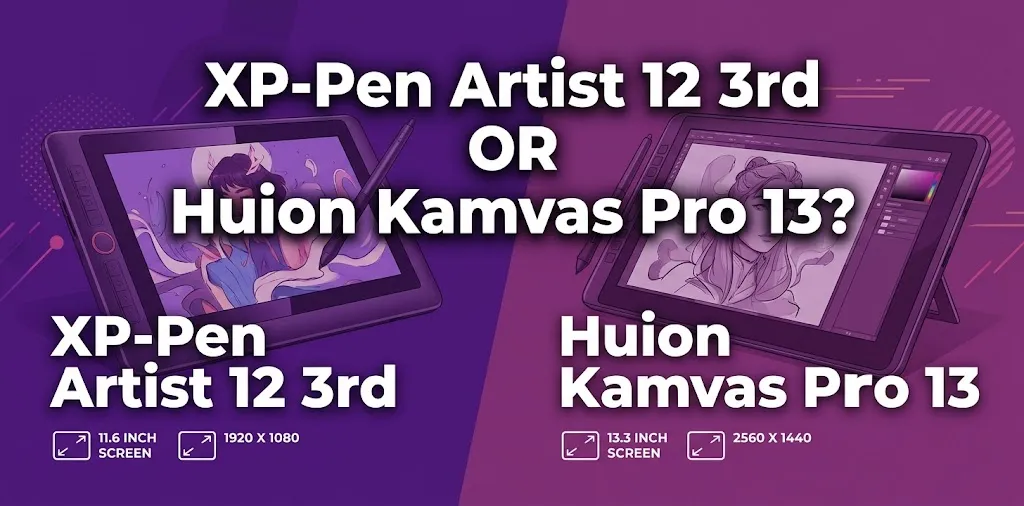
If you are choosing between the XP-Pen Artist 12 3rd and the Huion Kamvas Pro 13, the XP-Pen is the better choice for most buyers in 2026. It is newer, lighter, brighter, has a more advanced 16,384-level pen, and supports a more flexible modern connection setup. The Huion Kamvas Pro 13 still offers a larger drawing area, but it is an older model.
Both are pen displays, so you draw directly on the screen. They are designed to work with a compatible computer or other supported device rather than functioning as fully independent drawing tablets.
The most important thing to understand is that these two products are not from the same generation. The Artist 12 3rd is a newer model, while the Kamvas Pro 13 is an older Huion Pro-series display. That changes the comparison quite a bit.
The Short Comparison
| Feature | XP-Pen Artist 12 3rd | Huion Kamvas Pro 13 |
|---|---|---|
| Display size | 11.9 inches | 13.3 inches |
| Resolution | 1920 × 1080 | 1920 × 1080 |
| Active area | 264 × 149 mm | 293.76 × 165.24 mm |
| Pen pressure | 16,384 levels | 8,192 levels |
| Tilt support | ±60° | ±60° |
| Full lamination | Yes | Yes |
| Screen surface | Anti-glare glass | Anti-glare etched glass |
| Brightness | 260 nits | 220 nits |
| Weight | 719 g | 910 g |
| Shortcut controls | Dual dials and keys | Touch bar and 4 keys |
| Connection | Full-featured USB-C or 3-in-1 cable | 3-in-1 cable |
| Stand included | Yes | May depend on the package |
| Best for | Most new buyers and portable use | Buyers who strongly prefer a larger drawing area |
Why the XP-Pen Artist 12 3rd Is the Better Choice for Most People
The biggest advantage of the Artist 12 3rd is not just one specification. It is the combination of newer pen technology, lower weight, better portability, modern connectivity, and a more convenient accessory package.
XP-Pen lists the Artist 12 3rd at 719 g, compared with 910 g for the Kamvas Pro 13. That difference matters if you move your drawing tablet between your home, school, office, or studio.
The XP-Pen also uses its X4 Smart Chip Stylus with 16,384 pressure levels and a listed 2 g initial activation force. The Kamvas Pro 13 uses Huion’s older PW507 pen with 8,192 pressure levels.
That does not automatically mean every artist will create better work with the XP-Pen. In real use, pressure levels are only one part of pen performance. However, the newer pen technology gives the XP-Pen a stronger position for buyers choosing between these specific two models.
The newer connection setup is another advantage
The Artist 12 3rd can use a full-featured USB-C connection or the included 3-in-1 cable. With a compatible device and the right USB-C support, this can make the setup cleaner and easier to carry.
The older Kamvas Pro 13 uses a 3-in-1 cable setup. It works, but it is less convenient if portability and desk simplicity are important to you.
For example, a college student who regularly packs a laptop and drawing tablet may appreciate the lighter XP-Pen and its more flexible connection options. An artist with a permanent desktop setup may care less about that advantage.
Where the Huion Kamvas Pro 13 Still Has an Advantage
The Huion’s biggest strength is simple: screen size.
Its 13.3-inch display provides an active area of 293.76 × 165.24 mm, compared with 264 × 149 mm on the XP-Pen. Both displays use Full HD resolution, so the Huion gives you more physical room for your hand and larger interface elements.
That can matter more than people expect.
A larger screen gives you more comfortable space for:
- Drawing broad strokes
- Working with Photoshop or Clip Studio Paint panels
- Editing detailed illustrations
- Using larger brushes
- Viewing reference images alongside your artwork
- Working for long periods
The Huion’s screen also has a slightly lower pixel density because it uses the same 1920 × 1080 resolution across a larger 13.3-inch panel. For drawing, this is not necessarily a serious problem. Some users may actually prefer the larger interface and working area.
The etched glass surface may appeal to some artists
The Kamvas Pro 13 uses anti-glare etched glass rather than relying on a removable matte film. The surface is designed to provide a more paper-like texture while reducing reflections.
The XP-Pen also uses a laminated anti-glare display, so neither device should be considered glossy or overly reflective. Still, drawing surface feel is personal. An artist who prefers more friction between the pen tip and screen may like the Huion’s etched-glass approach.
Pen Experience: Which One Feels Better?
On paper, the XP-Pen Artist 12 3rd wins the specification comparison.
It offers:
- 16,384 pressure levels
- X4 Smart Chip Stylus technology
- 2 g initial activation force
- ±60° tilt support
The Huion Kamvas Pro 13 offers:
- 8,192 pressure levels
- Battery-free EMR pen technology
- ±60° tilt support
- PW507 stylus
Both pens are battery-free and support tilt, so neither requires charging before you start drawing.
For most beginners, the difference between 8,192 and 16,384 pressure levels should not be the deciding factor. Many beginners will not notice the difference immediately.
Pen feel depends on several things at once:
- The pen tip
- The screen surface
- Pressure curve settings
- Your drawing software
- Driver configuration
- Personal preference
The practical advantage of the newer XP-Pen is that it offers more advanced pen specifications. The practical advantage of the Huion is that its larger display gives your hand more room to move.
Screen Quality and Color
Both tablets use Full HD IPS displays with full lamination.
The XP-Pen Artist 12 3rd has a listed brightness of 260 nits and color coverage specifications of 99% sRGB, 97% Adobe RGB, and 97% Display P3. The Huion Kamvas Pro 13 is listed at 220 cd/m² with a 120% sRGB color gamut volume.
Comparing color numbers between brands can be confusing because manufacturers may use different methods. One company may report color gamut coverage, while another may emphasize gamut volume.
For most beginners and hobby artists, both displays should provide plenty of color for illustration, comics, and general digital art. If you do professional color-critical work, you should focus on calibration and your full workflow rather than choosing only based on the marketing percentage printed on the box.
The XP-Pen has one clear practical advantage here: it is rated brighter.
That may make it a better choice if you work near windows or in a brighter room.
Drawing Area vs. Portability: This May Decide Your Purchase
This is probably the most important real-world trade-off.
Choose the XP-Pen if portability matters
The Artist 12 3rd is smaller and about 191 g lighter. It is easier to place beside a laptop, carry in a bag, or move around the house.
A hypothetical example is a student who draws between classes and also uses the tablet at home. Carrying a lighter 11.9-inch display is usually easier than carrying a larger 13.3-inch display.
Choose the Huion if physical drawing space matters more
The larger active area can make a difference if you have larger hands or simply dislike compact pen displays.
For example, an artist who spends several hours painting detailed illustrations at a desk may prefer the larger Huion even though the technology is older. More physical room can be more valuable than newer specifications.
Shortcut Controls and Workflow
The control systems are also different.
The Huion Kamvas Pro 13 has four programmable press keys and a touch bar. The XP-Pen Artist 12 3rd uses a more modern control layout with shortcut keys and dual dials.
This can matter if you use shortcuts for:
- Zooming
- Rotating the canvas
- Changing brush size
- Undoing and redoing actions
- Adjusting layers
- Moving around the canvas
The XP-Pen’s dual-dial approach is likely to be more flexible for artists who frequently use brush size and zoom controls. The Huion’s touch bar is still useful, especially if you prefer a simpler control layout.
Neither setup replaces a keyboard for every workflow. If you use many Photoshop shortcuts or advanced 3D software, you may still want your keyboard nearby.
Compatibility and Connection
The XP-Pen Artist 12 3rd supports Windows, macOS, Android devices with the required USB-C DisplayPort capability, ChromeOS, Linux, and Windows ARM according to the manufacturer’s specifications.
The Huion Kamvas Pro 13 officially supports Windows, macOS, and ChromeOS.
Before buying either one, check your exact computer or mobile device.
A USB-C port alone does not guarantee that a single-cable setup will work. Some USB-C ports support charging and data but do not support the video output needed for a pen display.
This is a common mistake.
If your laptop does not support video over USB-C, you may need to use the included multi-connector cable.
What About the Huion Kamvas 13 Gen 3?
This is an important distinction.
The Huion Kamvas Pro 13 is not the same product as the newer Kamvas 13 Gen 3.
The newer Kamvas 13 Gen 3 has a 13.3-inch display, 16,384 pressure levels, 99% sRGB coverage, full lamination, a newer Pentech 4.0 pen, and a control system with programmable keys and dial controllers.
That means if you are looking at current Huion products, the more direct modern competitor to the XP-Pen Artist 12 3rd may actually be the Kamvas 13 Gen 3 rather than the older Kamvas Pro 13.
This matters because a product with the word “Pro” in its name is not automatically newer or better.
Always compare the exact model and generation.
Which One Is Better for Beginners?
For most beginners, the XP-Pen Artist 12 3rd is the safer recommendation.
It gives you:
- Modern pen technology
- A lighter design
- Good portability
- A brighter display
- Flexible connection options
- A foldable stand in the package
- A newer overall design
The Huion Kamvas Pro 13 can still be a good beginner tablet if you know you want a larger drawing area.
A 13.3-inch screen may feel more comfortable when learning software such as Clip Studio Paint, Krita, Photoshop, or Illustrator. The larger display gives you more room for toolbars and reference images.
Which One Is Better for Professional or Advanced Artists?
For an advanced artist, neither the “beginner” nor “professional” label should decide the purchase.
Think about your workflow.
Choose the XP-Pen Artist 12 3rd if you:
- Travel often
- Want a newer model
- Prefer a lighter tablet
- Want newer pen technology
- Need flexible USB-C connectivity
- Use shortcut dials frequently
- Want a compact secondary display for creative work
Choose the Huion Kamvas Pro 13 if you:
- Draw mainly at a desk
- Prefer a larger screen
- Have limited interest in portability
- Like a more spacious active area
- Find the Huion at a much lower price
- Prefer its screen texture and touch-bar layout
If both tablets cost nearly the same, the XP-Pen is generally the stronger value.
If the Huion is heavily discounted, the larger display could make it worth considering.
The Price Difference Can Change the Answer
Do not compare only the original retail price.
Compare the actual price you will pay, including:
- Sales tax
- Shipping
- Required adapters
- Stand
- Replacement cables
- Warranty coverage
For example, if the XP-Pen costs $20 more but includes the stand and the connection options you need, it may be the better overall value.
On the other hand, if the Huion Kamvas Pro 13 is discounted far below the XP-Pen and you mainly want a larger drawing surface, the older model may still make financial sense.
The important question is not simply, “Which tablet has better specs?”
The better question is, “Which tablet gives me the features I will actually use for the money I am spending?”
The Main Mistake to Avoid
Do not buy the Huion Kamvas Pro 13 simply because “Pro” makes it sound more advanced.
The Kamvas Pro 13 is an older model. Its larger screen is a real advantage, but the XP-Pen Artist 12 3rd benefits from newer pen and connectivity technology.
Also, do not choose based only on pressure sensitivity.
A beginner can create excellent artwork with 8,192 pressure levels. Screen size, comfort, software compatibility, pen feel, and workflow may matter more.
My Recommendation
For most people choosing between the XP-Pen Artist 12 3rd or Huion Kamvas Pro 13, I would buy the XP-Pen Artist 12 3rd.
It is the newer and more balanced product. You get a lighter body, a brighter display, a newer stylus, 16,384 pressure levels, flexible USB-C connectivity, and better portability.
I would choose the Huion Kamvas Pro 13 only if the larger 13.3-inch drawing area is your top priority or if you find it at a substantially lower price.
One practical tip: before ordering either model, check your computer’s exact USB-C and display-output capabilities. A pen display that looks perfect on paper can become frustrating if your computer does not support the connection method you expect.
Frequently Asked Questions
Is the XP-Pen Artist 12 3rd better than the Huion Kamvas Pro 13?
For most buyers, yes. The XP-Pen is newer, lighter, brighter, and uses more advanced pen technology. The Huion’s main advantage is its larger 13.3-inch screen and wider active drawing area.
Is the Huion Kamvas Pro 13 too old to buy?
Not necessarily, especially if it is available at a good price. It still has a laminated Full HD display, tilt support, a battery-free pen, and useful shortcut controls, but it uses older technology than newer models now available.
Do I need a computer to use the XP-Pen Artist 12 3rd or Huion Kamvas Pro 13?
These are pen displays rather than fully standalone drawing computers. You need to connect them to a compatible host device, although the XP-Pen also supports certain Android devices with the required USB-C DisplayPort capability.
Final Verdict
The XP-Pen Artist 12 3rd is the better overall purchase, while the Huion Kamvas Pro 13 is the better choice only for buyers who place a higher value on physical screen size.
If you are undecided, choose based on how you work. Pick the XP-Pen for a newer, lighter, more portable setup. Pick the Huion if you would rather have a larger drawing surface and can get it at a strong discount. Before buying, compare the final package price and confirm compatibility with your computer.