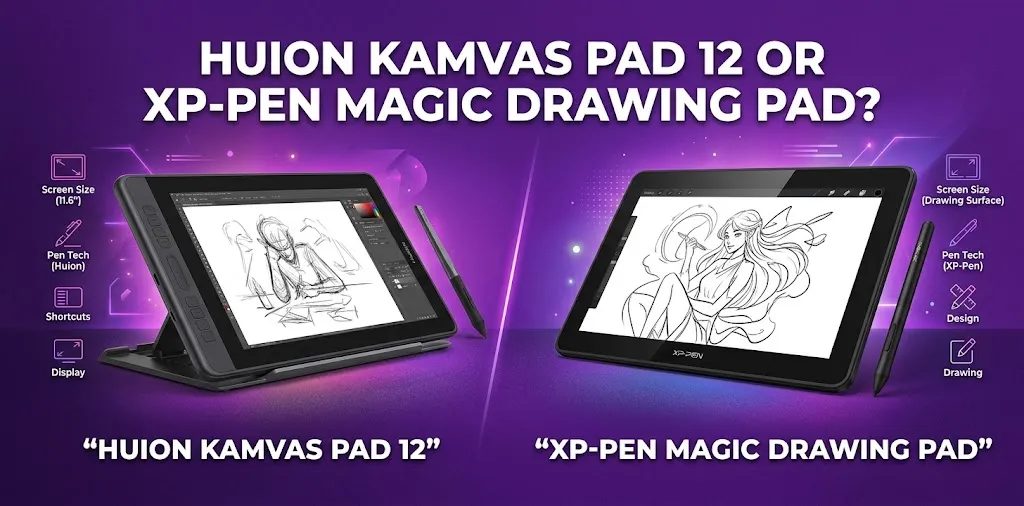
Huion Kamvas Pad 12 or XP-Pen Magic Drawing Pad for artists?

If you are choosing between the Huion Kamvas Pad 12 and XP-Pen Magic Drawing Pad, the biggest difference is not simply pen pressure or screen size. Both are 12.2-inch standalone Android drawing tablets, but the Kamvas Pad 12 is aimed more directly at artists who want higher-end drawing hardware, while the Magic Drawing Pad combines drawing features with a broader portable-tablet experience. For most serious artists, the Huion has the more appealing specifications on paper; XP-Pen remains a strong choice for portability and software versatility.
The Short Answer
The Huion Kamvas Pad 12 is the better pick for artists who prioritize drawing performance, especially if its 90Hz display, PenTech 4.0 stylus, nano-matte surface, and 99% sRGB coverage are available at the price you find. The XP-Pen Magic Drawing Pad is a better choice if you want a standalone Android drawing tablet with 8GB RAM, 256GB storage, 60Hz display, 16,384 pressure levels, and strong everyday tablet features.
What Makes These Two Tablets Different?
These products look similar because they solve the same basic problem: giving artists a portable drawing device that does not require a computer.
That makes them different from traditional pen displays. A conventional pen display normally needs to connect to a Windows or Mac computer. The Kamvas Pad 12 and Magic Drawing Pad are designed to operate as standalone Android devices.
That distinction matters if you like drawing away from your desk.
You can use a standalone tablet for sketching on the couch, traveling, working in a coffee shop, drawing outdoors, or taking quick ideas with you without carrying a laptop.
The XP-Pen Magic Drawing Pad is an established standalone product with Android 14, 8GB of RAM, 256GB of storage, a 12.2-inch 2160 × 1440 display, and an 8,000mAh battery.
The Kamvas Pad 12 is a newer entry into this category. It is a 12.2-inch Android drawing tablet with touch input, Wi-Fi, Bluetooth, Google Mobile Services, and support for Google Play apps.
Huion Kamvas Pad 12 vs. XP-Pen Magic Drawing Pad Specs
| Feature | Huion Kamvas Pad 12 | XP-Pen Magic Drawing Pad |
|---|---|---|
| Screen size | 12.2 inches | 12.2 inches |
| Aspect ratio | 3:2 | 3:2 |
| Display resolution | 2K+ | 2160 × 1440 |
| Refresh rate | 90Hz | 60Hz |
| Stylus | PenTech 4.0 | X3 Pro Slim Stylus |
| Pressure sensitivity | 16,384 levels | 16,384 levels |
| Tilt support | Yes | 60° |
| Display surface | Nano-matte | X-Paper, anti-glare |
| Color coverage | Up to 99% sRGB | 97% sRGB |
| Operating system | Android | Android 14 |
| Standalone use | Yes | Yes |
| RAM | Model-dependent/current availability should be checked | 8GB |
| Storage | Model-dependent/current availability should be checked | 256GB |
| Battery | Check current regional specification | 8,000mAh |
| Best suited for | Drawing-focused mobile workflow | Drawing + general tablet use |
The most important point is that both tablets already have more than enough pressure sensitivity for normal digital art. The difference between 16,384 and another high pressure-level figure should not be treated as a simple measure of drawing quality.
Other factors, such as pen latency, calibration, surface texture, parallax, pressure response, display quality, and software, can matter more in everyday use.
Huion Kamvas Pad 12: What Artists Get
The Kamvas Pad 12 is designed around the idea of a professional mobile drawing workstation rather than simply a general Android tablet with pen support.
It features a 12.2-inch display, 3:2 aspect ratio, 90Hz refresh rate, nano-matte surface, PenTech 4.0 stylus, 16,384 pressure levels, and up to 99% sRGB coverage.
90Hz Display
The 90Hz refresh rate is one of the most interesting advantages for artists.
A higher refresh rate does not automatically make the pen more accurate. However, it can make moving strokes and screen animations look smoother.
This can be particularly useful when:
- Making fast sketching strokes
- Zooming and rotating a canvas
- Moving around large illustrations
- Working with animation timelines
- Using the tablet for normal Android tasks between drawing sessions
The XP-Pen Magic Drawing Pad uses a 60Hz display, so the Huion has the specification advantage here.
PenTech 4.0 Stylus
The Kamvas Pad 12 uses Huion’s PenTech 4.0 stylus.
The configuration includes 16,384 pressure levels, tilt recognition, and low-latency performance.
For artists, the practical advantage is not the pressure number itself. What matters is how naturally the pen responds when you gradually increase or decrease pressure.
A good pen system should make thin-to-thick strokes feel predictable rather than forcing you to fight the pressure curve.
Nano-Matte Drawing Surface
The nano-matte screen is another major part of the Kamvas Pad 12’s drawing-focused design.
A textured matte surface can provide more resistance than a completely smooth glass screen. Some artists prefer that because the pen feels less slippery.
If you mainly create line art, comics, concept sketches, or digital painting, this kind of surface can be more important to your experience than a small difference in display resolution.
XP-Pen Magic Drawing Pad: What Artists Get
The XP-Pen Magic Drawing Pad takes a slightly different approach.
It is still strongly focused on drawing, but it also works as a general portable Android tablet. It has Android 14, 8GB RAM, 256GB storage, an 8,000mAh battery, cameras, speakers, Wi-Fi, and support for microSD expansion up to 1TB.
X3 Pro Slim Stylus
The Magic Drawing Pad includes the X3 Pro Slim Stylus.
It offers 16,384 pressure levels, 60° tilt support, EMR technology, and a lightweight design. The stylus is also battery-free.
Battery-free operation is useful because you do not have to remember to charge the pen before drawing.
For artists who spend several hours sketching, a relatively light stylus can also be a practical advantage.
12.2-Inch 3:2 Display
The display uses a 2160 × 1440 resolution and 3:2 aspect ratio.
The 3:2 format gives you a little more vertical workspace than a typical 16:9 screen while remaining compact enough for portable use.
The display offers 97% sRGB coverage, 360 nits brightness, a 1200:1 contrast ratio, and a 60Hz refresh rate.
256GB Storage
Storage is one area where the Magic Drawing Pad has a clear practical advantage over a traditional pen display.
You can install drawing apps and keep artwork directly on the tablet instead of relying on a connected computer.
The tablet also supports microSD storage expansion up to 1TB.
For artists who keep large reference libraries, exported artwork, brushes, textures, or other creative files on their device, that flexibility can be useful.
Which Has the Better Drawing Experience?
On paper, the Huion Kamvas Pad 12 has the stronger drawing-focused display specification.
Its reported 90Hz refresh rate, nano-matte display, PenTech 4.0 stylus, and 99% sRGB coverage give it an attractive package for artists.
The XP-Pen Magic Drawing Pad is not far behind where it matters. Its 16,384-pressure-level EMR stylus, 97% sRGB display, anti-glare surface, and 60° tilt support make it a serious drawing device rather than a basic Android tablet with a generic stylus.
If your priority is pure drawing feel, I would lean toward the Kamvas Pad 12.
If your priority is drawing plus general tablet use, the Magic Drawing Pad becomes more attractive.
Which Is Better for Digital Painting?
For digital painting, display quality and pen behavior matter more than the headline pressure number.
The Kamvas Pad 12 has the advantage in several specifications, particularly its 90Hz refresh rate and up to 99% sRGB coverage.
That makes it appealing for artists who work with:
- Digital painting
- Concept art
- Character design
- Illustration
- Environment art
- Color studies
The XP-Pen Magic Drawing Pad still offers a strong color-oriented display with 97% sRGB coverage.
For hobbyists and many working artists, that is already a capable setup.
The bigger question is whether you need the Huion’s more drawing-focused hardware enough to justify choosing it over the XP-Pen.
Which Is Better for Drawing Comics and Line Art?
For comics and line art, the Kamvas Pad 12 has an interesting advantage because of its higher refresh rate and drawing-oriented screen surface.
Fast strokes can benefit from a smoother display response, while the textured surface may make controlled line work feel more natural.
However, the XP-Pen Magic Drawing Pad remains a good option for artists who already like the feel of XP-Pen’s X3 Pro Slim Stylus.
For manga-style work, character sketches, and clean line art, pen calibration and pressure response are more important than simply choosing the device with the larger pressure number.
Which Is Better for Beginners?
The XP-Pen Magic Drawing Pad may be easier to understand as an all-around portable device.
It provides:
- Android 14
- 8GB RAM
- 256GB storage
- 8,000mAh battery
- 12.2-inch display
- Standalone operation
- Drawing-focused stylus
- microSD expansion
Those features make it useful beyond drawing.
The Kamvas Pad 12 makes more sense for a beginner who already knows that digital art is the main reason for buying the tablet.
In other words, a student who wants to draw, paint, and sketch first may get more value from the Huion’s artist-focused design. Someone who wants a tablet that can handle drawing, media, browsing, and general Android tasks may prefer XP-Pen.
What About Photoshop and Desktop Software?
This is an important buying consideration.
Neither device should be treated as a direct replacement for a Windows or Mac workstation running the full desktop versions of every creative application.
They are Android-based standalone drawing tablets.
That means your workflow depends heavily on which Android applications you use.
For artists who rely on a desktop-first workflow involving software such as Photoshop, Illustrator, or other specialized Windows or macOS applications, a conventional pen display connected to a computer may still be the better solution.
For artists who are comfortable using Android versions of their creative apps, standalone tablets are much more convenient.
Before buying either one, check the Android version of your most important drawing application rather than assuming that the desktop version will work identically.
Portability: Which One Is Better?
Both devices are designed for artists who want to leave the desk.
The XP-Pen Magic Drawing Pad measures 279 × 192 × 6.9 mm and weighs about 590 grams.
That makes it relatively easy to put into a backpack with a sketching kit.
The Kamvas Pad 12 follows the same general portable-drawing concept, with a 12.2-inch display and Android platform.
For travel, the most important question is not just weight.
Consider the entire setup:
- Tablet
- Stylus
- Charger
- Cable
- Case
- Keyboard or accessories
- Storage
- Drawing stand
A standalone drawing tablet can still become inconvenient if you need to carry a large collection of accessories.
Battery and Everyday Use
Battery life matters more on a standalone drawing tablet than on a conventional pen display because the device has to power the entire Android system.
XP-Pen lists an 8,000mAh battery for the Magic Drawing Pad and advertises long battery life under its stated testing conditions.
It also supports fast charging.
The Kamvas Pad 12 is similarly intended to function as an independent Android device, but buyers should check the latest regional specifications before comparing battery capacity or estimated runtime directly.
Battery life can vary significantly with brightness, drawing applications, Wi-Fi, screen refresh rate, and other settings.
Price: Which Gives You More for Your Money?
Price can change with promotions, regional availability, and bundles, so it is better to compare the current selling price rather than relying on an original launch price.
The XP-Pen Magic Drawing Pad has commonly been positioned around the $500 price range in the United States, although promotions can change the final cost.
The Kamvas Pad 12 has been positioned at a lower price range in some markets, but current U.S. pricing and availability should be verified before purchase.
That potential price difference is important.
If the Kamvas Pad 12 is substantially cheaper while retaining its higher-refresh-rate display and professional pen hardware, it could offer better value for a drawing-first buyer.
If XP-Pen is heavily discounted, however, the Magic Drawing Pad becomes much more competitive.
Which One Should You Buy?
The right choice depends on how you plan to work.
| If you are… | Better choice |
|---|---|
| Focused mainly on digital art | Huion Kamvas Pad 12 |
| Looking for a higher-refresh-rate display | Huion Kamvas Pad 12 |
| Interested in a paper-like drawing surface | Huion Kamvas Pad 12 |
| Want a general Android tablet too | XP-Pen Magic Drawing Pad |
| Want 256GB built-in storage | XP-Pen Magic Drawing Pad |
| Want microSD expansion | XP-Pen Magic Drawing Pad |
| Want a mature portable drawing workflow | XP-Pen Magic Drawing Pad |
| Want drawing plus media and everyday tablet tasks | XP-Pen Magic Drawing Pad |
| Already prefer XP-Pen’s stylus feel | XP-Pen Magic Drawing Pad |
| Want the strongest drawing-focused specifications | Huion Kamvas Pad 12 |
Huion Kamvas Pad 12 vs. XP-Pen Magic Drawing Pad: Final Verdict
For artists specifically asking which one to choose, I would give the Huion Kamvas Pad 12 the edge for drawing.
Its 90Hz display, PenTech 4.0 pen system, nano-matte surface, and up to 99% sRGB coverage make it especially interesting for people who care about drawing feel and visual performance.
The XP-Pen Magic Drawing Pad is the better choice if you want a standalone Android package with 8GB RAM, 256GB storage, an 8,000mAh battery, microSD expansion, and a strong X3 Pro Slim Stylus.
One practical tip: do not choose based on pressure sensitivity alone. Both already offer 16,384 levels. Pay more attention to the screen surface, refresh rate, pen feel, Android software compatibility, storage, battery, and the actual price you can get.
Frequently Asked Questions
Is the Huion Kamvas Pad 12 better than the XP-Pen Magic Drawing Pad?
For drawing-focused work, the Kamvas Pad 12 has the more impressive display and pen specifications, including a 90Hz display and PenTech 4.0 stylus. The XP-Pen is more appealing if you want strong general Android-tablet features alongside drawing.
Can you use the Huion Kamvas Pad 12 and XP-Pen Magic Drawing Pad without a computer?
Yes. Both are designed as standalone Android drawing tablets rather than traditional pen displays that require a computer. You can install compatible Android applications and create directly on the tablet.
Is 16,384 pressure sensitivity enough for professional digital art?
Yes. 16,384 pressure levels are already more than enough for professional digital drawing. Pen latency, pressure calibration, tilt behavior, screen texture, software compatibility, and your own comfort generally have a greater effect on the actual drawing experience.
The best choice between these two comes down to drawing performance versus broader tablet flexibility. If you want the device primarily as a mobile art workstation, the Kamvas Pad 12 is the more compelling option. If you want a portable Android tablet that also happens to be an excellent drawing tool, the XP-Pen Magic Drawing Pad is a strong alternative.


