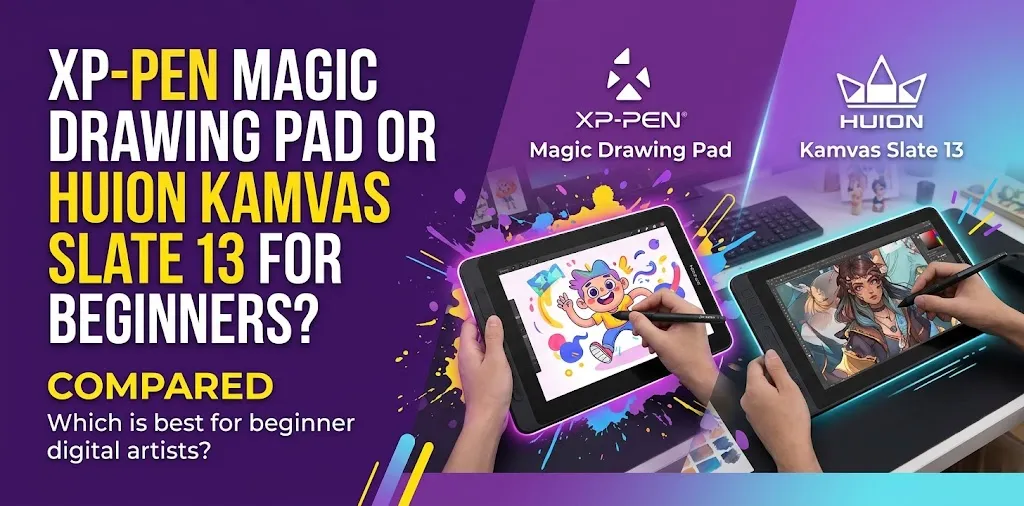
If you are buying your first standalone drawing tablet, the XP-Pen Magic Drawing Pad and Huion Kamvas Slate 13 may seem very similar. Both are Android-based devices that let you draw directly on the screen without connecting to a computer.
The better choice depends on what kind of beginner you are. One focuses more heavily on the drawing experience and portability, while the other gives you a larger 4:3 workspace and a bigger battery.
XP-Pen Magic Drawing Pad vs Huion Kamvas Slate 13: Which Is Better for Beginners?
For most beginners, the XP-Pen Magic Drawing Pad is the better choice because it is lighter, has a sharper 3:2 display, and offers a more advanced EMR drawing experience with 16,384 pressure levels. The Huion Kamvas Slate 13 is better for beginners who prefer a larger 4:3 canvas, longer battery capacity, and a tablet that feels closer to a traditional large-format sketchpad.
The most important point is that these are both standalone Android drawing tablets. You do not need to connect either one to a Windows PC or Mac just to start drawing.
| Feature | XP-Pen Magic Drawing Pad | Huion Kamvas Slate 13 |
|---|---|---|
| Screen size | 12.2 inches | 12.7 inches |
| Resolution | 2160 × 1440 | 2176 × 1600 |
| Screen ratio | 3:2 | 4:3 |
| Weight | 590 g | 682 g |
| Pressure sensitivity | 16,384 levels | 4,096 levels |
| Tilt support | 60° | ±60° |
| Display brightness | 360 nits | 350 nits |
| Storage | 256GB, expandable | 256GB, expandable |
| RAM | 8GB | 8GB |
| Battery | 8,000mAh | 10,000mAh |
| Operating system | Android 14 | Android |
| Best for | Most new digital artists | Beginners wanting a larger canvas |
The Biggest Difference: Drawing Feel
A spec sheet does not always tell you how a tablet will feel when you actually sit down to learn digital art.
That matters a lot for beginners.
The XP-Pen Magic Drawing Pad uses an EMR-based stylus system and offers 16,384 pressure levels. Its screen also has an anti-glare and anti-fingerprint surface designed to create a more paper-like drawing experience.
The Huion Kamvas Slate 13 uses an active capacitive pencil with 4,096 levels of pressure sensitivity and 60-degree tilt support. Its fully laminated IPS display also has anti-glare glass.
Both can handle basic pressure-sensitive drawing, sketching, coloring, and painting. However, the XP-Pen has the stronger advantage if drawing is the main reason you are buying the tablet.
Why Beginners Should Care About Pen Technology
Pressure levels alone do not automatically make someone a better artist.
A beginner can create good artwork with either device.
However, a drawing-focused pen can make it easier to control light and heavy strokes. This becomes more useful as you start learning:
- Sketching with different line weights
- Digital painting
- Shading
- Brush pressure control
- Calligraphy
- Detailed illustration
For example, a new artist practicing simple character sketches may not notice a major difference at first. But after spending several months learning pressure-sensitive brushes, the more drawing-focused XP-Pen setup may offer more room to grow.
Screen Size and Shape Matter More Than You Might Expect
The Huion Kamvas Slate 13 has a slightly larger 12.7-inch display and a 4:3 screen ratio. This gives it a taller, more traditional tablet-like shape.
The XP-Pen Magic Drawing Pad has a 12.2-inch display with a 3:2 ratio.
Neither shape is automatically better. They simply suit different working styles.
The Huion’s 4:3 Screen Feels More Like a Sketchbook
A taller display can feel comfortable when working on:
- Portraits
- Character illustrations
- Vertical comic pages
- Full-page sketches
- Reference images beside your artwork
The extra vertical space may feel natural to beginners coming from paper sketchbooks.
The XP-Pen’s 3:2 Display Is More Versatile for General Use
The 3:2 format works well for drawing but also feels practical when using the device as an everyday tablet.
It can be a good fit if you want one device for:
- Digital art
- Watching videos
- Browsing
- Reading
- Light creative work
- Carrying to school or college
The XP-Pen display is also lighter and easier to hold for long periods.
Which One Is Easier to Carry?
The XP-Pen Magic Drawing Pad weighs about 590 grams, while the Huion Kamvas Slate 13 weighs about 682 grams.
That difference may not sound huge, but beginners often use these devices in different places rather than leaving them permanently on a desk.
The lighter XP-Pen is the better choice if you plan to draw:
- On the couch
- At a coffee shop
- During travel
- Between classes
- In different rooms
The Huion is still portable, but its larger body makes it feel more like a dedicated creative tablet.
A Student Who Wants One Portable Creative Device
Imagine a college student who wants to sketch between classes, watch videos, and work on digital art at home.
The XP-Pen Magic Drawing Pad would probably be the more practical choice because it is lighter and designed as a flexible standalone tablet.
A Beginner Replacing a Paper Sketchbook
Now imagine someone who mostly wants a large screen for drawing at home and prefers the feeling of working on a bigger canvas.
The Huion Kamvas Slate 13 may feel more comfortable because of its larger 4:3 workspace.
Performance and Storage: There Is No Clear Winner
Both tablets provide 8GB of RAM and 256GB of built-in storage, with support for expandable storage.
For a beginner, this is a healthy amount of space.
You should be able to install drawing apps, store reference images, save artwork, and keep other files on the device without immediately worrying about running out of space.
This is important because digital art files can become large over time, especially if you create detailed illustrations with many layers.
If you eventually build a large collection of artwork, expandable storage can help you avoid filling the internal memory too quickly.
Battery Life: Huion Has the Advantage on Paper
The Huion Kamvas Slate 13 includes a 10,000mAh battery, compared with the XP-Pen Magic Drawing Pad’s 8,000mAh battery.
Huion states that the Slate 13 can provide up to 14 hours of continuous use under its testing conditions.
XP-Pen rates the Magic Drawing Pad for up to about 13 hours of battery life.
Actual battery life will depend on screen brightness, the app you use, Wi-Fi activity, and how heavily you use the tablet.
For most beginners, either device should provide enough battery life for several drawing sessions. The Huion has the advantage if you want the largest possible battery capacity.
The Display Comparison Is More Interesting Than the Screen Size
Both devices use IPS displays with anti-glare surfaces and full lamination.
The XP-Pen Magic Drawing Pad offers:
- 2160 × 1440 resolution
- 3:2 aspect ratio
- 360-nit brightness
- 97% sRGB coverage
The Huion Kamvas Slate 13 offers:
- 2176 × 1600 resolution
- 4:3 aspect ratio
- 350-nit brightness
- 99% sRGB color gamut volume
The two displays are close enough that most beginners should not make their decision based only on color figures.
Instead, think about how you want to work.
Choose the XP-Pen if you prefer a lighter tablet with a wide, sharp display. Choose the Huion if you want a taller, more square drawing area.
Which One Gives You More Room to Grow as an Artist?
This is where the XP-Pen Magic Drawing Pad has a strong advantage.
Beginners often focus only on what they can do during the first few weeks. A better question is what the tablet will feel like after six months or a year of practice.
As you become more comfortable with digital art, you may start using:
- More pressure-sensitive brushes
- Larger and more detailed canvases
- Advanced painting techniques
- More complex line work
- Custom brush settings
The Magic Drawing Pad’s more drawing-focused pen system makes it the stronger choice for someone who expects digital art to become a serious long-term hobby.
The Huion Kamvas Slate 13 is still capable for beginner and casual art. Its advantage is the larger 4:3 workspace rather than having the stronger overall pen specification.
What About Drawing Apps?
App availability can matter as much as hardware.
Because these are standalone Android devices, you need to think about which Android drawing apps you want to use before buying one.
A beginner may use apps such as:
- ibis Paint X
- HiPaint
- Infinite Painter
- Concepts
- Clip Studio Paint for Android, where supported by your preferred workflow
Before purchasing, check the current compatibility and subscription requirements for the specific apps you plan to use.
This is an easy mistake for beginners to make. A powerful tablet is less useful if the drawing software you want does not fit your workflow.
The Beginner Decision Comes Down to Your Priorities
Choose the XP-Pen Magic Drawing Pad if:
- Digital art is your main reason for buying the tablet
- You want stronger pen specifications
- You want a lighter device
- You expect to carry it often
- You want a sharper 3:2 display
- You are serious about improving your drawing skills over time
- You want one tablet for art and general entertainment
For most beginners focused mainly on drawing, this is the safer choice.
Choose the Huion Kamvas Slate 13 if:
- You want the larger 4:3 drawing workspace
- You prefer a taller, sketchbook-like screen
- Long battery capacity matters to you
- You want a larger device for home use
- You do not mind a slightly heavier tablet
- You prefer a bigger canvas over the lighter overall design
The Huion can make more sense for beginners who value physical drawing space above portability.
Don’t Choose Based Only on Pressure Levels
Many first-time buyers see 16,384 pressure levels versus 4,096 and immediately assume the XP-Pen must be dramatically easier to use.
Real-world drawing is more complicated than that.
Pressure sensitivity is only one part of the experience. Beginners should also consider:
- Pen accuracy
- Initial activation force
- Tilt support
- Screen texture
- App optimization
- Palm rejection
- Device weight
- Canvas size
- Personal drawing style
A beginner does not need the highest specification in every category.
For example, someone who mainly draws simple cartoons and flat illustrations may care more about screen size and comfort than extremely fine pressure control.
On the other hand, someone learning digital painting may benefit more from a drawing-focused pen experience.
Is Either Tablet Better for Professional Artists?
A skilled artist can create professional-looking work on either device.
However, beginners shopping for their first tablet should avoid buying based on the word “professional.”
The better question is whether the device fits the type of art you actually plan to create.
The XP-Pen Magic Drawing Pad is the stronger option for an artist who expects to spend a lot of time improving drawing and painting skills.
The Huion Kamvas Slate 13 is appealing to artists who prioritize a larger standalone canvas and want a device that feels closer to a digital sketchbook.
One Important Buying Mistake: Confusing the Slate 13 With the Kamvas 13 Pen Display
Huion sells several products with similar names.
The Kamvas Slate 13 is a standalone Android tablet. It does not require a computer for normal standalone drawing.
The Huion Kamvas 13 is a pen display designed primarily to work with another device.
These are not the same type of product.
Before ordering, carefully check the exact product name and model. A beginner who wants to draw without a computer could accidentally buy the wrong type of device if they only search for “Huion Kamvas 13.”
What About Price?
Prices for drawing tablets can change because of sales, bundles, retailer promotions, and newer models.
For that reason, compare the current US price of both tablets on the day you plan to buy.
If the price difference is small, the XP-Pen Magic Drawing Pad is usually the better value for a beginner who cares mainly about drawing.
If the Huion Kamvas Slate 13 is available for noticeably less, the larger 4:3 display and 10,000mAh battery may make it a more attractive value.
Do not compare only the tablet price. Check what is included in the package, such as:
- Stylus
- Protective case
- Replacement nibs
- Charging accessories
- Stand or case with stand function
- Creative software offers
The total package can change which device offers the better deal.
FAQ
Is the XP-Pen Magic Drawing Pad good enough for a complete beginner?
Yes. Its standalone Android design means a beginner can start drawing without buying a separate computer. The advanced pen system also gives you room to improve as your skills develop.
Is the Huion Kamvas Slate 13 easier to use because it has a larger screen?
Not necessarily, but its larger 4:3 workspace may feel more comfortable if you are used to drawing in a sketchbook. The XP-Pen is slightly smaller and lighter, which may make it easier to use as a portable tablet.
Do I need a computer for either of these drawing tablets?
No. Both are designed as standalone Android devices, so you can install compatible apps and draw directly on the tablet. This makes them different from traditional pen displays that depend on a connected computer.
Final Verdict
For most beginners, the XP-Pen Magic Drawing Pad is the better overall choice. It offers a lighter design, a strong standalone setup, a high-resolution 3:2 display, and a more advanced drawing-focused pen experience.
Choose the Huion Kamvas Slate 13 instead if your top priority is a larger, taller 4:3 canvas and a bigger battery.
One practical tip before buying: think about where you will actually draw most often. If you will carry the tablet around, lean toward XP-Pen. If it will mostly stay at home and you want more canvas space, the Huion may suit you better.