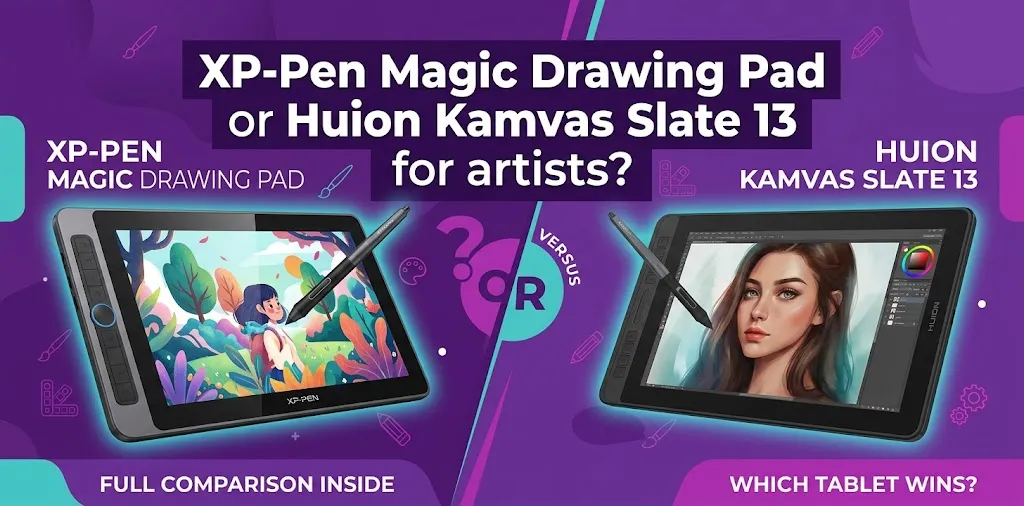
The XP-Pen Magic Drawing Pad is the better choice for most artists who want the strongest drawing experience, while the Huion Kamvas Slate 13 is better for artists who want a larger 13-inch workspace and longer battery life. Your choice mainly comes down to pen technology, portability, screen size, and how you prefer to work.
Both devices are standalone Android drawing tablets. That means you can draw directly on them without connecting to a desktop computer or laptop. They are designed for artists who want a portable alternative to a traditional pen display.
The biggest difference is simple: the Magic Drawing Pad puts more emphasis on the pen and drawing feel, while the Kamvas Slate 13 gives you a physically larger working area and a larger battery.
XP-Pen Magic Drawing Pad vs. Huion Kamvas Slate 13 at a Glance
| Feature | XP-Pen Magic Drawing Pad | Huion Kamvas Slate 13 |
|---|---|---|
| Display size | 12.2 inches | 13 inches |
| Resolution | 2160 × 1440 | 2560 × 1600 |
| Display ratio | 3:2 | 16:10 |
| Color coverage | 97% sRGB | 99% sRGB |
| Stylus technology | EMR | Active capacitive |
| Pressure sensitivity | 16,384 levels | 4,096 levels |
| Tilt support | 60° | 60° |
| Battery | 8,000mAh | 10,000mAh |
| Claimed battery life | Up to 13 hours | Up to 14 hours |
| RAM | 8GB | 8GB |
| Storage | 256GB | 256GB |
| Expandable storage | Up to 1TB | Available depending on model specifications |
| Weight | 590g | 682g |
| Thickness | 6.9mm | 7.5mm |
| Operating system | Android 14 | Android |
The Magic Drawing Pad has a more advanced pen specification on paper and a lighter body. The Kamvas Slate 13 offers a larger, higher-resolution display, slightly wider sRGB coverage, and a bigger battery.
Choose the XP-Pen Magic Drawing Pad if the Pen Experience Matters Most
For many digital artists, the stylus is more important than almost any other specification.
The Magic Drawing Pad uses XP-Pen’s X3 Pro Slim Stylus with EMR technology. The pen does not need charging or Bluetooth pairing, and it supports 16,384 pressure levels and 60-degree tilt. This creates a more traditional drawing-tablet experience and is one of the strongest reasons to choose it over the Huion.
The Huion Kamvas Slate 13 uses the HS230 active capacitive pen with 4,096 pressure levels and 60-degree tilt support. Those specifications can still be more than enough for many artists, especially beginners and hobbyists, but the pen technology is a major point of difference between the two devices.
Why this matters in real use
An artist who spends hours doing line art, detailed sketching, or controlled brushwork may care more about pen response than raw screen size.
For example, imagine a comic artist working on clean ink lines. Small changes in pressure can affect line weight throughout the drawing. That artist may prefer the Magic Drawing Pad because its design focuses heavily on precise pen input and a dedicated EMR stylus.
On the other hand, someone who mainly creates colorful illustrations with broad brushes, shapes, and digital painting may care more about having extra screen space. That artist may find the Kamvas Slate 13 more comfortable.
The Huion Kamvas Slate 13 Gives You More Canvas Space
The Kamvas Slate 13 has a 13-inch display, compared with the 12.2-inch screen on the Magic Drawing Pad. The numerical difference sounds small, but the Huion’s larger body and 16:10 display format can feel noticeably roomier when working with a drawing app’s toolbars and panels.
Its 2560 × 1600 resolution also provides more pixels than the Magic Drawing Pad’s 2160 × 1440 display.
That makes the Huion particularly appealing if you:
- Work on detailed illustrations
- Like seeing more of your canvas at one time
- Use several on-screen tools and panels
- Prefer a wider display shape
- Also watch videos or use the tablet for general entertainment
The XP-Pen’s 3:2 display should not be overlooked, though. This ratio gives artists a more spacious vertical canvas compared with a typical widescreen tablet. The shape may feel especially comfortable for sketching and portrait-oriented artwork.
Which Screen Is Better for Digital Art?
Both tablets use laminated IPS displays with anti-glare treatment, but they take slightly different approaches.
The Magic Drawing Pad has a 12.2-inch 2160 × 1440 display with 97% sRGB coverage, 360-nit brightness, and a paper-like anti-glare surface. Its X-Paper display is designed to reduce glare while creating more of a traditional drawing feel.
The Kamvas Slate 13 has a 13-inch display with 2560 × 1600 resolution, 99% sRGB color coverage, 350-nit brightness, full lamination, and anti-glare glass.
For most artists, the difference between 97% and 99% sRGB should not be the deciding factor by itself. Both are aimed at consumer and creative use rather than replacing a fully color-managed professional studio monitor.
The more meaningful choice is this:
- Choose Huion for more display area and higher resolution.
- Choose XP-Pen for a lighter device and a stronger focus on the drawing surface and pen experience.
Portability: The Magic Drawing Pad Is Easier to Carry
The XP-Pen Magic Drawing Pad weighs about 590 grams and measures 6.9mm thick.
The Huion Kamvas Slate 13 weighs about 682 grams and measures 7.5mm thick.
Neither device is extremely heavy, but artists who travel frequently may notice the difference after carrying the tablet, charger, case, and other equipment.
Consider a freelance illustrator who sketches during a commute, works at coffee shops, and travels with a laptop. The lighter Magic Drawing Pad may be easier to treat as an everyday creative notebook.
By comparison, an artist who mainly uses the tablet at home, at school, or in a studio may prefer the Huion’s larger size. In that situation, the extra weight may matter less than having more room to work.
Battery Life Favors the Huion Kamvas Slate 13
The Kamvas Slate 13 includes a 10,000mAh battery with claimed use of up to 14 hours.
The Magic Drawing Pad has an 8,000mAh battery with a claimed battery life of up to 13 hours. XP-Pen also lists support for fast charging and reverse charging. Actual battery life will vary with screen brightness, app usage, and other settings.
One extra claimed hour may not change most buying decisions. Still, the Huion’s larger battery makes sense for artists who regularly draw away from a power outlet.
If you mainly draw at a desk or can easily charge the device overnight, this advantage is much less important.
Performance and Storage Are Similar
The Magic Drawing Pad includes Android 14, 8GB of RAM, and 256GB of internal storage. It also supports microSD expansion up to 1TB.
The Kamvas Slate 13 is also positioned as an Android-based standalone drawing tablet with 8GB of memory and 256GB of storage.
For many artists, this means both tablets should be considered mobile art workstations rather than simple display tablets.
You can install compatible Android drawing apps and create without connecting to another computer.
That said, buyers should think carefully about their software needs before choosing either model.
Your Favorite Drawing App May Matter More Than the Hardware
A standalone Android drawing tablet is not the same thing as a Windows or macOS computer.
Before buying, think about the apps you use now.
The Magic Drawing Pad promotes compatibility with creative apps such as:
- Clip Studio Paint
- ibis Paint X
- MediBang Paint
- Sketchbook
- Concepts
- Infinite Painter
- Nomad Sculpt
The Huion Kamvas Slate 13 is also designed for Android-based creative work.
This is important for artists who use desktop-only software. If your normal workflow depends heavily on the full desktop version of Adobe Photoshop, certain advanced plug-ins, specialized illustration tools, or other computer-only applications, a standalone Android tablet may not replace your main workstation.
A common buying mistake
Do not buy based only on pressure levels, screen size, or battery capacity.
First, ask: Can this tablet run the exact software I use for my artwork?
A smaller tablet with the right software is often more useful than a larger tablet that forces you to change your entire workflow.
Drawing Experience vs. Larger Workspace
This is where the decision becomes easiest.
The Magic Drawing Pad is better for artists who want:
- A more advanced EMR pen experience
- A battery-free stylus
- Higher pressure sensitivity
- A lighter and thinner tablet
- A more portable device
- A paper-like anti-glare drawing surface
- A 3:2 screen shape for drawing
- Expandable storage up to 1TB
The Kamvas Slate 13 is better for artists who want:
- A larger 13-inch display
- Higher screen resolution
- A 16:10 display shape
- Slightly wider listed sRGB coverage
- A larger battery
- A physically bigger workspace for drawing and general tablet use
Which One Is Better for Beginners?
The Huion Kamvas Slate 13 may appeal to beginners because the larger screen can feel less cramped. A new artist may also appreciate having more room for menus, layers, reference images, and the canvas.
However, the XP-Pen Magic Drawing Pad has a strong advantage for beginners who want to develop a natural pen-based workflow. Its EMR stylus does not require charging or Bluetooth pairing, which makes the drawing process more straightforward.
If you are buying your first serious standalone drawing tablet, the better choice depends on what bothers you more:
- A smaller screen: choose the Huion.
- A less specialized pen experience: choose the XP-Pen.
For many beginners, I would lean toward the Magic Drawing Pad if drawing is the main purpose of the purchase. I would lean toward the Kamvas Slate 13 if the device will also serve as a larger general-purpose Android tablet.
Which One Is Better for Professional Artists?
Neither tablet should be judged only by the word “professional.” Professional artists have very different workflows.
An illustrator who travels and needs a portable device for sketching, line work, concepts, and finished mobile artwork may prefer the XP-Pen Magic Drawing Pad. Its pen technology and lighter body are particularly relevant to that type of work.
A digital painter who wants more visible canvas space while working away from a computer may prefer the Huion Kamvas Slate 13.
For professionals, the deciding factor is usually not “Which tablet has the highest specifications?”
It is:
Which tablet fits the way I actually create art?
A traveling concept artist and a studio illustrator can both be professionals while needing completely different hardware.
Price Should Be Compared at the Time You Buy
Tablet prices can change because of sales, retailer discounts, bundles, and regional promotions. For that reason, it is better to compare the current US price when you are ready to purchase instead of assuming either device will always cost the same amount.
Also check what is included in the package.
Accessories such as a protective case, stand, charger, replacement nibs, glove, or software promotion can affect the real value of a deal.
A tablet that costs slightly more may still be the better value if it includes accessories you would otherwise need to buy separately.
My Recommendation for Most Artists
If your main goal is digital drawing, I would choose the XP-Pen Magic Drawing Pad.
Its EMR stylus, 16,384 pressure levels, battery-free pen design, 60-degree tilt support, lighter weight, and drawing-focused display make it the more artist-centered option.
I would choose the Huion Kamvas Slate 13 instead if your top priority is having the largest possible standalone drawing area in this comparison. Its 13-inch, higher-resolution display and larger battery make it attractive for artists who value workspace and screen size more than advanced pen specifications.
FAQs
Is the XP-Pen Magic Drawing Pad better than the Huion Kamvas Slate 13?
For most artists who prioritize the pen experience, the XP-Pen Magic Drawing Pad is the stronger choice because it uses an EMR stylus with 16,384 pressure levels and no need for charging. The Huion Kamvas Slate 13 may be better for artists who want a larger display and higher screen resolution.
Can either tablet replace a computer for digital art?
They can handle a complete mobile drawing workflow with compatible Android apps, so many artists can create finished artwork without a computer. However, they may not replace a desktop or laptop if your work depends on desktop-only software, plug-ins, or advanced professional applications.
Should I choose the larger Huion screen or the XP-Pen pen technology?
Choose the Huion if you consistently feel limited by screen space and want a larger 13-inch canvas. Choose the XP-Pen if drawing quality, stylus response, portability, and a battery-free EMR pen matter more to your workflow.
The Bottom Line
The XP-Pen Magic Drawing Pad is the better pick for artists who want a more drawing-focused standalone tablet, while the Huion Kamvas Slate 13 makes more sense for those who want a larger screen and longer battery life.
Before buying, install or test your preferred Android drawing app on a compatible device if possible. The best hardware choice is the one that fits both your hand and your actual creative workflow.