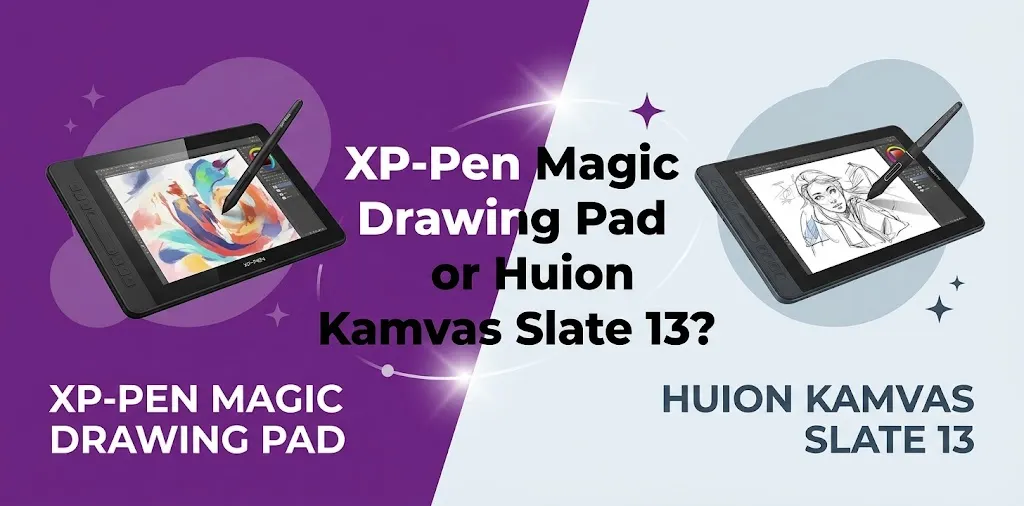
Choosing between the XP-Pen Magic Drawing Pad and the Huion Kamvas Slate 13 can be difficult because both are standalone Android drawing tablets. You do not need to connect either one to a computer to sketch, paint, take notes, or use Android apps.
The bigger difference is not simply the screen size. The XP-Pen Magic Drawing Pad puts more emphasis on the drawing experience, especially pen precision and portability. The Huion Kamvas Slate 13 gives you a larger 4:3 canvas, a bigger battery, and more room for artists who prefer a larger tablet-style workspace.
Which One Should You Buy?
For most people focused mainly on digital art, the XP-Pen Magic Drawing Pad is the better overall choice because it is lighter, slimmer, brighter, and has a much more advanced 16,384-level pressure-sensitive stylus. The Huion Kamvas Slate 13 is the better choice if you want a larger 12.7-inch 4:3 workspace, longer rated battery life, and more screen area for drawing and general tablet use.
The short version is simple:
- Choose the XP-Pen Magic Drawing Pad for better pen technology and portability.
- Choose the Huion Kamvas Slate 13 for a larger drawing canvas and stronger battery capacity.
XP-Pen Magic Drawing Pad vs. Huion Kamvas Slate 13 at a Glance
| Feature | XP-Pen Magic Drawing Pad | Huion Kamvas Slate 13 |
|---|---|---|
| Display size | 12.2 inches | 12.7 inches |
| Screen ratio | 3:2 | 4:3 |
| Resolution | 2160 × 1440 | 2176 × 1600 |
| Pixel density | Higher-density display | About 213 PPI |
| Stylus technology | X3 Pro Smart Chip + EMR | Active capacitive |
| Pressure sensitivity | 16,384 levels | 4,096 levels |
| Tilt support | 60° | ±60° |
| Battery | 8,000mAh | 10,000mAh |
| Rated battery life | Up to about 13 hours | Up to about 14 hours |
| Weight | About 590g | About 682g |
| Storage | 256GB, expandable up to 1TB | 256GB, expandable up to 1TB |
| RAM | 8GB | 8GB |
| Operating system | Android 14 | Android |
| Rear camera | 13MP | 13MP |
| Front camera | 8MP | 8MP |
| Speakers | Four | Four |
| Best for | Drawing-focused artists | Artists wanting a larger tablet canvas |
The Biggest Difference: The Pen Experience
This is the most important part of the comparison for serious artists.
The XP-Pen Magic Drawing Pad uses the X3 Pro Slim stylus with 16,384 pressure levels and 60-degree tilt support. The pen is also designed specifically for drawing and uses a combination of chip-powered technology and EMR. It is battery-free, so you do not have to charge or pair it before drawing.
The Huion Kamvas Slate 13 uses the HS230 Pencil with 4,096 pressure levels and 60-degree tilt support.
On paper, both tablets support pressure-sensitive drawing and tilt. In actual buying decisions, however, the XP-Pen has the stronger advantage for artists who care about subtle pen control.
Why pressure sensitivity matters
Pressure levels are not the only thing that determines whether a stylus feels good. Pen software, screen surface, brush settings, latency, and the artist’s technique also matter.
Still, higher sensitivity can provide more room for subtle input.
For example, imagine you are painting a character’s hair. You may want very light pressure for thin strands and gradually increase pressure for darker or wider strokes. A more advanced stylus can give the drawing app more information to work with.
This is why the XP-Pen Magic Drawing Pad is the safer choice for:
- Digital painting
- Line art
- Illustration
- Detailed sketching
- Pressure-sensitive brushes
- Artists moving beyond beginner-level drawing
The Huion Slate 13 can still work well for casual drawing, sketching, notes, and general creative use. But if the pen is your main reason for buying the tablet, XP-Pen has the clearer advantage.
Screen Size and Aspect Ratio Matter More Than You May Think
The Huion Kamvas Slate 13 has a slightly larger 12.7-inch display and uses a 4:3 aspect ratio. That shape is closer to the traditional proportions many artists like for drawing.
The XP-Pen Magic Drawing Pad has a 12.2-inch display with a 3:2 aspect ratio.
The difference sounds small, but the shape changes how the tablet feels.
Huion’s 4:3 screen is better for a taller canvas
The Kamvas Slate 13 gives you a more square-like workspace. That can feel more natural when:
- Drawing portraits
- Creating vertical illustrations
- Working on comics
- Painting
- Reading
- Taking notes
A wider tablet can sometimes leave you with unused space when working on portrait-oriented artwork. The Huion’s 4:3 format provides more vertical room.
XP-Pen’s 3:2 screen feels more balanced and portable
The Magic Drawing Pad is slightly more rectangular and noticeably lighter. It can feel easier to carry and hold during travel or casual sketching.
For example, if you often draw at a coffee shop, during a commute, or while sitting on a couch, the lower weight can make a difference over long sessions.
If you usually work at a desk with the tablet supported by its case or stand, the Huion’s extra size may be more valuable.
Display Quality: XP-Pen Has Some Important Advantages
Both tablets offer laminated IPS displays with anti-glare surfaces and solid color coverage for everyday digital art.
The XP-Pen Magic Drawing Pad has a few advantages on the specification sheet:
- 2160 × 1440 resolution
- 360-nit brightness
- 1200:1 contrast ratio
- 97% sRGB coverage
- Anti-glare and anti-fingerprint surface treatment
The Huion Kamvas Slate 13 offers:
- Approximately 2176 × 1600 resolution
- 350-nit brightness
- 1000:1 contrast ratio
- 99% sRGB color gamut volume
- Anti-glare glass
- Full lamination
Neither tablet is designed as a high-end OLED display. For most artists, though, both should provide enough resolution for detailed illustration work.
The practical difference is that the XP-Pen is slightly brighter and has a higher listed contrast ratio, while the Huion provides a larger physical canvas and slightly stronger listed sRGB color coverage.
If you regularly draw near windows or in brighter rooms, the extra brightness of the XP-Pen may be helpful. If your main goal is simply getting the biggest possible workspace in this class, the Huion has the advantage.
Performance and Storage Are Very Similar
These two tablets are closer than you might expect when it comes to general performance.
The XP-Pen Magic Drawing Pad includes:
- An octa-core MediaTek MT8781 processor
- 8GB of RAM
- 256GB of internal storage
- MicroSD expansion up to 1TB
The Huion Kamvas Slate 13 also provides:
- An octa-core MediaTek Helio G99-class platform
- 8GB of RAM
- 256GB of internal storage
- MicroSD expansion up to 1TB
For typical Android drawing, sketching, media, note-taking, and everyday apps, both have enough memory and storage for most users.
The more important question is not which tablet is faster on a specification list. It is what kind of work you plan to do.
Both are best suited for:
- Digital drawing
- Painting apps
- Sketching
- Comics
- Note-taking
- Photo references
- Watching videos
- Reading
- Everyday Android tasks
Neither should be purchased as a replacement for a powerful desktop workstation if your main work involves heavy 3D rendering, large professional video projects, or demanding desktop-only software.
Battery Life: Huion Wins on Capacity
The Huion Kamvas Slate 13 has a 10,000mAh battery, compared with 8,000mAh in the XP-Pen Magic Drawing Pad.
Huion rates the Slate 13 for up to about 14 hours of continuous use under its test conditions, while XP-Pen rates the Magic Drawing Pad for up to about 13 hours.
That does not mean every user will get those exact results. Battery life changes depending on:
- Screen brightness
- Drawing app
- Wi-Fi use
- Speaker volume
- Background apps
- Video playback
- Charging habits
Still, the Huion has the larger battery and a slight advantage for buyers who spend long periods away from an outlet.
The XP-Pen is not far behind, and its lighter weight may matter more to artists who prioritize portability over maximum battery capacity.
Portability: XP-Pen Is Easier to Carry
The XP-Pen Magic Drawing Pad weighs about 590 grams.
The Huion Kamvas Slate 13 weighs about 682 grams.
The difference is not huge, but you can feel it when carrying the tablet every day.
The XP-Pen is also thinner and slightly more compact. That makes it the better option for:
- Students
- Travelers
- Artists who draw outside the home
- People who carry their tablet in a backpack
- Couch or bed sketching
- Long handheld sessions
The Huion is still portable, but its larger 4:3 body makes more sense for users who want a larger working area and are willing to carry a heavier device.
Which One Feels More Like a Dedicated Drawing Device?
The XP-Pen Magic Drawing Pad feels more specialized around the act of drawing.
Its strongest features are centered on:
- The X3 Pro Slim stylus
- High pressure sensitivity
- A battery-free drawing pen
- A paper-like display experience
- A lightweight body
That does not mean the Huion is a weak drawing tablet. The Kamvas Slate 13 is also built around standalone digital art and includes an anti-glare laminated display, tilt support, a large canvas, and an included stylus.
The difference is where each product places its strongest emphasis.
XP-Pen prioritizes the pen.
Huion prioritizes the larger tablet experience.
That distinction is more useful than comparing small specification differences.
When the XP-Pen Magic Drawing Pad Is the Better Choice
Choose the XP-Pen Magic Drawing Pad if you:
- Care most about pen performance
- Want 16,384 levels of pressure sensitivity
- Draw detailed illustrations
- Use pressure-sensitive brushes frequently
- Prefer a lighter tablet
- Travel often with your drawing device
- Want a slightly brighter display
- Prefer a more compact 3:2 design
A good example would be an illustrator who spends most of their time drawing characters, creating line art, or painting digitally. That artist is likely to benefit more from XP-Pen’s stronger stylus system than from the Huion’s larger screen.
When the Huion Kamvas Slate 13 Is the Better Choice
Choose the Huion Kamvas Slate 13 if you:
- Want the largest canvas between the two
- Prefer a 4:3 screen
- Want a bigger battery
- Spend long periods away from a charger
- Use the device for drawing and general tablet tasks
- Prefer more vertical workspace
- Usually work with the tablet on a desk or stand
For example, imagine a student who wants one Android device for sketching, reading, taking notes, watching videos, and working with a larger screen. The Kamvas Slate 13 may be the better fit because the bigger display and battery can be more valuable than the extra stylus sensitivity.
Don’t Make This Common Buying Mistake
Do not choose only by screen size.
The difference between a 12.2-inch and 12.7-inch display is small. The more important difference is the shape of the screen and the drawing technology.
You should ask yourself:
Do I want the best possible pen experience, or do I want the largest and longest-lasting standalone drawing tablet?
If your answer is pen experience, choose XP-Pen.
If your answer is larger workspace and battery, choose Huion.
That one decision will usually point you toward the right product.
What About the Price?
Pricing can change depending on sales, retailer promotions, bundles, and included accessories. Because these tablets are often discounted, comparing only the regular list price can lead to the wrong decision.
Before buying, compare the current US price and check exactly what comes in the box.
Look for:
- The included stylus
- Protective case or stand
- Charging adapter availability
- Replacement nibs
- Drawing software offers
- Warranty terms
- Return policy
If one tablet is heavily discounted, the value calculation can change.
For example, if the Huion is significantly cheaper, the larger display and included accessories may make it the better value for a beginner. If the prices are close, artists who prioritize drawing quality will usually get more benefit from the XP-Pen’s stronger pen technology.
Can Either Tablet Replace an iPad for Digital Art?
For some artists, yes.
Both are standalone Android tablets, so they can handle mobile drawing without requiring a Windows PC or Mac. They also include pressure-sensitive styluses and larger drawing surfaces than many standard consumer tablets.
However, the best choice depends on the apps you use.
Before buying, make sure your preferred drawing software is available and works the way you expect on Android. Do not assume that a desktop version of an app will have the same features on a mobile platform.
This matters especially if you currently use desktop software with:
- Custom brushes
- Large project files
- Advanced plug-ins
- Specialized file formats
- Complex keyboard shortcuts
A standalone drawing tablet is extremely convenient, but it is still an Android-based device rather than a full desktop computer.
Is Either One Better for Beginners?
The Huion Kamvas Slate 13 can be attractive for beginners because of its large 4:3 screen and general-purpose tablet design.
However, the XP-Pen Magic Drawing Pad may be the better beginner purchase if the person is serious about learning digital art. A beginner may not immediately notice every difference in pressure sensitivity, but better pen control can remain useful as their skills improve.
The best beginner choice depends on the goal:
- Casual beginner: Huion Kamvas Slate 13
- Beginner focused on becoming a digital artist: XP-Pen Magic Drawing Pad
Frequently Asked Questions
Is the XP-Pen Magic Drawing Pad better than the Huion Kamvas Slate 13 for drawing?
For most drawing-focused users, yes. The XP-Pen Magic Drawing Pad has a more advanced stylus system with 16,384 pressure levels, compared with 4,096 on the Huion. The Huion still offers a capable drawing experience, especially if you value a larger canvas.
Which has the better screen, XP-Pen Magic Drawing Pad or Huion Kamvas Slate 13?
The XP-Pen has slightly higher listed brightness and contrast, while the Huion has a larger 12.7-inch 4:3 display and slightly stronger listed sRGB color coverage. The better choice depends on whether you prefer display quality and portability or a larger physical drawing area.
Can you use the XP-Pen Magic Drawing Pad and Huion Kamvas Slate 13 without a computer?
Yes. Both are standalone Android drawing tablets, so you can install and use compatible Android drawing apps directly on the device. This makes them more portable than traditional pen displays that need to stay connected to a computer.
Final Verdict
If you are mainly buying a tablet to create digital art, the XP-Pen Magic Drawing Pad is the better overall pick. Its stronger stylus technology, higher pressure sensitivity, lighter body, and drawing-focused design make it the more compelling choice for most artists.
The Huion Kamvas Slate 13 is still a strong option if you want a larger 4:3 canvas and longer battery life. It makes the most sense for buyers who want one device for drawing, reading, entertainment, and everyday Android use.
Before ordering, think about how you actually draw. If you spend hours working with pressure-sensitive brushes, prioritize the pen. If you care more about having the largest standalone canvas and using the tablet for many different tasks, prioritize the screen and battery. That practical decision will matter more than a small difference in display size.