For most beginners, the Huion Kamvas 13 Gen 3 offers better overall value because it costs less, includes more shortcut controls, and supports more operating systems. The Wacom One 14 is the better choice if you want a slightly larger screen, a lighter device, and a simpler, more streamlined setup.
Both are beginner-friendly pen displays. You draw directly on the screen while using a battery-free stylus, and both use a Full HD display.
The real decision is less about which tablet is “better” on paper and more about what kind of beginner you are.
If you want the most features for your money, the Huion is likely the stronger choice. If you want a simple 14-inch drawing display from Wacom and prefer a cleaner setup, the Wacom One 14 may fit you better.
Quick Comparison
| Feature | Huion Kamvas 13 Gen 3 | Wacom One 14 |
|---|---|---|
| Screen size | 13.3 inches | 14 inches |
| Resolution | 1920 × 1080 | 1920 × 1080 |
| Pen pressure levels | 16,384 | 4,096 |
| Tilt support | Yes, up to 60° | Yes, up to 60° |
| Shortcut controls | 5 keys and 2 dials | No built-in shortcut buttons |
| Weight | 865 g | 750 g |
| Color coverage | 99% sRGB | 98% sRGB |
| Full lamination | Yes | Yes |
| Compatible systems | Windows, macOS, Android, Linux | Windows, macOS, ChromeOS |
| Official US price | Around $224 | Around $299.95 |
Specifications and pricing can change, especially during sales and promotions.
The Biggest Difference for Beginners: Features vs. Simplicity
The Huion Kamvas 13 Gen 3 gives you more controls on the tablet itself. It has five programmable press keys and two dial controllers. This can be useful when you are learning digital art because you can assign common actions such as zoom, brush size, undo, redo, or canvas rotation to physical controls.
The Wacom One 14 takes a simpler approach. The front is focused mainly on the drawing screen, without built-in shortcut buttons. This can be appealing to beginners who do not want extra controls to configure.
A beginner learning Clip Studio Paint
Imagine you are new to digital drawing and spend a lot of time switching between the brush tool, eraser, zoom, and undo.
With the Huion, you can assign several of those actions to the built-in buttons and dials. That may reduce how often you reach for the keyboard.
With the Wacom One 14, you will likely rely more on your keyboard shortcuts or software interface. Some beginners may prefer this because there is less hardware to learn at first.
Neither approach is wrong. The Huion is more customizable, while the Wacom is more minimal.
Drawing Experience: Is 16,384 Pressure Levels Really Better Than 4,096?
The Huion Kamvas 13 Gen 3 advertises 16,384 pressure levels, while the Wacom One 14 uses 4,096. On paper, that sounds like a major difference.
For a beginner, however, you should not choose based on that number alone.
Most new artists will not immediately notice a dramatic difference simply because one stylus has more pressure levels. Brush behavior also depends on the software, pen technology, pressure curve settings, and your own drawing technique.
Both tablets support battery-free pens and tilt recognition, which are more meaningful practical features for many beginners.
The better question is:
Which drawing feel helps you work comfortably?
If possible, try the pen in person. If that is not possible, pay more attention to the overall tablet features and the software you plan to use rather than choosing only by pressure-level numbers.
Screen Size and Drawing Space
The Wacom One 14 has a slightly larger 14-inch display, compared with the Huion’s 13.3-inch screen. Both have the same 1920 × 1080 resolution.
That difference is not huge, but beginners may appreciate the extra physical drawing space on the Wacom.
The larger screen can make the software interface feel a little less cramped. You have more room for the canvas while still seeing brush panels, layers, and other tools.
The Huion, on the other hand, is still large enough for comfortable drawing while being a compact size for a desk or travel setup.
Drawing on a small desk
Suppose you have a laptop, keyboard, and drawing tablet on a compact desk.
The Huion Kamvas 13 Gen 3 may fit more easily into that workspace. Its shortcut keys can also reduce some dependence on the keyboard.
If you have more desk space and prefer a slightly larger canvas, the Wacom One 14 may feel more comfortable.
Display Quality and Color
Both tablets use Full HD IPS displays with 16.7 million colors and a 16:9 aspect ratio. Both also use direct bonding or laminated display construction to reduce the visual gap between the pen tip and the displayed image.
Huion lists 99% sRGB coverage for the Kamvas 13 Gen 3, along with support for multiple color modes. Wacom lists 98% sRGB coverage for the Wacom One 14. For beginner digital art, illustration, photo editing, and general creative work, both provide a capable screen.
For most beginners, the practical difference will be small.
The Huion has a slight advantage if color-related specifications matter to you, but a beginner should not expect professional color management simply from buying a tablet with a wider listed gamut.
If your work will eventually be used for professional printing or commercial color-critical projects, you should also consider monitor calibration and your full editing workflow.
Which One Is Easier to Connect?
This is one area where checking your computer matters before buying.
The Wacom One 14 is designed around a single USB-C connection and requires compatible USB-C hardware with DisplayPort Alt Mode. It is compatible with Windows, macOS, and ChromeOS.
The Huion Kamvas 13 Gen 3 offers different connection options, including a full-featured USB-C connection or its included 3-in-1 cable setup. It supports Windows, macOS, certain compatible Android devices, and Linux.
Before ordering either tablet, check the ports on your laptop or desktop.
A tablet that looks perfect in a comparison can become frustrating if your computer does not support the required video connection.
Software and Device Compatibility
Your operating system may make the decision easy.
Choose the Wacom One 14 if you mainly use:
- Windows
- macOS
- ChromeOS
Choose the Huion Kamvas 13 Gen 3 if you need:
- Windows
- macOS
- Linux
- A compatible Android device with the required USB-C display output
The Huion has the broader compatibility list, but that does not automatically mean every device will work. Some Android phones and tablets do not support external display output through USB-C. Always verify your specific device before buying.
Price and Value for a First Drawing Tablet
Price is one of the strongest arguments for the Huion.
The Huion Kamvas 13 Gen 3 costs around $224, while the Wacom One 14 costs around $299.95 in the United States.
That difference matters when you are just starting.
A beginner often also needs money for:
- Drawing software
- A tablet stand, if needed
- Replacement nibs
- Accessories
- A better computer or laptop setup
The Huion’s lower entry price and built-in shortcut controls give it a strong value advantage.
The Wacom One 14 costs more, but some beginners may still prefer it because of the larger screen, lighter body, and simple entry-level design.
Choose the Huion Kamvas 13 Gen 3 If…
The Huion Kamvas 13 Gen 3 is probably the better choice for you if:
- You want the best feature set for the money.
- You are working with a tighter budget.
- You want built-in shortcut keys and dial controls.
- You use Linux or a compatible Android device.
- You want more connection flexibility.
- You prefer a compact drawing display with strong color specifications.
For most first-time buyers, these advantages make the Huion easier to recommend.
Choose the Wacom One 14 If…
The Wacom One 14 may be the better choice if:
- You want the larger 14-inch screen.
- You prefer a lighter device.
- You want a simple, uncluttered tablet design.
- You mainly use Windows, macOS, or ChromeOS.
- You prefer relying on keyboard shortcuts instead of built-in tablet controls.
- You are comfortable spending more for Wacom’s beginner-focused pen display.
What Beginners Often Get Wrong When Choosing a Drawing Tablet
The most common mistake is comparing only technical specifications.
For example, a higher pressure-level number does not automatically mean a beginner will draw better. A slightly larger screen does not automatically create a better experience if your desk is too small. And a cheaper tablet is not really a better value if it does not connect properly to your computer.
Before choosing, check these three things:
- Your computer ports: Make sure the tablet can connect properly.
- Your workspace: Think about screen size, keyboard placement, and desk space.
- Your workflow: Decide whether shortcut buttons will actually help you.
These practical details are often more important than small differences in specifications.
My Recommendation for Most Beginners
For most beginners, I would choose the Huion Kamvas 13 Gen 3.
It offers a strong combination of price, screen quality, customizable controls, pen features, and broader compatibility. The lower price also makes it easier to enter digital art without spending more than necessary.
I would choose the Wacom One 14 instead if the slightly larger screen and simpler design matter more to you than shortcut buttons and maximum value. It is also a good fit for beginners who prefer Wacom’s streamlined creative ecosystem and primarily use Windows, macOS, or ChromeOS.
FAQ
Is the Huion Kamvas 13 Gen 3 good enough for a complete beginner?
Yes. It is designed as a beginner-friendly pen display and provides the main features most new digital artists need, including a Full HD laminated screen, battery-free pen, and customizable shortcut controls. You do not need professional-level skills to start using it.
Is the Wacom One 14 easier to use than the Huion Kamvas 13 Gen 3?
It can be, especially if you prefer a simpler device with fewer physical controls. The Huion offers more customization, while the Wacom keeps the hardware experience more minimal. The easier choice depends on whether you want simplicity or more direct shortcuts.
Should I buy a 13-inch or 14-inch drawing display as a beginner?
Both sizes work well for beginners. A 14-inch display gives you a little more drawing space, while a 13-inch display can be easier to fit on a smaller desk and carry around. Your workspace and budget should have more influence on the decision than the 0.7-inch difference.
Final Verdict
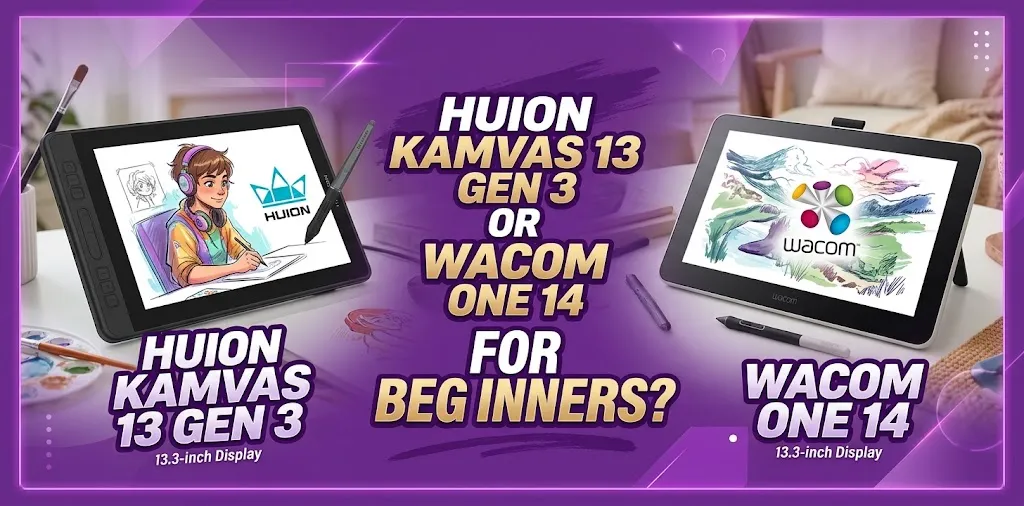
If you are asking “Huion Kamvas 13 Gen 3 or Wacom One 14 for beginners?”, the Huion is the better choice for most first-time buyers because it offers more features at a lower price.
The Wacom One 14 is still a solid option if you value a slightly larger, lighter display and a simpler design.
One practical tip before you buy: check your computer’s ports and video-output support first. After that, choose the Huion for better overall value or the Wacom if the larger screen and simpler setup matter more to you.