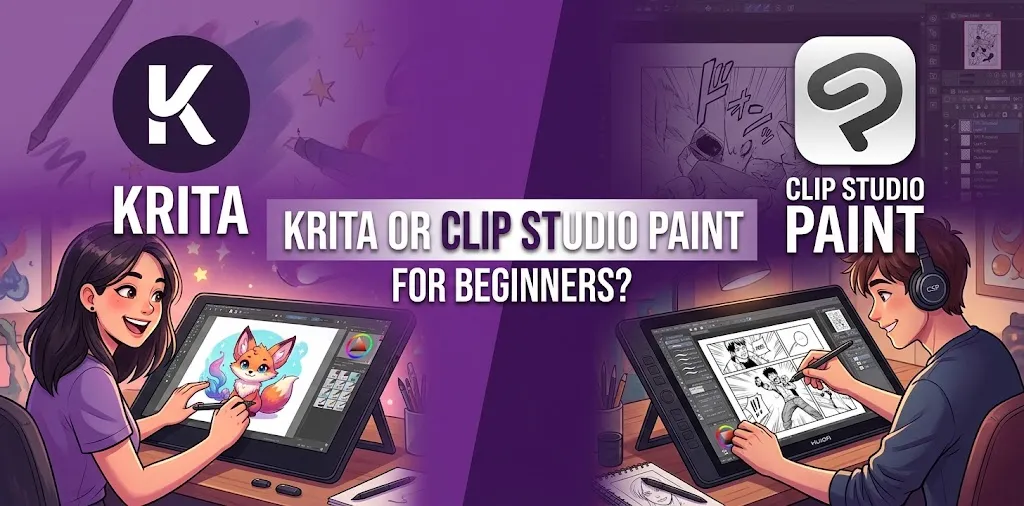
If you are new to digital art, both Krita and Clip Studio Paint are strong choices, but they are built around slightly different priorities. Krita is usually the better starting point for beginners who want a free, painting-focused app, while Clip Studio Paint is a better fit for beginners who want to learn illustration, comics, manga, webtoons, or animation tools from the start. Your budget and the type of art you want to create should decide the choice.
Krita vs. Clip Studio Paint for Beginners
Krita and Clip Studio Paint can both handle drawing, painting, layers, brushes, and detailed digital artwork. The biggest difference is their approach. Krita is a free, open-source painting program designed around digital painting, while Clip Studio Paint offers a broader commercial toolkit with especially strong features for illustration, comics, manga, webtoons, and animation.
| Feature | Krita | Clip Studio Paint |
|---|---|---|
| Beginner friendliness | Very good | Very good, but more complex |
| Price | Free and open source | Paid plans and licenses |
| Digital painting | Excellent | Excellent |
| Illustration | Excellent | Excellent |
| Comics and manga | Good | Excellent |
| Webtoons | Good | Excellent |
| Animation | Available | Strong, especially EX |
| Brush customization | Excellent | Excellent |
| 3D tools | More limited | Strong |
| Asset library | Available | Large built-in ecosystem |
| Best for | Painting and general digital art | Illustration, comics, manga, and animation |
| Best budget choice | Krita | Clip Studio Paint with a suitable plan |
The choice becomes easier once you think about what you actually want to draw.
Is Krita or Clip Studio Paint Easier for Beginners?
Krita is often easier to recommend to a complete beginner because you can start without paying for the software. Its interface has plenty of tools, but you can ignore most of them at first and learn the basic brush, eraser, layers, color picker, and canvas controls.
Clip Studio Paint can also be beginner-friendly, but its large number of specialized tools can make the interface feel more complicated. That extra complexity becomes useful when you start working with comics, perspective, 3D references, materials, or animation.
For someone who has never used digital art software, the learning curve is less about which application is objectively easier and more about how many features you need right now.
If you only want to learn digital drawing, Krita gives you plenty of room to start small.
If you already know that you want to create manga or comics, learning Clip Studio Paint early can save you from switching programs later.
Why Krita Is a Good Beginner Choice
Krita is a professional free and open-source painting program. Its biggest advantage is very simple: you can learn digital art without making software cost part of the decision.
That makes it particularly appealing if you want to:
- Practice digital painting
- Learn how layers work
- Experiment with different brushes
- Paint characters and environments
- Create concept art
- Work with custom brushes
- Explore texture and color
- Create artwork for personal or commercial projects
For a beginner who is unsure whether digital art will become a long-term hobby, that matters. You can spend your money on a drawing tablet rather than software.
Where Krita Can Feel Limited
Krita is primarily known as a painting application. It has tools for comics and animation, but someone focused heavily on professional comic production, manga, webtoons, or advanced animation may find Clip Studio Paint’s specialized workflow more attractive.
This does not mean Krita is incapable of those tasks. It means the software’s overall design puts more emphasis on painting.
Why Clip Studio Paint Is a Good Beginner Choice
Clip Studio Paint takes a different approach. It combines painting and illustration tools with specialized features for comics, manga, webtoons, animation, 3D references, and other forms of visual creation.
Its product lineup includes PRO and EX editions. PRO is aimed at character art, concept art, illustration, design, single-page comics, and shorter animation work, while EX adds more advanced comic and animation capabilities.
That makes Clip Studio Paint particularly attractive if you already have a specific artistic direction.
Clip Studio Paint Is Especially Useful For
- Character illustration
- Manga
- Comics
- Webtoons
- Concept art
- Line art
- Perspective drawing
- 3D-assisted drawing
- Animated illustrations
- Longer animation projects
The software also has an extensive materials and asset ecosystem, which can help beginners who do not want to create every brush, texture, or reference element from scratch.
The Downside for Beginners
The main issue is not that Clip Studio Paint is difficult. It is that there is a lot to learn.
A new artist can open the program and immediately see tools for things they may not understand yet. That can make the first few sessions feel more overwhelming than a simpler painting-focused workflow.
There is also the cost. Clip Studio Paint is commercial software with multiple licensing options.
Which One Has Better Brushes?
Both are excellent for brushes, but they have different strengths.
Krita gives artists extensive brush customization and a strong painting-oriented workflow. It is a particularly good choice if you enjoy experimenting with how brushes behave and want a more traditional digital-painting experience.
Clip Studio Paint also has a powerful brush system and benefits from a large library of downloadable materials and user-created assets.
For basic beginner drawing, you are unlikely to reach the practical limits of either program anytime soon.
The more important question is what kind of brush experience you want.
If you want to experiment with painting and brush settings, Krita is an excellent starting point.
If you want specialized brushes for manga, comics, line art, effects, or other workflows, Clip Studio Paint has a strong advantage.
Which Is Better for Digital Painting?
Krita gets the edge for beginners who mainly want to paint.
Its identity is closely tied to digital painting, and its interface and tools are designed around that purpose.
Imagine that you want to spend most of your time painting landscapes, portraits, creatures, or original characters. You do not need extensive comic-page management or animation production tools.
In that situation, Krita gives you what you need without requiring you to pay for features you may never use.
Clip Studio Paint is still an excellent painting application, especially for artists who combine painting with illustration and line work. It simply has a broader focus.
Which Is Better for Comics and Manga?
Clip Studio Paint is the stronger choice for beginners who specifically want to make comics or manga.
This is one area where its specialized tools can make a real difference.
Clip Studio Paint supports features designed around comic creation, including single-page and multi-page workflows, panel-related tools, materials, and other production features. EX adds additional tools aimed at longer comic and animation projects.
For someone who wants to make a manga chapter, graphic novel, or webtoon rather than simply draw individual illustrations, those features can save substantial time.
Krita can still be used for comic artwork, especially if you prefer a painting-focused workflow. But Clip Studio Paint is more directly designed around the comic artist’s needs.
Which Is Better for Animation?
Both programs can be used for animation, but Clip Studio Paint is generally the better choice when animation is an important part of your long-term plan.
Krita includes animation capabilities and can be useful for learning basic 2D animation concepts.
Clip Studio Paint PRO supports simpler animation and animated illustrations, while EX includes more extensive animation features.
For a beginner who only wants to experiment with a few animated frames, Krita can be enough.
For someone who already wants to work toward more serious 2D animation, Clip Studio Paint EX is worth considering.
Which Is Cheaper?
Krita is the clear winner on software cost because the application is free and open source.
Clip Studio Paint has several payment options. As of 2026, Clip Studio Paint PRO Version 5.0 has a Windows/macOS perpetual license listed at $63, while EX is listed at $277. Subscription plans are also available, with pricing depending on the plan, device, and billing period.
That makes the financial decision fairly straightforward:
- No software budget: Choose Krita.
- Small software budget: Consider Clip Studio Paint PRO.
- Want professional comic or animation features: Consider Clip Studio Paint EX.
- Want to avoid subscriptions: Look at the perpetual Windows/macOS options.
- Want access across supported devices and ongoing updates: A Clip Studio Paint subscription may make more sense.
Prices and plan availability can change, so check the current pricing before purchasing.
Krita vs. Clip Studio Paint for Different Beginners
The best choice depends heavily on what you want to create.
| If You Want To… | Better Choice |
|---|---|
| Start digital art for free | Krita |
| Learn digital painting | Krita |
| Practice portraits | Krita |
| Paint landscapes | Krita |
| Experiment with brushes | Krita |
| Create character illustrations | Either |
| Make manga | Clip Studio Paint |
| Make comics | Clip Studio Paint |
| Create webtoons | Clip Studio Paint |
| Work with 3D drawing references | Clip Studio Paint |
| Explore animation | Clip Studio Paint |
| Avoid paying for software | Krita |
| Build a comic-production workflow | Clip Studio Paint |
What About the Learning Curve?
A common beginner mistake is choosing software based entirely on how many features it has.
More features do not automatically mean better results.
Your first goal should be learning:
- How to control your drawing tablet
- How to make clean strokes
- How layers work
- How to choose and adjust brushes
- How to select colors
- How to undo and correct mistakes
- How to save and organize projects
You can learn all of these skills in either application.
Once those basics become comfortable, the differences between Krita and Clip Studio Paint become much more important.
A Hypothetical Example
Suppose a beginner wants to draw digital portraits twice a week. They have a basic drawing tablet and do not know whether they will continue with digital art.
Krita would be the logical starting point. There is no software purchase to worry about, and the artist can spend the first few months learning drawing and painting fundamentals.
Now imagine another beginner who has been drawing traditionally for years and already knows they want to create manga pages.
Clip Studio Paint makes more sense because its specialized comic tools match the project from the beginning.
Do You Need a Drawing Tablet?
No, but a drawing tablet can make digital art much easier.
You can use a mouse with either program, but drawing with a mouse is usually less natural for freehand artwork.
A basic pen tablet can be enough for a beginner. You do not need an expensive professional display tablet just to learn.
If you already own a compatible tablet, start with the software before buying additional equipment. Your drawing skills will have a much bigger effect on your results than upgrading from one midrange tablet to another.
Which One Should You Choose?
The best choice depends on your goals.
Choose Krita if You Want Free Digital Art Software
Krita is the easiest recommendation when your main priorities are cost, painting, experimentation, and learning.
You can focus on improving your art instead of worrying about a subscription.
Choose Clip Studio Paint PRO if You Want Illustration Tools
PRO is a strong middle ground for beginners interested in character art, illustration, concept art, and related work.
It gives you access to a large professional toolset without requiring the more specialized EX edition.
Choose Clip Studio Paint EX if Comics or Serious Animation Are Your Goal
EX makes more sense when your projects require advanced comic or animation features.
For someone who plans to create multi-page comics, manga, or longer animation projects, the additional capabilities can justify the higher cost.
Try Both if You Are Still Unsure
This is one of the few software comparisons where trying both is genuinely useful.
Spend a few sessions doing the same basic project in each application:
- Sketch a character
- Add clean line art
- Create a simple colored illustration
- Experiment with layers
- Try shading
- Export the finished image
Do not judge the programs after five minutes. Give yourself enough time to learn the basic controls.
The program that makes you want to keep drawing is probably the better choice.
Frequently Asked Questions
Is Krita Good Enough for a Complete Beginner?
Yes. Krita is a strong choice for beginners because it provides professional digital painting tools without requiring a software purchase. Its free and open-source model also makes it a low-risk way to learn digital art.
Is Clip Studio Paint Too Difficult for Beginners?
No, but its larger collection of specialized tools can make it feel more complicated at first. If you want to create comics, manga, webtoons, or animation, learning those tools early can be worthwhile.
Should I Learn Krita Before Clip Studio Paint?
You do not need to. If you already know that Clip Studio Paint fits the type of art you want to create, you can start there. Choose Krita first if you want a free way to learn the fundamentals of digital painting before spending money on specialized software.
The Bottom Line
For a beginner who mainly wants to learn digital painting without spending money, Krita is the better starting point. For someone who already knows they want to create illustrations, manga, comics, webtoons, or animation, Clip Studio Paint is often the better long-term fit.
The practical tip is simple: do not choose software because it has the longest feature list. Choose the program that matches the art you actually want to make. If you are unsure, start with Krita, build your basic skills, and move to Clip Studio Paint later if your projects require its specialized tools.