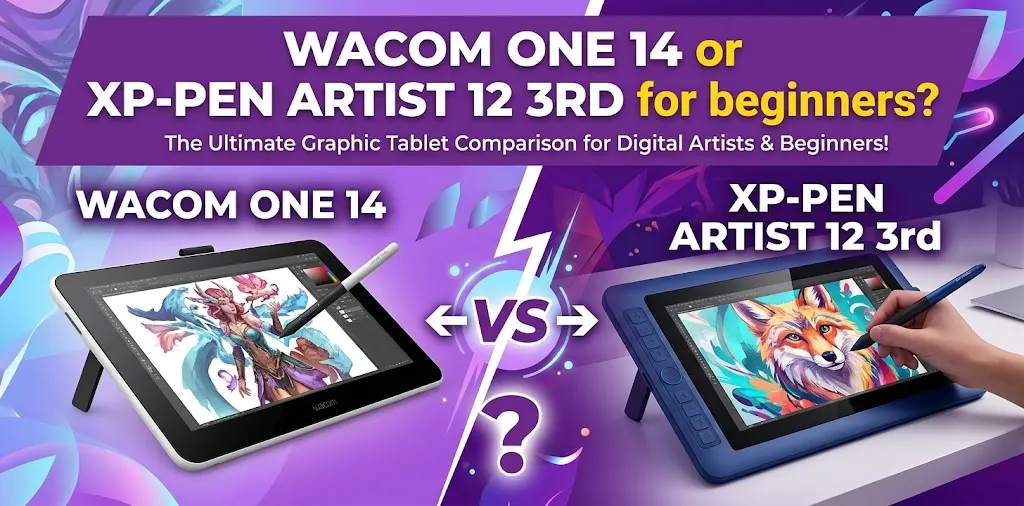
For most beginners, the XPPen Artist 12 3rd offers better value, while the Wacom One 14 is the better choice if you want a larger drawing area and a simpler Wacom experience. The right option depends mainly on your budget, preferred screen size, shortcut controls, and the computer you plan to connect.
Both are beginner-focused pen displays, which means they need to be connected to a compatible computer rather than working as standalone drawing tablets. The Wacom One 14 has a larger 14-inch screen, while the Artist 12 3rd is smaller at 11.9 inches. The Wacom also generally costs more, making price an important part of the decision.
Quick Comparison
| Feature | Wacom One 14 | XPPen Artist 12 3rd |
|---|---|---|
| Screen size | 14 inches | 11.9 inches |
| Resolution | 1920 × 1080 | 1920 × 1080 |
| Active drawing area | 12.2 × 6.9 inches | 10.4 × 5.9 inches |
| Pen pressure | Wacom One Pen | 16,384 levels |
| Shortcut controls | No built-in ExpressKeys | X-Dial + 8 shortcut keys |
| Screen surface | Anti-glare and anti-fingerprint | Anti-glare nano-etched glass |
| Weight | About 750 g | About 719 g |
| Main connection | USB-C | USB-C or 3-in-1 cable |
The Wacom One 14 gives you more physical drawing space, while the Artist 12 3rd gives you more built-in controls and a lower entry price.
Why the Wacom One 14 May Be Better for Some Beginners
The biggest advantage of the Wacom One 14 is simple: you get more room to draw.
Its 14-inch Full HD display has a noticeably larger active area than the Artist 12 3rd. That extra space can make a difference if you dislike working on a compact screen or want your digital canvas to feel closer to drawing on a larger sketchbook.
The larger screen can feel easier to learn on
When you are new to digital art, moving between a small software interface and a drawing canvas can feel awkward. A larger display gives you more room for:
- Drawing and painting
- Viewing reference images
- Working with layers
- Using larger brushes
- Editing details without constantly zooming
The Wacom One 14 may feel especially comfortable for beginners moving from traditional sketching.
Wacom focuses on a simple setup
The Wacom One 14 uses a USB-C connection with compatible computers. This can be a good choice for a beginner who wants a straightforward pen display without a large number of buttons and controls to configure.
However, the simple design also means the tablet itself has fewer physical shortcuts.
Why the XPPen Artist 12 3rd Is Better Value for Most Beginners
The Artist 12 3rd is aimed directly at people starting their digital art journey. Its lower price is a major advantage, but the savings do not mean you are giving up basic features such as a Full HD screen, a laminated display, tilt support, or an anti-glare drawing surface.
You get built-in shortcut controls
One of the biggest beginner-friendly features is the combination of the X-Dial and eight customizable shortcut keys.
You can assign these controls to common actions such as:
- Zooming in and out
- Undo
- Redo
- Brush size changes
- Rotating the canvas
- Opening tools
This can make drawing easier because you do not have to move your hand to the keyboard every time you need a common command.
It gives beginners a more complete package
The Artist 12 3rd includes useful accessories such as a stylus, replacement nibs, connection cables, a drawing glove, a cleaning cloth, and a foldable stand.
For a first-time buyer, that can be valuable. You are less likely to immediately need additional accessories before you can start drawing.
Screen Size: Does 14 Inches vs. 12 Inches Matter?
Yes, but not in the same way for every artist.
The Wacom One 14 gives you a larger active drawing area. Both tablets use Full HD resolution, so the Wacom’s larger screen is mainly about having more physical space rather than getting more pixels.
Choose the Wacom One 14 if you:
- Prefer a larger drawing surface
- Spend long periods drawing
- Want more space for detailed work
- Find compact screens uncomfortable
Choose the Artist 12 3rd if you:
- Have limited desk space
- Want something easier to carry
- Prefer a compact setup
- Are trying to spend less on your first display tablet
Imagine a beginner who mainly draws anime characters, simple illustrations, and practice sketches after school or work. A 12-inch screen can be enough, especially when the tablet is paired with shortcut buttons that speed up common actions.
Now imagine another beginner who wants to paint larger illustrations or already knows they dislike working in tight spaces. The larger Wacom screen may be worth paying more for simply because it gives the hand more room to move.
Pen Experience: Bigger Numbers Do Not Always Mean a Better Beginner Experience
The Artist 12 3rd advertises 16,384 levels of pressure sensitivity, while the Wacom One uses Wacom’s own battery-free pen system. On paper, XPPen has the more impressive pressure number.
But beginners should not choose based on pressure sensitivity numbers alone.
When you are learning digital art, factors such as these usually matter more:
- Whether the pen feels comfortable
- How smoothly the cursor follows the pen
- Whether the surface feels natural to draw on
- How well the tablet works with your software
- How easy the controls are to use
A beginner is unlikely to outgrow either tablet because it has “too little” pressure sensitivity. The more important question is which drawing experience feels better for your workflow.
The Artist 12 3rd Has a Stronger Advantage in Shortcut Controls
This is one of the clearest differences between the two tablets.
The XPPen Artist 12 3rd has physical shortcut keys and a dial. That can reduce your dependence on the keyboard, especially while learning programs such as Clip Studio Paint, Krita, Photoshop, or other supported art software.
Why this matters to beginners
Suppose you are sketching and constantly need to:
- Undo a stroke.
- Zoom in.
- Change brush size.
- Zoom back out.
- Undo again.
With customizable controls, those actions can stay close to your drawing hand.
If you are comfortable using keyboard shortcuts, this may not matter much. If you are new to digital art and want more physical controls on the tablet itself, the Artist 12 3rd has the advantage.
Color and Display Quality
Both devices use a 1920 × 1080 Full HD display, which is perfectly reasonable for a beginner drawing tablet.
The Artist 12 3rd offers a laminated display and strong sRGB color coverage, while the Wacom One 14 uses an IPS display with anti-glare and anti-fingerprint glass.
For learning digital art, illustration, photo editing, and general creative work, either display should be capable enough.
If your main concern is professional color-critical work, you may eventually want a higher-end display and a calibrated workflow. That is usually not the deciding factor for someone buying their first pen display.
Which One Is Easier to Set Up?
This depends partly on your computer.
The Wacom One 14 is designed around USB-C connectivity, while XPPen offers USB-C and 3-in-1 cable connection options.
Before buying either model, check your computer carefully.
You should confirm:
- Your operating system
- Available USB-C ports
- Whether your USB-C port supports video output when required
- Driver compatibility
- Your computer’s physical port layout
Do not assume that every USB-C port works the same way. A USB-C connector may physically fit while still lacking the video capabilities needed for a pen display.
Which Tablet Is Better for Different Types of Beginners?
Choose the Wacom One 14 if you want a larger canvas
The Wacom One 14 makes more sense if screen size is your top priority.
It is a strong choice for a beginner who says, “I would rather have more drawing space than extra shortcut buttons.”
Choose the XPPen Artist 12 3rd if you want the best value
The Artist 12 3rd is the stronger choice if you want to spend less while still getting modern features.
The lower price, built-in shortcuts, X-Dial, laminated screen, and included accessories make it particularly attractive for someone buying their first drawing display.
Choose the XPPen if you dislike keyboard shortcuts
Its built-in controls can make the learning process feel less dependent on the keyboard.
This may be especially useful if you are still learning how digital art software works.
Choose the Wacom if you prefer a larger, simpler setup
Some beginners simply prefer the larger screen and straightforward design. If you value that experience more than having shortcut keys, the extra cost can make sense.
Is the Price Difference Worth It?
For many beginners, the higher price may not be necessary.
The key question is whether you would use the extra money for a larger screen.
If your answer is yes, the Wacom One 14 can justify its higher price.
If you would rather save money and still get shortcut controls, a stand, and a capable pen display, the Artist 12 3rd is the more practical purchase.
What Beginners Should Check Before Buying Either One
Do not choose only by screen size or pressure sensitivity. Check these practical details first.
- Computer compatibility: Make sure your laptop or desktop supports the display connection.
- Desk space: A larger tablet is not always better if your workspace is small.
- Shortcut preferences: Decide whether physical buttons and a dial matter to you.
- Drawing habits: Think about whether you mostly sketch, paint, edit photos, or do detailed illustration.
- Software: Confirm that your preferred drawing program works properly with the tablet.
- Total budget: Consider whether you need accessories beyond what comes in the box.
A common beginner mistake is buying the cheapest tablet with the highest-looking specifications. A tablet that fits your desk, computer, hand, and workflow is usually the better purchase.
My Recommendation for Beginners
If you want one simple answer, choose the XPPen Artist 12 3rd for most beginners.
It costs less, includes useful shortcut controls, offers a modern laminated Full HD display, and provides a strong set of features for someone starting digital art. The savings may also leave more room in your budget for software, storage, a better computer setup, or other art tools.
However, the Wacom One 14 is the better choice if the larger screen is your priority. Its extra drawing space can be more valuable than additional shortcut controls, particularly if you already know that smaller pen displays feel cramped to you.
The best way to decide is simple: pay for the Wacom One 14 if you want more canvas; choose the Artist 12 3rd if you want more value and controls.
Frequently Asked Questions
Is the Wacom One 14 worth it over the XPPen Artist 12 3rd?
It is worth the extra money if the larger 14-inch drawing area is important to you. Otherwise, the Artist 12 3rd offers more built-in controls at a lower price, making it the stronger value for many beginners.
Is a 12-inch drawing tablet too small for beginners?
No. An 11.9-inch Full HD display is large enough for learning illustration, sketching, photo editing, and many other creative tasks. A 14-inch display is more comfortable for users who want extra workspace, but bigger is not automatically better.
Can beginners use these tablets without a powerful computer?
You do not necessarily need a high-end computer for basic digital art, but the tablet must be compatible with your device and drawing software. Performance also depends on the art program, canvas size, number of layers, and your computer’s processor, memory, and graphics capabilities.
Final Thoughts
For most first-time buyers, the XPPen Artist 12 3rd is the smarter starting point because it gives you strong beginner features without the higher price. The Wacom One 14 is worth choosing when a larger drawing area matters more to you than shortcut buttons and savings.
Before placing your order, check your computer’s display connection and think honestly about your workspace. A tablet that fits your setup comfortably will help you spend more time drawing and less time adjusting your equipment.