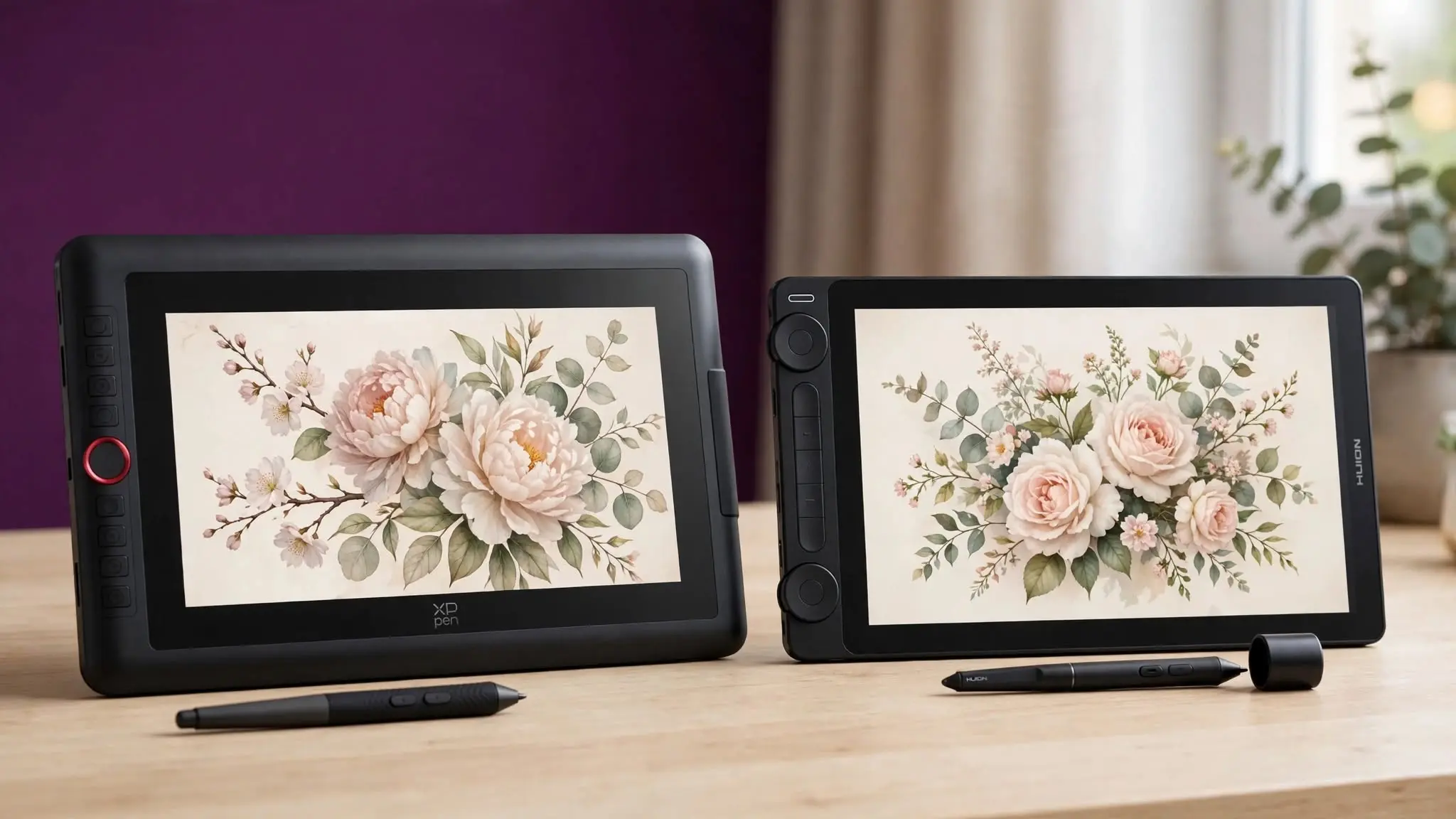
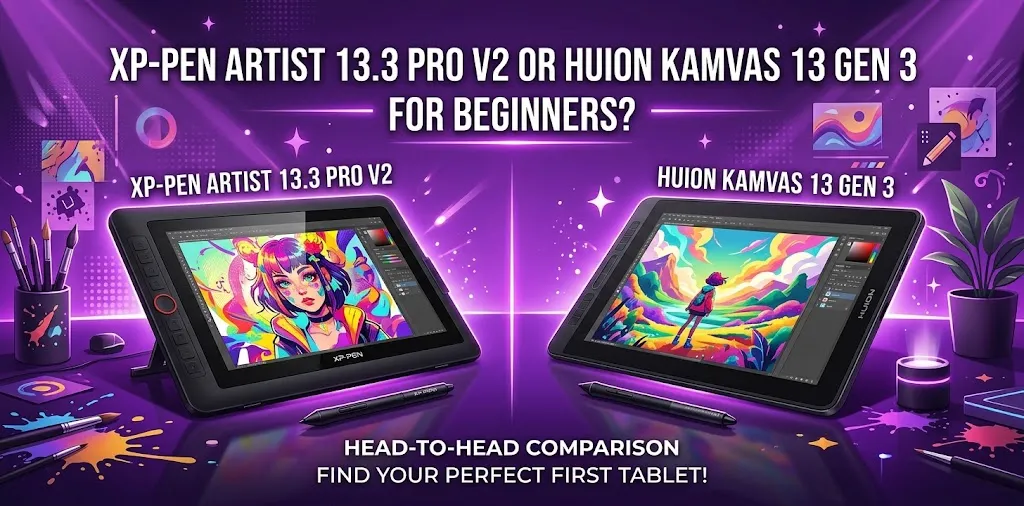
For most beginners, the Huion Kamvas 13 Gen 3 is the better pick because it is lighter, more compact, and has an etched glass drawing surface and flexible dial controls. The XP-Pen Artist 13.3 Pro V2 is better if you want a brighter screen, more shortcut buttons, and a stylus with a dedicated digital eraser.
Both are 13.3-inch full-HD pen displays designed for artists who want to draw directly on the screen. They also share several important features, including full lamination, 16,384 pressure levels, 60-degree tilt support, and battery-free pens.
The decision comes down to which beginner experience matters more to you: a lighter, more refined drawing surface or extra controls and a brighter display.
Quick comparison
| Feature | Huion Kamvas 13 Gen 3 | XP-Pen Artist 13.3 Pro V2 |
|---|---|---|
| Screen size | 13.3 inches | 13.3 inches |
| Resolution | 1920 × 1080 | 1920 × 1080 |
| Pressure levels | 16,384 | 16,384 |
| Tilt support | 60 degrees | 60 degrees |
| Screen surface | Canvas Glass 2.0 | Matte screen protector |
| Brightness | 200 nits typical | 250 cd/m² typical |
| Shortcut controls | 5 keys + 2 dial controllers | 8 shortcut keys + roller wheel |
| Weight | About 1.9 lb | About 2.5 lb |
| Pen | PW600L | X3 Pro Smart Chip Stylus |
| Digital eraser | No dedicated rear eraser | Yes |
| Operating systems | Windows, macOS, Android, Linux | Windows, macOS, Android, ChromeOS, Linux |
Both tablets are closely matched in core drawing features, while their physical design and control systems are where the biggest differences appear.
Why the Huion Kamvas 13 Gen 3 is easier for most beginners
The Kamvas 13 Gen 3 focuses on making the actual drawing experience feel simple and natural.
Its biggest advantage is the Canvas Glass 2.0 surface. Huion uses an etched anti-glare glass surface rather than relying on a replaceable matte film. The display is also fully laminated, helping reduce the visible gap between the pen tip and the line on screen.
For a beginner, this matters because drawing on a screen can already feel unfamiliar. A surface with a more paper-like texture and lower glare can make the transition easier.
The tablet is also noticeably lighter than the XP-Pen. That may not sound important, but it can make a difference if you have a small desk, move your tablet often, or prefer a more portable setup.
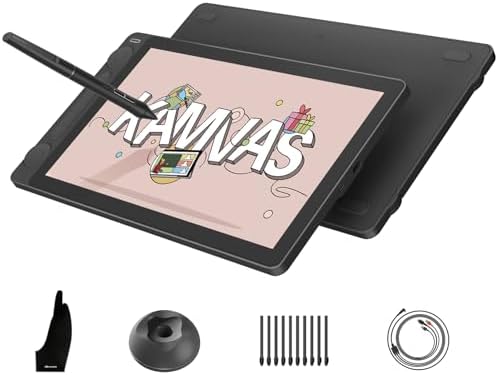
- Please note: Kamvas 13 (Gen 3) Pen Display is not a standalone product; this device must be connected to a computer/lapt…
- All-New Canvas Full-laminated Glass: The Kamvas 13 (Gen 3) art tablet features upgraded anti-glare Canvas Glass 2.0 with…
- Pro-Graded PenTech 4.0: Offers 2g IAF & 16384 pressure sensitivity for precise strokes. Its thin nib and tilt auto-align…
The dual dials are genuinely useful
The Kamvas has five programmable keys and two dial controllers. A beginner can assign common actions such as:
- Zooming in and out
- Changing brush size
- Rotating the canvas
- Undoing and redoing actions
- Scrolling through tools
You do not need to use every control. However, having physical dials can reduce how often you need to reach for the keyboard.
The pen is very sensitive at the starting point
Huion’s PW600L pen uses Pentech 4.0 technology and supports 16,384 pressure levels with 60-degree tilt recognition. The low activation force can help the pen respond to very light strokes.
That does not mean a beginner will suddenly draw better. In fact, most new artists will not notice much difference between 16,384 pressure levels and other high-end pressure systems. The more important factor is how natural the pen feels in your hand.
Why you might prefer the XP-Pen Artist 13.3 Pro V2
The XP-Pen Artist 13.3 Pro V2 is not a weaker choice. For some beginners, it may actually be the better fit.
Its most practical advantages are the brighter display, additional shortcut buttons, and pen with a dedicated rear eraser.
The screen has a typical brightness rating of 250 cd/m², compared with Huion’s 200-nit rating. That can make the XP-Pen easier to see in a brighter room.
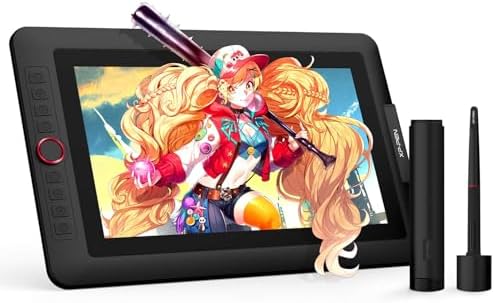
- PLEASE NOTE:XPPen Artist13.3 Pro drawing tablet Need to connect with computer,you need to use it with your computer or l…
- Drawing Tablet with Screen: Tilt Function- XPPen Artist 13.3 Pro supports up to 60 degrees of tilt function, so now you …
- Graphics Tablets: High Color Gamut- The 13.3 inch fully-laminated FHD Display pairs a superb color accuracy of 88% NTSC …
More buttons can mean less keyboard use
The Artist 13.3 Pro V2 has eight programmable shortcut keys and a roller wheel.
If you work in programs such as Krita, Clip Studio Paint, Photoshop, or similar software, you can assign frequently used commands directly to the tablet.
For example, a beginner could set the buttons for:
- Undo
- Redo
- Brush tool
- Eraser
- Zoom
- Brush size
- Hand tool
- Save
The roller wheel can also be useful for brush-size adjustments or zooming.
This setup may appeal to someone who dislikes keyboard shortcuts and wants more controls directly on the tablet.
The digital eraser is convenient
The XP-Pen X3 Pro Smart Chip Stylus includes a rear eraser. You can flip the pen around to erase instead of pressing a shortcut button or selecting the eraser tool.
This is a small feature, but it can feel more natural for beginners coming from traditional pencils.
The X3 Pro pen also supports 16,384 pressure levels, 60-degree tilt, and battery-free operation.
Screen quality: which one looks better?
Both tablets use a 13.3-inch, 1920 × 1080 display with full lamination and IPS technology. At this size, Full HD is sharp enough for most beginner illustration work.
The main difference is not resolution. It is the screen treatment and brightness.
Choose Huion if you care more about the drawing surface
The Kamvas 13 Gen 3 uses etched glass with an anti-glare finish. This may feel more durable and refined over long-term use than a matte film.
It can also give the pen tip more resistance, which some artists prefer because it feels less like drawing on smooth glass.
Choose XP-Pen if you work in a brighter room
The Artist 13.3 Pro V2 has the brighter listed display. If your desk is near a window or your room has strong overhead lighting, that extra brightness may be more useful.
The XP-Pen also uses a matte screen treatment and full lamination, so it still provides an anti-glare drawing experience.
For most beginners, however, neither display should be the sole reason to buy one model. Both are capable 1080p pen displays.
Pen experience: the difference is smaller than the specifications suggest
Both pens advertise 16,384 pressure levels, but beginners should not choose a tablet based on that number alone.
You are unlikely to use all 16,384 levels in a meaningful way when starting out. What matters more is:
- How comfortable the pen feels
- How easily light strokes register
- Whether the pressure curve suits your drawing style
- How the pen tip feels against the screen
- How easy it is to access shortcuts
The Huion PW600L has multiple pen controls and uses the company’s newer Pentech 4.0 system. The XP-Pen X3 Pro adds the convenience of a rear eraser.
A simple rule can help here:
- Prefer Huion’s overall pen-and-screen feel: Choose the Kamvas 13 Gen 3.
- Want a pencil-like flip-to-erase workflow: Choose the XP-Pen Artist 13.3 Pro V2.
Size and portability matter more than many beginners expect
Both tablets have the same 13.3-inch screen size, but the physical devices are not the same size.
The Kamvas 13 Gen 3 measures about 14.2 inches wide and weighs roughly 1.9 pounds. The XP-Pen is about 15.4 inches wide and weighs around 2.5 pounds.
That makes the Huion easier to recommend for:
- Small desks
- College students
- Artists who move between rooms
- Laptop users
- Anyone who wants a lighter setup
The XP-Pen is still portable, but it takes up more space.
Software and computer compatibility
Before buying either model, check your computer and software setup.
The Huion Kamvas 13 Gen 3 supports Windows, macOS, Android devices with compatible USB-C video output, and Linux.
The XP-Pen Artist 13.3 Pro V2 supports Windows, macOS, Android devices with compatible USB-C video output, ChromeOS, and Linux. XP-Pen also supports popular creative applications such as Photoshop, Illustrator, Krita, MediBang Paint, GIMP, and Blender.
A common beginner mistake: assuming any USB-C port will work
A USB-C connector does not automatically mean your laptop or Android device can send video to the pen display.
Before ordering either tablet, check whether your device supports the required video output, especially if you want a one-cable USB-C connection.
If not, you may need to use the included multi-connection cable.
This is one of the most important things to verify before buying.
Which one gives beginners better shortcut controls?
This depends on how you work.
The XP-Pen gives you more traditional shortcut buttons. Eight keys plus a roller wheel can be useful if you want many commands available directly on the display.
The Huion gives you fewer buttons but more flexible physical controls, with five shortcut keys and two dial controllers.
A beginner who wants simple, direct controls may prefer the XP-Pen.
A beginner who wants smooth zooming, brush-size changes, and other dial-based adjustments may prefer the Huion.
Scenario 1: A new digital artist using a laptop
Suppose you are learning Krita and working at a small desk with a laptop.
The Huion Kamvas 13 Gen 3 may be the better choice because it is lighter and more compact. Its dials can also handle common actions without forcing you to reach for the laptop keyboard as often.
Scenario 2: A beginner switching from traditional drawing
Suppose you are comfortable with pencils and want the digital experience to feel as natural as possible.
The XP-Pen Artist 13.3 Pro V2 may appeal to you because of the rear eraser and larger number of shortcut buttons. The brighter display could also be helpful if your drawing area gets plenty of light.
Current pricing: do not choose based only on the list price
Prices for these tablets can change frequently because of sales, retailer discounts, bundles, and seasonal promotions.
The Huion Kamvas 13 Gen 3 and XP-Pen Artist 13.3 Pro V2 are often available in a similar price range, making the better choice depend more on features than on the basic hardware cost.
A good buying rule is:
- If one model is significantly cheaper during a legitimate sale, compare the final package rather than assuming the more expensive one is automatically better.
- Check whether a stand is included or sold separately.
- Confirm the included cables and accessories.
- Check the return policy and warranty from the specific U.S. seller.
My recommendation for most beginners
I would choose the Huion Kamvas 13 Gen 3 for most beginners.
Its lighter body, etched glass surface, dual dials, and newer pen technology make it feel especially well suited to someone learning digital art for the first time.
However, the XP-Pen Artist 13.3 Pro V2 is the better choice for a specific type of beginner: someone who wants more shortcut buttons, a brighter display, and the convenience of a dedicated rear eraser.
Choose the Huion Kamvas 13 Gen 3 if:
- You want the lighter and more compact tablet.
- You prefer an etched glass drawing surface.
- You like dial-based controls.
- You want a simple, refined beginner setup.
- You work in a small space.
Choose the XP-Pen Artist 13.3 Pro V2 if:
- You want a brighter screen.
- You want more shortcut buttons.
- You like using a roller wheel.
- A rear eraser matters to you.
- You want broader operating system support, including ChromeOS.
The beginner factor most people overlook
The better tablet is not necessarily the one with the longest feature list.
For a first pen display, the biggest challenge is usually building a comfortable workflow. You need to learn your art software, adjust to looking at a screen while drawing, set up shortcuts, and find a comfortable desk position.
That means a few features can matter more than impressive specifications.
For example:
- A student with a small desk may benefit more from the Huion’s lighter design than from extra shortcut buttons.
- A beginner who constantly switches between drawing and erasing may benefit more from the XP-Pen’s rear eraser than from Huion’s dual dials.
Think about how you expect to draw for several hours at a time. That usually leads to a better decision than comparing pressure-level numbers.
FAQ
Is the Huion Kamvas 13 Gen 3 better than the XP-Pen Artist 13.3 Pro V2?
For most beginners, the Huion is the stronger overall choice because of its lighter design, etched glass surface, and dual dial controls. The XP-Pen can still be the better option if you want a brighter display, more shortcut buttons, and a rear eraser.
Can a beginner use either tablet without prior digital art experience?
Yes. Both are beginner-friendly pen displays because you draw directly on the screen rather than on a separate drawing pad. You will still need to learn the art software and install the correct tablet driver before using the shortcut and pen settings properly.
Which one should I buy if the prices are almost the same?
Buy the Huion Kamvas 13 Gen 3 if you want the more portable and drawing-focused experience. Buy the XP-Pen Artist 13.3 Pro V2 if you value the brighter screen, additional shortcut controls, and dedicated digital eraser more.
Final verdict
For a first display tablet, the Huion Kamvas 13 Gen 3 is my top recommendation for most beginners, while the XP-Pen Artist 13.3 Pro V2 is the better match for artists who want more physical shortcuts and a brighter screen.
Before buying, check your computer’s USB-C or HDMI video-output compatibility and look closely at the included accessories. The best choice is the one that fits your desk, computer, and drawing habits—not simply the one with the longer specification sheet.