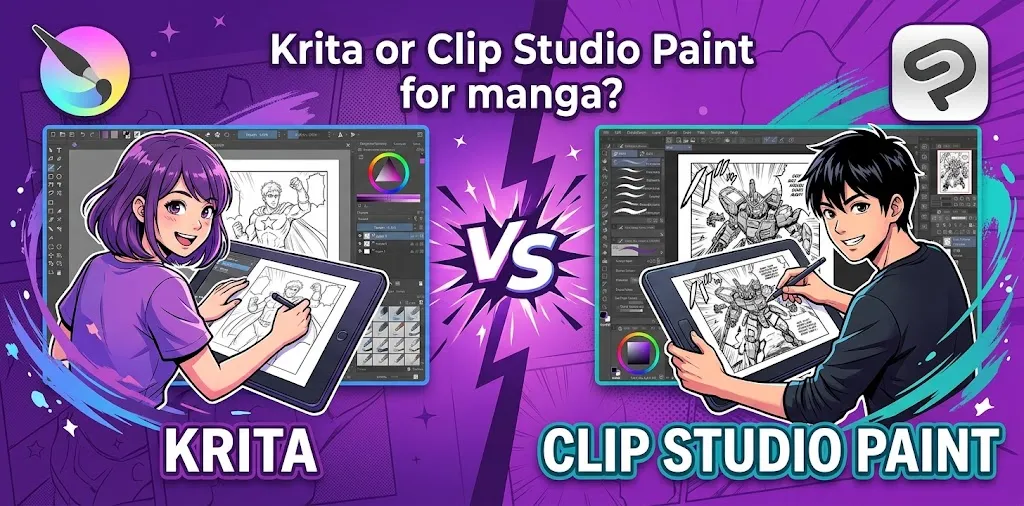
If you are choosing between Krita and Clip Studio Paint for manga, Clip Studio Paint is the stronger choice for serious manga production, especially if you need comic panels, speech balloons, screentones, perspective tools, 3D references, and multi-page project management. Krita is the better choice if you want a free, powerful digital painting program and mainly create manga pages one at a time. The right pick depends on your budget, workflow, and how complex your manga projects are.
Krita vs. Clip Studio Paint for Manga at a Glance
Both programs can produce professional-looking manga, but they are designed around slightly different priorities.
Krita is primarily a free, open-source digital painting program with strong illustration and comic features. It offers brushes, layers, vector tools, animation, comic panel tools, and text features.
Clip Studio Paint is built much more directly around comics, manga, and webtoons. Its dedicated tools include paneling, speech balloons, effect lines, specialized rulers, tones, 3D references, brushes, coloring, and multi-page project management.
| Feature | Krita | Clip Studio Paint |
|---|---|---|
| Manga drawing | Excellent | Excellent |
| Digital painting | Excellent | Excellent |
| Comic panels | Good | Excellent |
| Speech balloons | Good | Excellent |
| Screentones | Good | Excellent |
| Perspective/rulers | Strong | Excellent |
| 3D references | More limited | Excellent |
| Multi-page manga | Less specialized | Excellent |
| Webtoon workflow | Good | Excellent |
| Animation | Good | Strong |
| Price | Free | Paid |
| Best for | Budget-conscious artists | Dedicated manga creators |
Which Is Better for Drawing Manga?
For pure drawing, both Krita and Clip Studio Paint are capable choices.
The difference becomes more obvious when you move beyond drawing individual illustrations and start building complete manga pages.
Krita gives you a strong painting and drawing environment. It supports brushes, layers, assistants, vector tools, animation, and comic-oriented features. It is especially attractive if you want to spend nothing on your software.
Clip Studio Paint goes further with tools specifically designed around comic production. Its manga workflow includes panel creation, speech balloons, effect lines, rulers, tones, 3D models, and other tools that can reduce repetitive work.
So if your question is simply “Can I draw manga in Krita?”, the answer is yes.
If the question is “Which program makes a complete manga workflow easier?”, Clip Studio Paint has the advantage.
Manga Panels and Page Layout
This is one of the biggest differences between the two programs.
Manga is not just about drawing characters. You also have to arrange panels, control gutters, place speech balloons, create backgrounds, add effects, and prepare pages for publication.
Clip Studio Paint has dedicated comic and manga tools for this workflow. Its paneling features make it easier to divide pages and manage comic layouts.
Krita can also handle comic pages. Its vector tools and newer comic-focused improvements make panel creation more convenient than it has been in the past.
For a short manga with a handful of pages, the difference may not matter much.
For a long series with dozens or hundreds of pages, Clip Studio Paint’s specialized comic workflow can save considerable time.
Screentones and Manga Effects
Traditional manga often relies heavily on black-and-white line work, screentones, speed lines, textures, and visual effects.
Clip Studio Paint has a particularly strong workflow for these tasks because comic creation is one of its core uses. It provides specialized tools for tones, effects, rulers, and other manga techniques.
Krita can create similar results using brushes, patterns, layers, selections, and other tools. You can also expand its capabilities with additional brushes and resources.
The practical difference is workflow rather than whether the final image is possible.
A skilled Krita artist can create convincing manga effects. Clip Studio Paint simply gives manga artists more specialized tools for getting there efficiently.
Speech Balloons and Text
Speech balloons are another area where Clip Studio Paint has an advantage.
A manga page may contain dozens of dialogue elements, captions, sound effects, and different text treatments. Dedicated comic tools can make this much easier to manage.
Clip Studio Paint includes specialized speech-balloon and text tools as part of its comic workflow.
Krita also supports text and has improved its text-related capabilities over time.
If you only add a few dialogue bubbles to each page, Krita may be perfectly adequate.
If you’re producing dialogue-heavy manga regularly, Clip Studio Paint is generally more convenient.
3D Models and Perspective References
3D references can be extremely useful for manga artists.
You might need a complicated camera angle, a character sitting in a particular pose, a room viewed from an unusual perspective, or a quick reference for body proportions.
Clip Studio Paint includes 3D model tools and can use 3D references to help artists work out difficult poses and compositions.
This can be particularly useful for beginners who struggle with anatomy and perspective.
Krita is still very capable for perspective drawing, especially with its assistants and painting tools, but Clip Studio Paint has a more specialized 3D-assisted workflow for comic artists.
Which One Is Easier for Beginners?
The answer depends on what you mean by “easier.”
Krita is easier financially. You can start without paying for the software, which removes one of the biggest barriers for a beginner.
However, Clip Studio Paint can be easier to learn for someone whose specific goal is creating manga because many of its tools are designed around that workflow.
Krita has a broad digital-art focus. That makes it flexible, but it also means you may need to learn how different tools work together.
Clip Studio Paint presents more manga-specific options, but its large number of features can also make the interface feel overwhelming at first.
For a beginner who wants to experiment with digital art before committing money, Krita is a sensible starting point.
For a beginner who already knows, “I want to make manga,” Clip Studio Paint is worth considering from the start.
Krita vs. Clip Studio Paint: Price
Price is one of the easiest differences to understand.
Krita is free and open-source, so you do not need to pay for the desktop application.
Clip Studio Paint is paid software. It offers different versions and licensing options, including PRO and EX, as well as subscription plans depending on the device and plan you choose.
The price difference matters because you should not automatically buy EX just because you want to draw manga.
Do You Need Clip Studio Paint EX for Manga?
No, you do not necessarily need EX to draw manga.
Clip Studio Paint PRO is suitable for many illustration and single-page comic projects. EX adds more advanced comic and animation capabilities, including features designed for larger multi-page projects.
If you are learning manga or creating occasional single pages, PRO may be enough.
If you are producing a full multi-page manga series, EX makes more sense because its additional comic-production features are aimed at that type of work.
Which One Is Better for Long Manga Projects?
For a serious multi-page manga project, Clip Studio Paint EX is the stronger choice.
A long manga involves more than creating individual images. You need to keep pages organized, maintain consistent characters and backgrounds, manage dialogue, create panels efficiently, and prepare the finished work.
Clip Studio Paint EX is specifically designed for more advanced comic, manga, webtoon, and animation workflows.
Krita can still be used for a long manga project. An experienced artist can organize pages as separate documents and develop an effective system.
The difference is that Clip Studio Paint is designed to make this kind of production workflow a central part of the application.
Which One Is Better for Webtoons?
If you plan to create vertical webtoons, Clip Studio Paint has the edge.
Its comic tools are designed to support both traditional comics and webtoons, including specialized comic features and export options.
Krita can also create webtoon artwork because you can work with large canvases, layers, selections, brushes, and other illustration tools.
However, if webtoon production is your main goal, Clip Studio Paint is the more purpose-built option.
Which One Is Better for Manga Animation?
Both programs support animation, but their approaches differ.
Krita includes a 2D animation workspace where you can create frame-by-frame animation, work with layers, and export finished animations.
Clip Studio Paint also supports animation, with EX offering more advanced capabilities.
If animation is only an occasional experiment, Krita may be enough.
If manga and animation are both major parts of your work, Clip Studio Paint EX is the more specialized option.
Two Real-World Examples
Example 1: A Beginner Making a First Manga
Imagine a beginner in the U.S. who wants to create a 20-page black-and-white manga but has never used digital art software before.
If money is tight, starting with Krita makes a lot of sense. The artist can learn digital drawing, experiment with brushes and layers, and create complete manga pages without purchasing software.
If the artist later discovers that panel management, tones, speech balloons, and 3D references are becoming a major part of the workflow, moving to Clip Studio Paint could be worthwhile.
Example 2: An Artist Producing a Serialized Manga
Now imagine an artist planning a 100-page manga or an ongoing series.
The artist may need consistent page organization, efficient panel creation, dialogue tools, tones, perspective references, reusable materials, and a workflow that reduces repetitive tasks.
In this situation, Clip Studio Paint EX is the more practical choice because its features are specifically aimed at professional comic and manga production.
Krita or Clip Studio Paint for Manga: The Decision
Choose Krita if:
- You want free software.
- You mainly care about drawing and painting.
- You are learning digital art.
- You create occasional manga pages.
- You do not need an advanced multi-page comic workflow.
- You want an open-source application with extensive customization.
Choose Clip Studio Paint PRO if:
- You want specialized comic and manga tools.
- You create single-page comics or illustrations.
- You want strong rulers, brushes, 3D references, and comic features.
- You want a more dedicated manga workflow without paying for EX.
Choose Clip Studio Paint EX if:
- You are producing a long manga.
- You need multi-page project management.
- You create webtoons or professional comics.
- You also want more advanced animation capabilities.
- Manga production is a serious part of your regular workflow.
Is Krita Good Enough for Professional Manga?
Yes. The fact that Krita is free does not mean it is incapable of producing professional artwork.
The final quality of manga depends heavily on drawing ability, storytelling, composition, anatomy, lettering, page design, and editing—not simply on the software used.
Krita provides professional painting tools, animation capabilities, customizable resources, and comic features.
The main reason to choose Clip Studio Paint is not that Krita cannot make good manga. It is that Clip Studio Paint can make many manga-specific tasks more convenient.
Is Clip Studio Paint Worth Paying For?
For someone who regularly creates manga, it can be.
The strongest reason to pay for Clip Studio Paint is its specialized workflow rather than simply getting a larger collection of brushes.
If you are spending hours creating panels, arranging dialogue, applying tones, correcting perspective, using 3D references, or managing many pages, specialized tools can save time.
On the other hand, if you are still learning and have not decided whether manga will become a serious hobby, spending money may not be necessary. Krita gives you a capable place to start for free.
Krita vs. Clip Studio Paint: Final Verdict
For most dedicated manga artists, Clip Studio Paint is the better overall choice because it is built around comics, manga, and webtoons and provides specialized tools for panels, balloons, tones, effects, rulers, 3D references, and multi-page production.
For beginners, hobbyists, and artists on a tight budget, Krita is the better value because it is free and still provides powerful drawing, painting, animation, and comic capabilities.
The practical choice is simple: start with Krita if cost is your biggest concern; choose Clip Studio Paint if manga-specific workflow and production efficiency matter more. If you decide on Clip Studio Paint, start with PRO unless you specifically need the advanced multi-page and animation features offered by EX.
Frequently Asked Questions
Is Krita or Clip Studio Paint better for beginners making manga?
Krita is the better starting point if you want free software and are still learning digital drawing. Clip Studio Paint can be easier for manga-specific workflows, especially when you need panels, tones, speech balloons, rulers, and 3D references.
Can you make professional manga with Krita?
Yes. Krita has the drawing, painting, layer, vector, animation, and comic-related tools needed to create high-quality manga. The main disadvantage compared with Clip Studio Paint is that some specialized manga-production workflows are less integrated.
Should I buy Clip Studio Paint PRO or EX for manga?
PRO is enough for many beginners and artists creating individual manga pages. EX is the better choice for longer manga projects, multi-page workflows, webtoons, and artists who also need its more advanced animation capabilities.
The Bottom Line
There is no requirement that a manga artist use one particular program. Krita is an excellent free starting point, while Clip Studio Paint is the stronger dedicated manga-production tool.
If you are just learning, start with Krita and focus on drawing before worrying about software. If you already know you want to produce full manga or webtoons, Clip Studio Paint is likely worth the investment. The best program is ultimately the one that lets you spend less time fighting the interface and more time drawing your story.