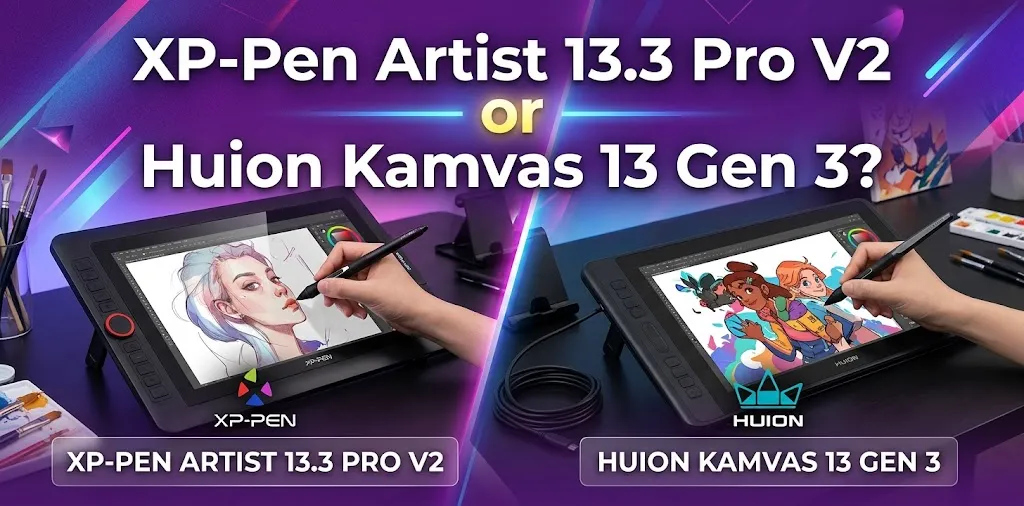
The Huion Kamvas 13 Gen 3 is the better choice for most artists, mainly because it is lighter, has a durable etched-glass drawing surface, excellent pen technology, and strong shortcut controls. Choose the XP-Pen Artist 13.3 Pro V2 instead if you prefer its larger body, extra shortcut keys, dedicated pen eraser, and brighter screen.
Both are compact 13.3-inch pen displays designed for beginners and intermediate digital artists. They also have several important similarities: a Full HD laminated display, 16K pressure sensitivity, tilt support, and battery-free pens.
That makes the decision less about raw specifications and more about how each tablet feels during real-world use.
Quick comparison
| Feature | XP-Pen Artist 13.3 Pro V2 | Huion Kamvas 13 Gen 3 |
|---|---|---|
| Screen size | 13.3 inches | 13.3 inches |
| Resolution | 1920 × 1080 | 1920 × 1080 |
| Pen pressure | 16,384 levels | 16,384 levels |
| Tilt support | ±60° | ±60° |
| Display surface | Matte screen protector | Nano-etched canvas glass |
| Shortcut controls | 8 keys + 1 red dial | 5 keys + 2 dials |
| Pen | X3 Pro | PW600L |
| Pen eraser | Yes | No dedicated rear eraser |
| Pen side buttons | 2 | 3 |
| Brightness | 250 nits | About 200–220 nits |
| Weight | About 2.5 lb | About 1.9 lb |
| Pen tablet mode | No dedicated display-off tablet mode listed | Yes |
| Best for | Artists who want more buttons and a rear eraser | Most buyers, especially portable and long-term users |
The core specifications are close enough that neither tablet wins simply because it says 16K pressure sensitivity. The more important differences are the screen surface, portability, pen design, shortcut layout, and workflow.
Why the Huion Kamvas 13 Gen 3 is the better overall choice
The biggest advantage of the Kamvas 13 Gen 3 is that it feels like a more refined all-around package.
Its Canvas Glass 2.0 surface is built into the display, rather than relying on a replaceable matte film. Huion also uses its newer PenTech 4.0 system with the PW600L battery-free pen. The tablet is lighter at about 1.9 pounds, and its smaller body makes it easier to move between a desk, backpack, and laptop setup.
For many artists, the durable glass surface is the feature that matters most over time.
A screen protector can work well, but it may eventually show wear or need replacement. An etched glass surface is part of the display itself, which can make the tablet feel more solid and consistent during long-term use.
The Kamvas also includes an unusual feature for this category: pen tablet mode. This allows the display to be used more like a traditional non-display graphics tablet when you do not want to keep looking down at the screen.
That can be useful during long work sessions.
Where the XP-Pen Artist 13.3 Pro V2 wins
The XP-Pen Artist 13.3 Pro V2 is not a weak alternative. In some workflows, it may actually be the better choice.
Its most noticeable advantage is the control layout. You get eight programmable shortcut keys and a physical red roller wheel, giving you more dedicated button controls than the Huion’s five shortcut keys.
If you frequently use shortcuts for brush size, zooming, undo, redo, rotation, and tool changes, those extra controls can reduce how often you reach for your keyboard.
The XP-Pen pen also has a dedicated eraser on the back end. That is useful for artists who naturally flip their pen over to erase, similar to using a traditional pencil or professional graphics pen.
The display is also brighter on paper, which may help if you work in a room with stronger ambient light.
So the XP-Pen is the better option for an artist who values more onboard controls and a two-sided pen design.
Display quality: the real difference is the surface
Both tablets use a 13.3-inch Full HD display with full lamination. That means the distance between the pen tip and the visible line is reduced compared with older non-laminated drawing displays.
In practice, both should provide a good drawing experience for this price range.
The bigger difference is the drawing surface.
Huion uses etched canvas glass
The Kamvas 13 Gen 3 has a nano-etched anti-glare glass surface. It is designed to reduce glare while adding a paper-like texture without relying on a separate screen film. Huion also lists strong color coverage for common creative work.
This makes the Huion especially appealing for artists who care about:
- Long-term surface durability
- A built-in textured drawing feel
- Anti-glare performance
- A more compact and lightweight display
XP-Pen uses a matte screen protector
The Artist 13.3 Pro V2 uses a matte drawing surface that provides friction and reduces glare. It can still feel very good to draw on, but the surface approach is different.
This is not automatically a problem. In fact, a replaceable film can be useful if you eventually want to change the texture.
However, if your priority is a durable factory-installed glass drawing surface, Huion has the advantage.
Pen performance: close in practice, different in design
Both tablets offer 16,384 levels of pressure sensitivity and ±60-degree tilt support. Both use battery-free pens.
That means you should not choose one solely because it has a higher pressure number. At normal drawing speeds, most artists will care more about:
- Initial pressure feel
- Line consistency
- Cursor accuracy
- Pen grip
- Button placement
- Nib feel
Huion’s PW600L uses PenTech 4.0 and includes three customizable side buttons.
The XP-Pen X3 Pro pen has two side buttons plus a rear digital eraser.
Choose the Huion pen if you prefer
- More side-button functions
- A straightforward pen-like workflow
- A comfortable grip for long sessions
- Newer pen technology
Choose the XP-Pen pen if you prefer
- A rear eraser
- Flipping the pen to erase
- Fewer side buttons
- A workflow similar to a traditional pencil with an eraser
Neither pen is universally better. This is one of the most personal parts of the comparison.
Shortcut controls: XP-Pen has more buttons, Huion has a more flexible layout
The XP-Pen has eight shortcut keys and one dial. The Huion has five programmable keys, two dial controllers, and function-switch buttons.
At first glance, XP-Pen looks better because it has more keys.
But the answer depends on your workflow.
XP-Pen is better if you want many dedicated shortcuts
For example, you could assign controls to:
- Brush
- Eraser
- Undo
- Redo
- Zoom
- Hand tool
- Brush size
- Canvas rotation
The dedicated layout can be very convenient if you work without an external shortcut keyboard.
Huion is better if you like dial-based control
The two dials can be useful for functions such as:
- Zooming
- Changing brush size
- Rotating the canvas
- Scrolling
For some artists, physical dials are faster and more natural than pressing several separate buttons.
Portability: Huion clearly wins
The Kamvas 13 Gen 3 is significantly lighter and physically smaller than the Artist 13.3 Pro V2.
That matters more than it may seem.
Imagine a student who draws between classes and uses a laptop at a library. The Huion is easier to carry and takes up less space in a bag.
Now imagine a digital artist with a permanent home desk setup. In that situation, the extra size and weight of the XP-Pen may not matter at all. The additional shortcut keys could actually be more valuable.
So:
- Traveling or moving often: Huion
- Mostly staying at one desk: Either tablet can work well
The Huion’s pen tablet mode may matter more than you expect
One feature that deserves more attention is the Kamvas 13 Gen 3’s ability to switch into pen tablet mode.
This gives you two different ways to work:
- Draw directly on the display.
- Use the device more like a traditional graphics tablet while looking at your main monitor.
For example, an illustrator may spend hours painting on the screen, then switch to pen tablet mode for photo editing or other long computer tasks.
That flexibility can make the Huion more useful as an everyday input device.
The XP-Pen is more focused on its role as a display tablet.
Color and brightness
Both displays are suitable for digital art, illustration, comics, animation, and general creative work.
The XP-Pen has a listed brightness advantage, while Huion places more emphasis on factory color calibration and its color modes.
For most beginner and intermediate artists, the difference should not be the deciding factor.
However:
- Brighter room: XP-Pen may be more comfortable
- Color-focused illustration workflow: Huion has strong calibration features and color-mode options
- Professional print-critical color work: Neither compact budget pen display should replace a properly calibrated professional monitor without additional color management
Connection and compatibility
These are not standalone tablets. You need to connect them to a compatible computer or supported device.
Both support a range of operating systems and connection methods. Before buying either one, check your computer’s ports.
A USB-C port does not automatically mean you can use a single-cable connection. The port may need the proper video output support.
That is a common mistake buyers make.
Which one is better for beginners?
For most beginners, I would choose the Huion Kamvas 13 Gen 3.
The reasons are simple:
- It is lighter
- It has a durable etched glass surface
- The pen is comfortable and battery-free
- The shortcut controls are flexible
- It has a useful pen tablet mode
- The screen is fully laminated
A beginner usually benefits more from a comfortable, reliable drawing experience than from having the maximum number of shortcut buttons.
That said, a beginner who strongly prefers a rear eraser and more physical controls may enjoy the XP-Pen more.
Which one is better for experienced artists?
The answer depends more on your habits.
Choose the XP-Pen Artist 13.3 Pro V2 if your workflow is shortcut-heavy
It makes sense if you want:
- Eight dedicated shortcut keys
- A roller wheel
- A rear digital eraser
- A brighter display
- A compact desktop pen display
For example, a Clip Studio Paint user who constantly switches between brushes, tools, zoom, rotation, and undo functions may appreciate the larger number of dedicated controls.
Choose the Huion Kamvas 13 Gen 3 if drawing feel and portability matter more
It makes sense if you want:
- Etched glass
- Lower weight
- A smaller body
- PenTech 4.0
- Two dial controllers
- Pen tablet mode
For example, an illustrator who travels with a laptop and spends several hours sketching may prefer the lighter Huion and its durable canvas-like surface.
Price: do not choose based on the original list price alone
These two tablets often sell in a similar price range, but discounts can change.
That means the best buying rule is not simply:
Buy the cheaper one.
Instead, use the price difference as a tie-breaker.
If the Huion and XP-Pen cost nearly the same
Choose the Huion Kamvas 13 Gen 3 for the better overall balance.
If the XP-Pen is significantly cheaper
The Artist 13.3 Pro V2 can become the better value, especially if you already prefer its shortcut layout and rear eraser.
If the Huion is only slightly more expensive
The etched glass surface, lower weight, newer pen technology, and extra working modes may justify the difference.
What matters less than buyers think
16K pressure sensitivity
Both tablets have it, so this is not a useful deciding factor.
Also, extremely high pressure numbers do not automatically create dramatically better artwork. Brush engine settings, software, nib feel, and your personal drawing technique can matter more.
Small response-time differences
Specifications may suggest that one device is faster than the other, but normal drawing use is more complex than a single number.
Your computer, graphics performance, software, driver settings, and brush complexity can also affect how responsive the tablet feels.
Screen size
Both have essentially the same 13.3-inch drawing display.
If you are struggling to decide because one sounds like 13 inches and the other sounds like 13.3 inches, do not worry about that difference. These are competing devices in the same compact pen-display category.
A practical buying decision
Use this simple rule.
Buy the Huion Kamvas 13 Gen 3 if you want
- The better overall balance
- A lighter and more portable tablet
- Durable etched glass
- A paper-like drawing surface
- PenTech 4.0
- Two shortcut dials
- Pen tablet mode
Buy the XP-Pen Artist 13.3 Pro V2 if you want
- More dedicated shortcut keys
- A rear digital eraser
- A brighter display
- The red roller-wheel control
- A larger shortcut-focused layout
Frequently asked questions
Is the Huion Kamvas 13 Gen 3 better than the XP-Pen Artist 13.3 Pro V2?
For most people, yes. The Huion offers a stronger overall balance of portability, screen surface quality, pen technology, and flexibility. The XP-Pen is still a better choice for artists who strongly prefer more shortcut keys and a rear pen eraser.
Is the etched glass on the Huion worth choosing over the XP-Pen surface?
For long-term use, it can be. The Huion’s built-in etched glass is more durable than a separate matte film and gives the tablet a more permanent textured drawing surface. The XP-Pen surface can still feel good, especially if you prefer the ability to replace the film later.
Can I use either tablet without a computer?
No. These are pen displays rather than standalone Android tablets or computers. You need to connect them to a compatible computer or supported device to draw and use creative software.
Final verdict
If you want one simple answer, buy the Huion Kamvas 13 Gen 3.
It is the safer choice for most buyers because of its lighter design, durable etched-glass surface, excellent pen system, flexible shortcut controls, and additional pen tablet mode.
Choose the XP-Pen Artist 13.3 Pro V2 if its extra shortcut keys, brighter display, and rear pen eraser match the way you work. My practical tip is to focus on the features you will physically use every day rather than comparing pressure-sensitivity numbers. Before ordering, check your computer’s ports and make sure your preferred software and connection setup are supported.